
91% of businesses now use video as a marketing and communication tool as of 2026, and the gap between companies that do it well and those that waste budget on forgettable content keeps widening. Corporate videos are purpose-built films created by or for businesses to achieve a specific goal: generate leads, onboard employees, close deals, attract talent, or explain a product. They are not ads in the traditional sense. They live on websites, in email sequences, at sales meetings, and across social platforms.
What separates effective business video from expensive noise comes down to four things: a clear business objective, a defined audience, a single primary message, and production quality matched to the distribution channel. A polished 90-second brand film belongs on a homepage. A screen-recorded walkthrough belongs in a sales follow-up. Neither format is wrong in the right context.
The biggest shift in recent years is the move away from company-centric storytelling. 62% of B2B buyers say videos that talk about the company instead of the customer’s problem are the most common reason they disengage. The videos that actually move pipeline lead with the buyer’s pain, raise the stakes, present a solution, and close with proof.
- Clear business objective tied to a funnel stage
- Focused audience with a specific job-to-be-done
- One primary message per video
- Production quality calibrated to where the video will live
- Customer-focused narrative, not company-focused promotion
Table of Contents
- What types of corporate videos should you make?
- Best practices that actually make corporate videos work
- Inspirational corporate video examples from 2026
- How the corporate video production process actually works
- How to commission a corporate video without wasting your budget
- Where and how to distribute your corporate videos
- How to measure whether your corporate videos are actually working
- Make your next corporate video with Kudoflix
- Key Takeaways
What types of corporate videos should you make?
A library of customer stories, product demos, and recruitment content fills every funnel stage with content that actually belongs there. Each type has a different job.
Brand videos establish who you are and why it matters. They typically run one to two minutes, live on homepages and LinkedIn, and work best when they lead with a point of view rather than a company history.
Product demos show the product doing something real. The best ones skip the feature tour and show a specific problem being solved in a short duration. SaaS companies use these heavily in mid-funnel email sequences.
Explainer videos work when the offer is hard to grasp in a sentence. Animation suits abstract concepts; live-action suits service businesses where faces build trust. About two minutes is usually the ceiling before attention drops.
Testimonial and case study videos are the most underused format in B2B. A customer saying “we cut onboarding time by three weeks” on camera does more work than any copywriter. The key is specificity: named company, named result, named timeline.
Recruitment and culture videos have replaced the careers-page wall of text at most competitive employers. They show the office, the team, and the actual work, not a list of perks.
Corporate training videos cover onboarding, compliance, safety, and skills development. They reduce live training costs and let employees revisit content on demand. Short modules have significantly higher completion rates than long-form sessions.
Event and webinar videos serve double duty: live engagement during the event, then repurposed clips for social and sales follow-up for months afterward.
Best practices that actually make corporate videos work
Strategy, messaging, and distribution drive video ROI far more than production value alone. That is the single most important thing to understand before you spend a dollar on a shoot.

Start with the business goal, then work backward to format. Awareness videos get judged on completion and reach. Conversion videos get judged on demo requests, sign-ups, or influenced revenue. Picking a format before you know the goal is how teams end up with a beautiful video that moves nothing.
Scripting and narrative structure matter more than most teams realize. The structure that consistently outperforms others in B2B follows a five-part arc: problem, stakes, solution, proof, next step. Every sentence in the script should earn its place by advancing one of those five elements.
On budget: one-off professional productions in the US typically run $6,000–$25,000+ per project. Subscription production models, where a production company works with you on a recurring volume basis, reduce that to roughly $2,500–$8,000 per video by spreading setup and brand familiarization costs across multiple shoots. For teams producing more than four videos a year, subscription models reduce per-video costs by 30–50%. Budget varies more by shoot complexity, crew size, and number of locations than by runtime.
Post-production is where most teams lose momentum. Captions are non-negotiable: most social video plays without sound. Format optimization means exporting vertical cuts for Instagram and TikTok, square for LinkedIn feed, and horizontal for YouTube and website embeds. These are not optional extras; they determine whether the video gets watched.
Distribution is where most corporate video investment dies. Publishing once and moving on is the most common and most expensive mistake. Repurposing one video into platform-specific formats can multiply overall engagement by more than 4x. One customer interview can yield a full-length case study video, three 60-second social clips, a quote graphic, a blog post from the transcript, and a sales follow-up asset.
Pro Tip: Treat video as an ongoing communication system, not a one-time project. Teams that plan repurposing before the shoot, not after, consistently extract more value from the same production budget.
Inspirational corporate video examples from 2026
The strongest business videos from 2025 share one trait: they resist the urge to say everything and commit to saying one thing well.
| Video Type | Example Approach | Length | Budget Tier | What Made It Work |
|---|---|---|---|---|
| Brand video | Founder-led story with real customer footage | 90 sec | Mid ($12K–$25K) | Authentic voice, no voiceover script |
| Product demo | Screen + talking head, problem-first structure | 2 min | Basic ($6K–$10K) | Specific use case, clear CTA |
| Customer testimonial | Single customer, named metrics, no B-roll fluff | 60–90 sec | Basic ($6K–$8K) | Specificity and named results |
| Recruitment video | Day-in-the-life format, employee-led narration | 2 min | Mid ($12K–$25K) | Real employees, no actors |
| Training module | Animated explainer with scenario-based examples | 3 min | Mid ($12K–$25K) | Short chapters, quiz integration |
| Event recap | Highlight reel with speaker soundbites | 90 sec | Basic ($6K–$10K) | Fast pacing, strong opening hook |
The testimonial format deserves special attention. The videos that performed best in 2025 were not cinematic productions. They were well-lit interviews where a real customer walked through a specific problem and a specific outcome. Pre-interview preparation to elicit genuine, on-brand spoken proof is the hardest skill in corporate video production and the one most teams underinvest in.
Landing pages that feature video often lift conversions compared to static pages, which is why the most effective 2025 examples were built for a specific page placement, not just a general channel.
How the corporate video production process actually works
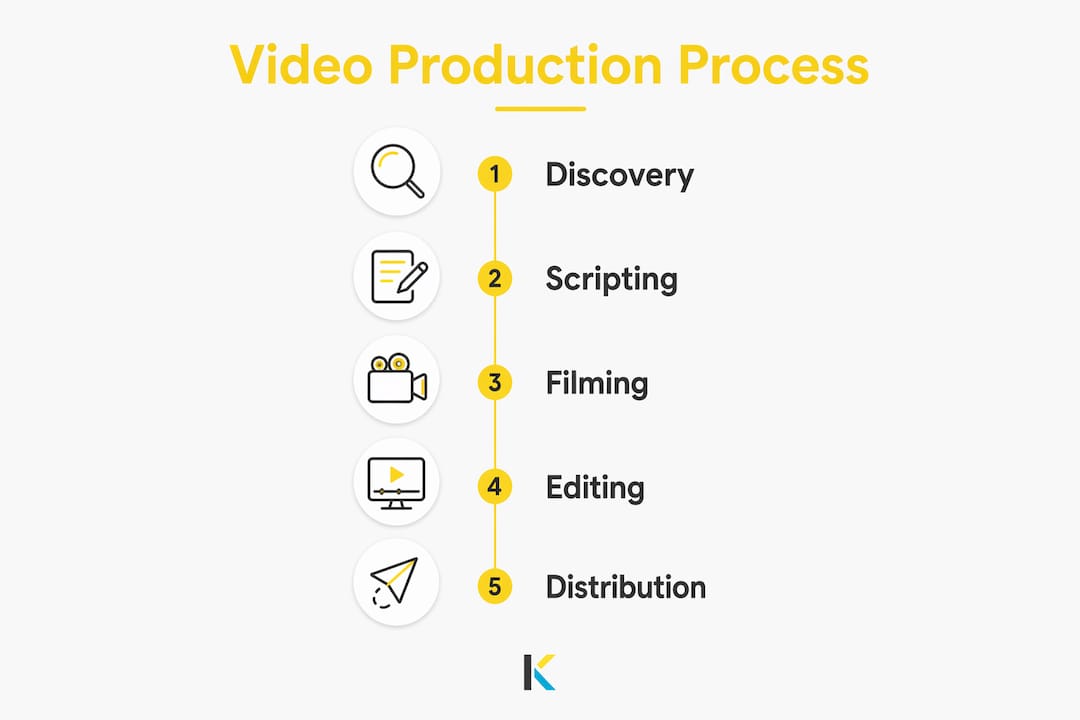
A professional corporate video moves through four stages, and skipping any one of them is where projects go sideways.
Discovery and planning is where the business goal, audience, key message, and distribution channel get locked in. This stage also covers location scouting, talent casting, and shoot logistics. Rushing it is the most common cause of expensive reshoots.
Scripting translates the strategy into a shooting script or interview guide. For testimonial and documentary-style videos, this means rigorous question planning rather than a word-for-word script. For explainers and brand films, every line gets written and approved before a camera turns on.
Filming covers the actual shoot: camera, lighting, sound, direction, and talent management. Crew size scales with complexity. A talking-head interview for a sales sequence might need two people. A multi-location brand film might need ten.
Editing and post-production is where the video gets built: assembly cut, color grade, sound mix, motion graphics, captions, and format exports. This stage takes as long as filming in most professional productions.
A standard professional timeline runs several weeks from kickoff through delivery, covering discovery, scripting, filming, editing, and final approvals. Rush projects compress that, but usually at the cost of scripting quality or post-production polish.
How to commission a corporate video without wasting your budget
Choosing a production company comes down to three things: relevant category experience, a clear process, and references from clients with similar budgets.
Ask to see work in your specific video category. A company that excels at brand films may not have the interview craft for a strong testimonial series. Ask how they handle scripting and pre-production, because that is where the real work happens. And ask for two or three client references you can actually call.
On budget: define your production tier before you start conversations. Basic tier ($6K–$10K) covers a single-location shoot with a small crew and standard post-production. Mid tier ($12K–$25K) adds locations, higher-end equipment, and more post-production time. Premium tier ($25K+) involves larger crews, multiple shoot days, and full motion graphics or animation. Subscription production models reduce cost per video to $2,500–$8,000 and are more affordable for teams producing videos on an ongoing basis. Technology adoption in production workflows has brought mid-tier quality within reach of budgets that would have bought only basic work five years ago.
Timeline expectations: build in 6–8 weeks for a standard project. If you need it faster, say so upfront and ask what gets cut, not just what it costs extra.
Where and how to distribute your corporate videos
The strongest video programs use one core asset across owned, social, search, and paid channels simultaneously. Each channel does a different job.
- Website: place videos on the specific page where they match intent: product pages, landing pages, careers pages, and resource hubs
- LinkedIn: 30–90 second clips for thought leadership, customer proof, and product education perform well in the feed
- YouTube: longer explainers and product walkthroughs benefit from search discovery and build deeper trust over time
- Email: video thumbnails in nurture sequences and sales outreach consistently lift click-through rates
- Sales enablement: short, specific clips give reps assets for outreach, follow-up, and proposal support
- Instagram Reels and TikTok: vertical cuts under 90 seconds for discovery and brand awareness
Repurposing is not an afterthought. Plan the derivative assets before the shoot. One customer interview should leave your team with a full case study video, three social clips, a quote graphic, a carousel post, and a blog draft from the transcript. You can edit videos for social platforms directly in the browser, which removes the friction of exporting and reformatting across tools.
How to measure whether your corporate videos are actually working
Views are a vanity metric. The metrics that matter depend entirely on what the video was built to do.
| Video Goal | Primary Metric | Secondary Signal |
|---|---|---|
| Awareness | Completion rate, qualified views | Shares, saves, profile visits |
| Consideration | Click-through to product or resource page | Watch depth, return visits |
| Conversion | Demo requests, sign-ups, purchases | Assisted conversions, sales usage |
| Retention | Onboarding completion, help-center engagement | Reduced support tickets, feature adoption |
Video success metrics must move beyond views to track pipeline influence, demo requests, and onboarding completion for true ROI. Set the KPI before the video goes live, not after. A conversion video with 500 views and 40 demo requests is outperforming a brand video with 50,000 views and no downstream action.
Review performance at 30 and 90 days. If a video is underperforming, the problem is usually placement or audience targeting, not the video itself. Test a different page position or a different paid audience before you reshoot.
Make your next corporate video with Kudoflix
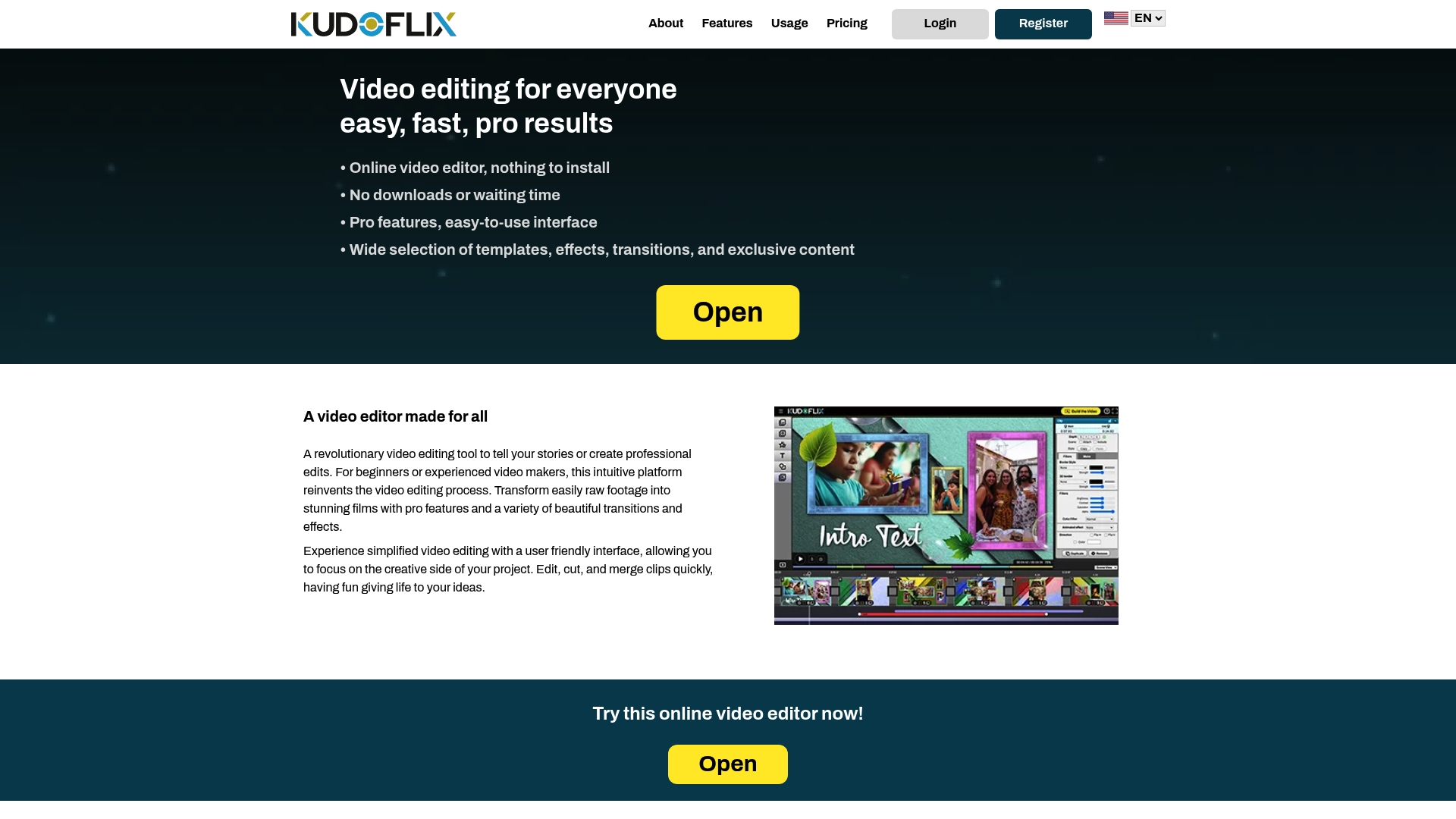
Most corporate video projects stall not because of budget but because the editing step feels like a separate, complicated project. Kudoflix removes that barrier entirely. The browser-based editor requires no download, no installation, and no prior editing experience. You get an extensive library of video templates built for business use cases: testimonials, product demos, event recaps, training modules, and social cuts.
For marketing teams producing video on a recurring basis, the template system means brand consistency without starting from scratch every time. For decision-makers commissioning video for the first time, it means you can review, adjust, and approve edits without waiting on a production queue. See what Kudoflix can do for your corporate video production workflow.
Key Takeaways
Effective corporate videos are built on clear objectives and customer-focused narratives, not production budgets, and their ROI compounds when you treat them as a system of reusable assets rather than one-off projects.
| Point | Details |
|---|---|
| Strategy before format | Define the business goal and funnel stage before choosing video type or production approach. |
| Customer-first narrative | 62% of B2B buyers disengage from company-centric videos; lead with the buyer’s problem and proof. |
| Budget by production tier | One-off projects run $6,000–$25,000+; subscription models reduce cost per video to $2,500–$8,000, delivering a 30–50% savings. |
| Repurpose every shoot | One core video can yield social clips, quote graphics, blog posts, and sales assets from a single shoot. |
| Measure against the goal | Track demo requests, onboarding completion, and pipeline influence, not views alone. |
Recommended