

Picking a free online video editor for quick social clips, team projects, or long-form tutorials is often more hassle than it should be. Many free plans restrict video length, apply watermarks that block commercial use, or demand upgrades for stock assets and advanced editing tools. This comparison covers editing depth, project types, and export limits so creators and teams can match an online editor to their real needs without wasted trials.
Table of Contents
Kudoflix
At a Glance
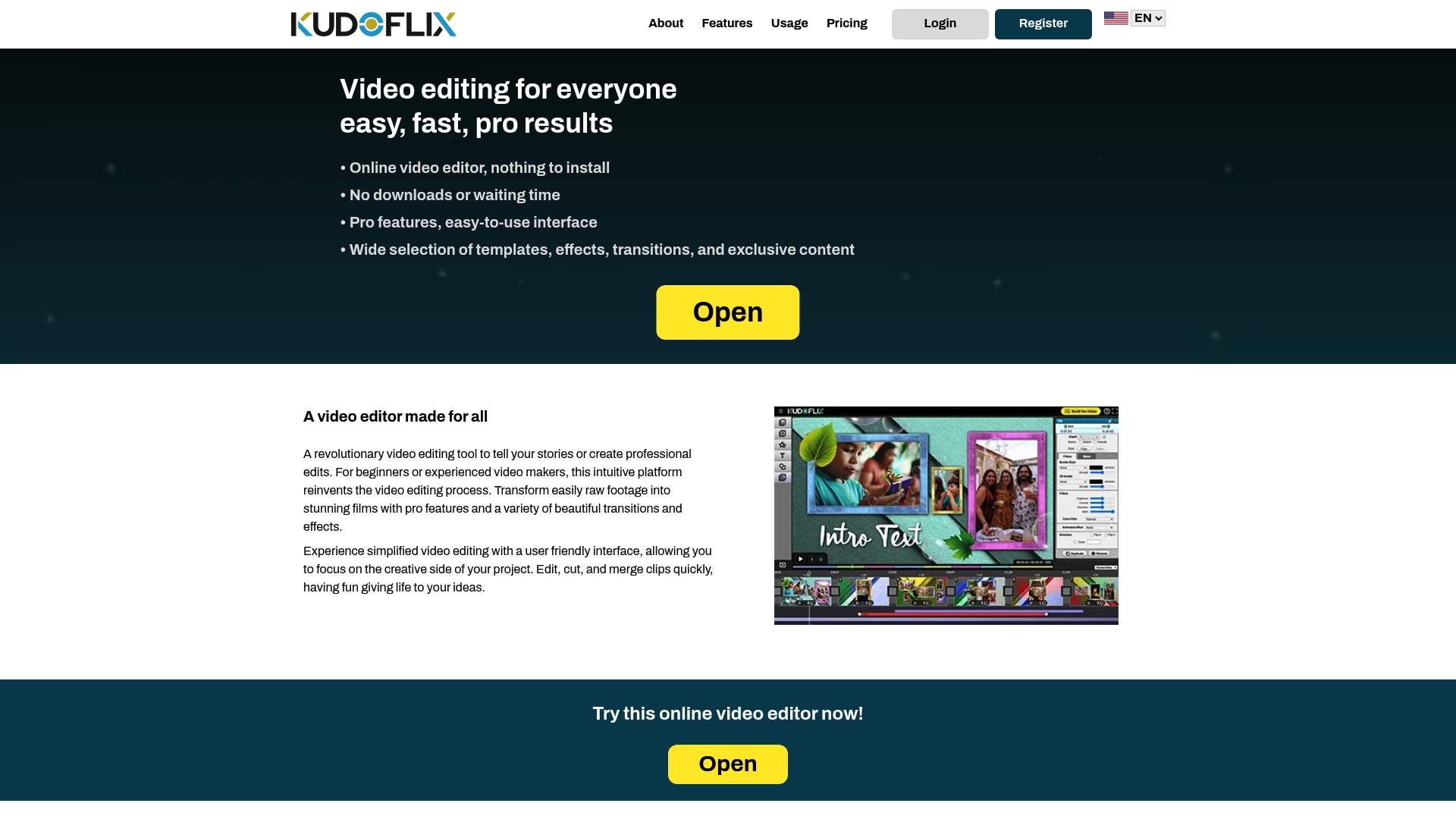
Local processing combined with online project storage shortens render waits and keeps files off centralized servers. Kudoflix runs in a browser, so you do not need downloads or installations. It pairs a large asset library with pro grade editing tools for fast, polished output.
Core Features
Kudoflix runs entirely in your browser, removing downloads and letting you start projects from any device. It includes a wide selection of templates, effects, transitions, and exclusive stock media to speed production. Pro grade tools such as dynamic transitions and multiple dedicated timelines give precise control over scenes, overlays, and sound.
Key Differentiator
Local processing with cloud project storage moves heavy rendering to your computer while keeping projects accessible online. That split reduces wait times for renders on capable machines and avoids storing raw project files only on centralized servers. Creators get faster previews and fewer delays between edits and exports.
Pros
The interface balances accessibility and depth so beginners can assemble clips quickly and experienced editors can use advanced controls. Local processing delivers faster previews and exports on stronger PCs and cuts reliance on remote render queues. The sizable library of templates, effects, transitions, and stock assets reduces time spent sourcing media and fits social, family, and professional projects.
Cons
- Performance depends on your computer hardware. High performance PCs noticeably improve rendering speed and responsiveness.
Who It’s For
Creators who want fast, browser based editing without installing software will find Kudoflix useful. Families and beginners benefit from ready made templates and straightforward controls for quick projects. Social media creators and professional videographers who have capable hardware will gain the most from the platform’s pro grade features.
Unique Value Proposition
Local processing paired with online project storage shifts export work to your device while keeping project files available across machines. That arrangement shortens turnaround for short form content and reduces the need to upload large raw files for remote rendering. Teams and solo creators save time between edits and publishing when hardware can handle local renders.
Real World Use Case
A social media influencer assembles a 60 second clip using a template and stock media, refines transitions on dedicated timelines, and exports locally for rapid publishing. Local rendering shortens export time on a high performance laptop. Online project storage lets the creator pick up the same project from a phone later.
Pricing
Kudoflix uses a premium subscription based model. Exact tier names and prices are listed on the vendor website. The vendor states there are no lifetime payment options.
Website: https://kudoflix.com
Wave.video
At a Glance
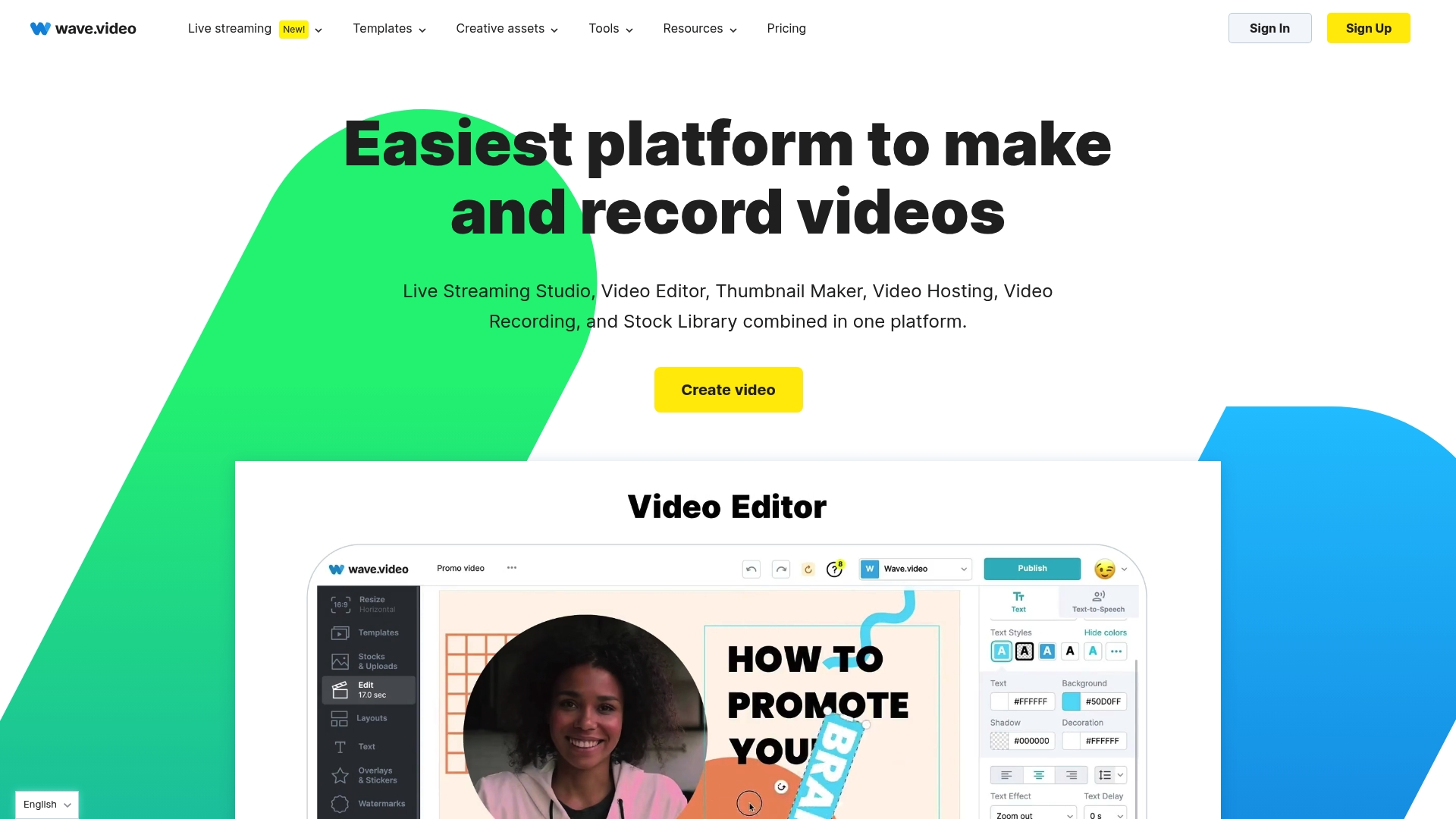
The free plan caps editable videos at 15 seconds, which forces longer projects into paid tiers. Wave.video pairs multistreaming live production with a video landing page builder inside the same account. That combination suits teams that run social campaigns and webinars and want a single place for creation and distribution.
Core Features
Wave.video provides video hosting with customizable players and analytics and an online editor that handles effects, transitions, and captions. The platform supports live streaming with multistreaming, layout controls, and guest management, and it includes a video landing page builder for campaign-focused pages. An extensive stock library of video clips, images, and music is available inside the product.
Key Differentiator
Wave.video groups hosting, editing, live streaming, and landing page tools behind one interface. That focus favors marketing teams and agencies that want campaign tooling in a single account rather than deep timeline control for advanced editors. The vendor positions the product around marketing workflows and single place publishing.
Pros
Wave.video reduces the number of subscriptions teams must manage by combining hosting, editing, and live stream production into one solution. The platform ships with many templates and stock assets, which helps non designers produce polished social clips quickly. Collaboration features support small teams and agencies that share projects and approvals. The free tier gives basic access, so new users can test core workflows before committing to paid plans.
Cons
- Pricing for advanced hosting and editing features can be high for individual users.
- Free plan limits longer video editing to 15 seconds, pushing longer projects to paid tiers.
- Some users report a learning curve for advanced production tools and layouts.
- Watermark removal requires a paid plan.
When It May Not Fit
If you need long form editing on a free plan, Wave.video will not meet that need. Teams requiring deep timeline editing or frame by frame color work will find the editor limited. If individual creators need the cheapest route to long videos, the pricing for advanced hosting may not fit their budget.
Who It’s For
Marketers, small to medium sized marketing teams, and agencies that run social campaigns and live events will get the most value. Creators who prioritize campaign landing pages, multistream broadcasts, and simple hosting will prefer this product. Editors who need fine-grained timeline control should look elsewhere.
Real World Use Case
A small marketing team uses Wave.video to produce, edit, and host videos for multiple clients. The team scripts short social ads, streams client webinars to several platforms at once, and publishes campaign specific landing pages that embed the hosted videos. That workflow replaces three separate tools with a central workspace.
Pricing
Wave.video offers a free tier and three paid plans: Streamer at $16 per month, Creator at $24 per month, and Business at $48 per month. Paid tiers unlock longer editing, watermark removal, and advanced hosting features.
Website: https://wave.video
Vimeo Video Editor
At a Glance
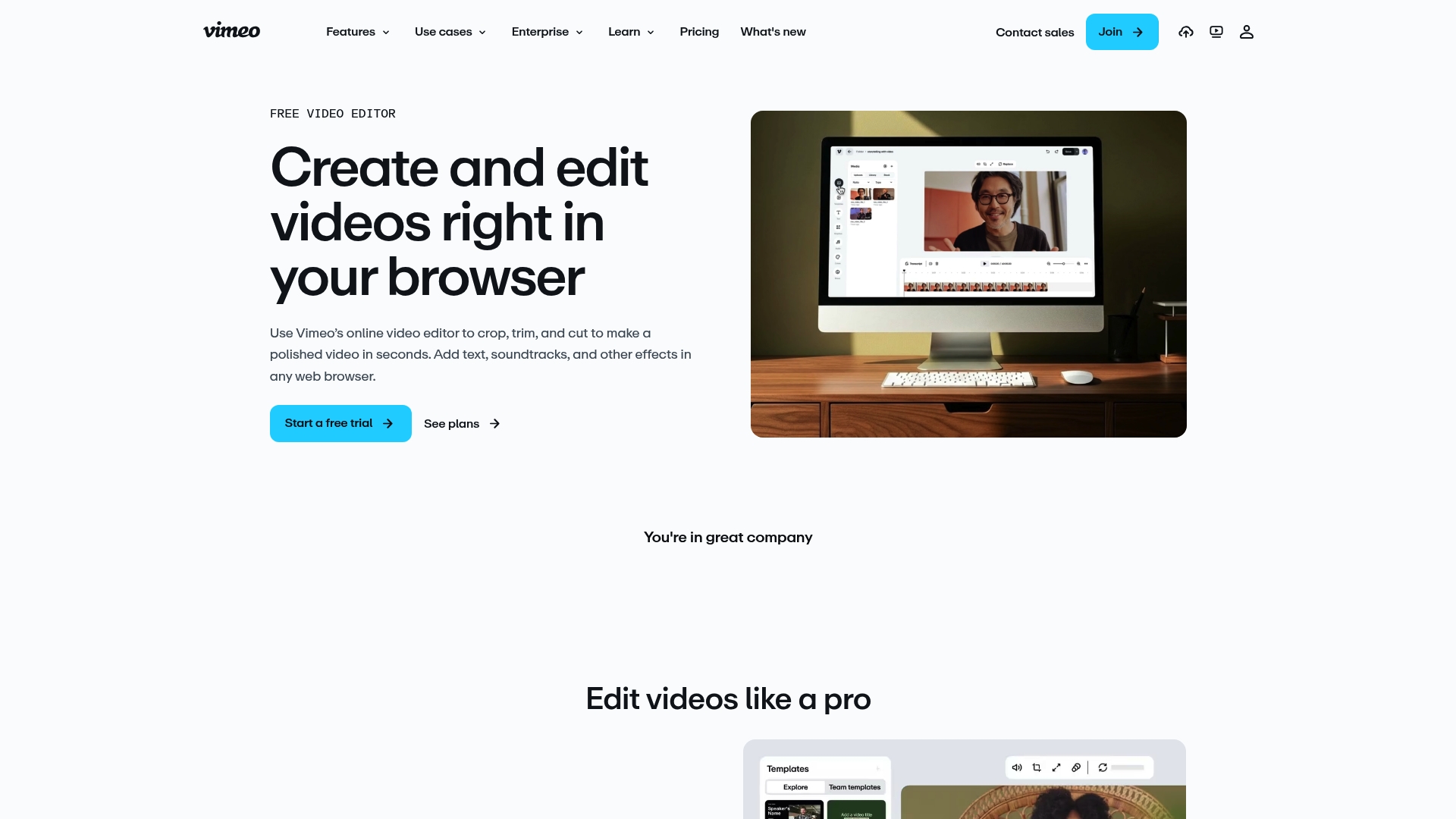
Vimeo accepts WMV, MOV, AVI, FLV, and MP4 uploads and handles files up to two-hour long on supported plans. The editor runs entirely in the browser and combines basic trimming tools with AI driven transcript editing and highlight reel creation. That capacity makes it a practical cloud option for longer marketing and tutorial videos.
Core Features
The editor lets you crop, trim, merge, and resize clips directly in the browser while adding text, soundtracks, effects, and graphics. It also includes AI driven tools for transcript editing and automatic highlight reels to speed review and repackaging. Supported plans allow a wide set of formats and a two hour maximum length for uploads.
Key Differentiator
Vimeo puts its main emphasis on AI driven editing tools that link transcripts to the timeline and extract highlight reels automatically. Those capabilities reduce manual scrubbing when you need short clips from long footage. The AI features matter most when you produce interview clips, tutorials, or campaign excerpts often.
Pros
The interface uses drag and drop, which keeps simple edits fast and predictable for people who do not want to learn a complex timeline. Format support covers common file types, so you rarely need format conversion before upload. The transcript editor and highlight reel feature cut editing time for spoken content. Vimeo also offers customizable branding and a range of plans from a free tier up to enterprise solutions, which helps teams scale without switching platforms.
Cons
- Watermark on videos in the free plan and lower paid tiers. These limits use for client deliverables without an upgrade.
- Several advanced features require higher tier plans, and those plans can be costly for solo creators on a tight budget.
- Editing depth and offline work remain limited compared with professional desktop software. Complex color grading and multicam workflows are better done in a native editor.
When It May Not Fit
If you need offline editing or full project file portability, Vimeo will feel restrictive because it focuses on cloud workflows. If you require advanced timeline controls, multicam editing, or high end color correction, pick desktop software instead. If you cannot budget for mid or high tier plans, the free plan watermark may block commercial use.
Notable Integrations
Vimeo connects to Google Drive and Dropbox for media import and storage. It also integrates with HubSpot CRM for marketing workflows and 3Play Media for captioning. For handoff or advanced finishing it supports Adobe Premiere Pro and Apple Final Cut Pro, and it lists Kapwing for lightweight companion edits.
Who It’s For
Content creators and small teams who want browser based editing with easy collaboration and cloud hosting will find this useful. Marketers and educators who publish interviews or tutorials gain from transcript linked editing and quick highlight generation. Larger organizations can adopt it for secure, branded video delivery and enterprise scale plans.
Real World Use Case
A marketing team uploads raw campaign footage, uses the transcript editor to jump to key quotes, and generates highlight reels for social ads. They export trimmed clips for platform specific formats and embed secure videos on campaign pages. That workflow reduces handoffs and avoids local file transfers.
Pricing
Vimeo offers a free tier plus paid subscriptions. Pricing tiers are Free, Plus at $13/month, Standard at $26/month, Advanced at $76/month, and custom enterprise plans. Higher tiers unlock advanced features, storage, and branding controls.
Website: https://vimeo.com/features/video-editor
Comparison of alternatives
Kudoflix.com uniquely integrates local processing with online project storage, delivering expedited rendering times and ensuring projects remain accessible from multiple devices. Meanwhile, competitors like Wave.video and Vimeo Video Editor cater to distinct user preferences, excelling in areas like campaign management and cloud-based editing capabilities.
Rendering and Workflow Efficiency
Kudoflix.com implements local rendering capabilities, reducing export durations on capable machines and enhancing project turnaround times. This direct utilization of device processing resources is absent from both Wave.video and Vimeo Video Editor, which rely exclusively on cloud-based workflows that may limit responsiveness during complex edits.
Campaign Features and Hosting Integration
Wave.video excels in providing a unified suite for marketing professionals, blending video live streaming, hosting, and a landing page editor within one account. These tools simplify social campaigns and client webinar management, making it an excellent choice for small agencies and marketing teams. Kudoflix.com, while offering advanced editing features, doesn’t encompass such campaign-focused capabilities. Vimeo Video Editor contributes through highlighted integrations such as transcript-based editing, optimizing content generation for interview and tutorial formats.
Best fit
- Creators with high-performance hardware needing fast, browser-based editing should choose Kudoflix.com for its localized rendering paired with cloud accessibility.
- Marketers highlighting campaign-based landing pages, webinars, and streamlined video hosting should consider Wave.video for its tailored solutions combining editing and production tools.
- Educators and creators managing prolonged tutorials or interviews could benefit from Vimeo Video Editor’s AI-supported transcript editing and format versatility.
Our pick
Kudoflix.com’s emphasis on combining local rendering with cross-platform cloud storage ensures rapid editing workflows for creators utilizing resourceful hardware setups. However, professionals focusing on specialized live-streaming campaigns might prefer Wave.video, given its alignment with marketing-specific needs.
Determine which software best fits your project by comparing their features, accessibility, and pricing.
| Product | Core Feature | Best For | Pricing | Notable Limitation |
|---|---|---|---|---|
| Kudoflix | Browser-based editing with local rendering | Creators desiring high performance and accessibility | Price not published | Dependent on PC hardware for optimal performance |
| Wave.video | Combined editor, stream, and hosting tools | Marketing teams managing campaigns and presentations | Free tier; paid starts at $16/month | Free plan limits projects to 15-second videos |
| Vimeo Video Editor | AI-driven transcript editing and reeling | Teams requiring micro content from long video footage | Free tier; paid starts at $13/month | Free plan watermarks videos |
How to Find Fast and Powerful Online Video Editing Without Downloads
Finding the right online video editor can be frustrating when slow rendering and complicated setups hold you back. The challenge is clear: users want a tool that works right from the browser, avoiding lengthy installs, while offering advanced control and a rich media library. Kudoflix solves this by combining local processing speed with cloud project storage, giving creators faster previews and exports without sacrificing accessibility.
Kudoflix fits creators who want fast browser-based editing, families needing easy templates, and social media creators with strong PCs seeking pro-grade features. With no downloads required, a large template library, and powerful timeline controls, Kudoflix makes video creation smooth and efficient. Try Kudoflix to skip wait times and make polished videos your way. Learn more and get started at Kudoflix.
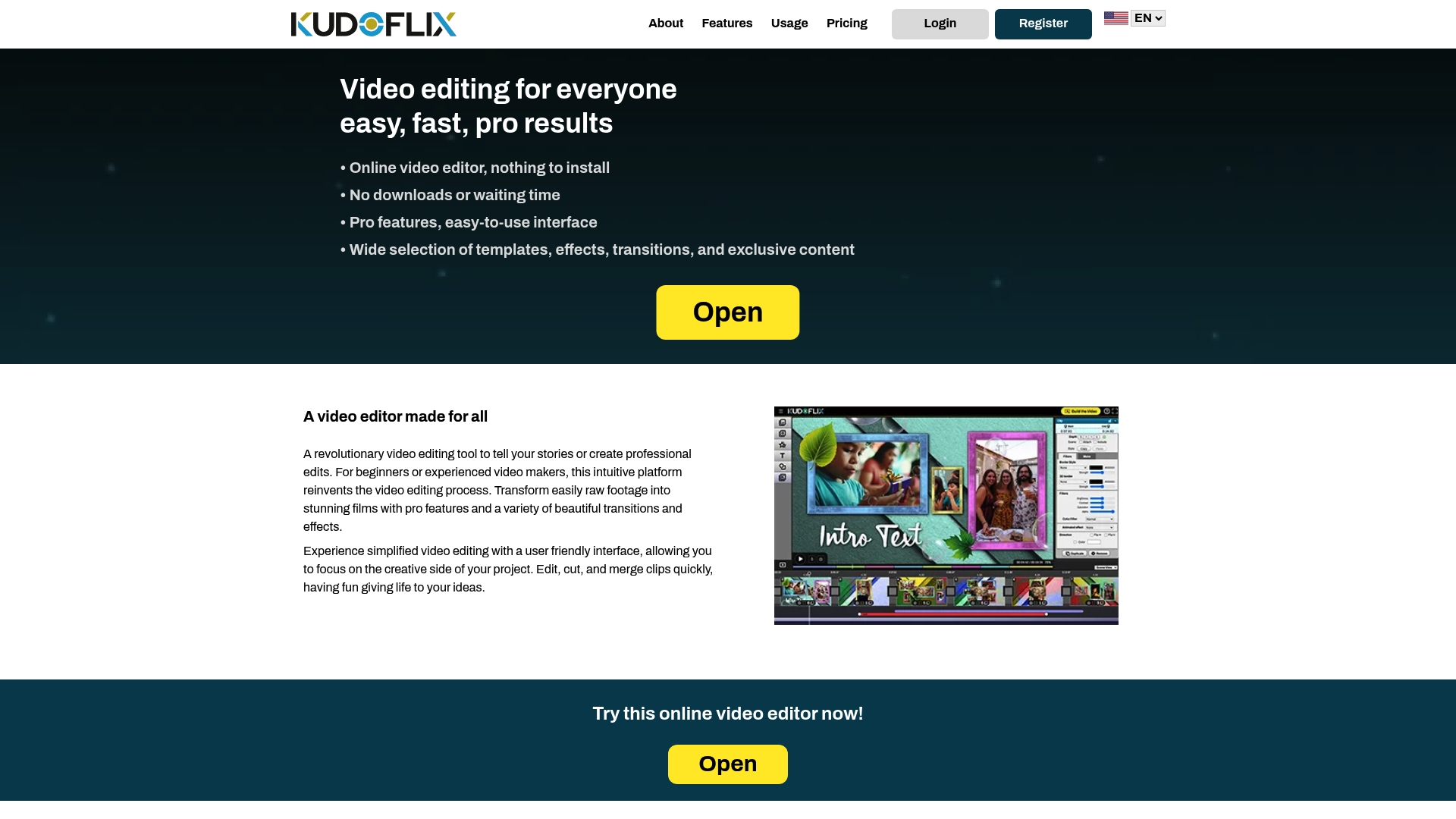
Speed up your video projects with Kudoflix’s local rendering and online access. Visit Kudoflix and start editing browser-based videos faster today.
FAQ
What features make Kudoflix a good choice for online video editing?
Kudoflix offers local processing combined with online project storage, which shortens render waits and keeps files off centralized servers. This setup allows creators to benefit from faster previews and responsive editing tools. If you need quick, polished output for your projects, consider using Kudoflix’s browser-based platform.
How does the pricing of Wave.video compare to Kudoflix?
Wave.video offers a free tier, but its paid plans range from $16 to $48 per month, depending on the features you need. In contrast, Kudoflix uses a subscription model and does not provide lifetime payment options, which can be more suitable for users looking for flexibility in video editing without long commitments.
Which platform supports longer video uploads without additional costs?
Vimeo allows uploads of files up to two hours long on supported plans without additional charges. Kudoflix, on the other hand, focuses on quick access and processing, making it great for shorter projects that benefit from faster render times on capable hardware.
Can I use Kudoflix for complex video editing tasks?
Kudoflix is tailored for fast, browser-based editing, making it ideal for creators focusing primarily on quick production. However, for more complex editing needs, such as deep timeline control or detailed effects, users might want to evaluate other options that offer more advanced features.
What advantages does Kudoflix provide for social media creators?
Kudoflix includes a large selection of templates, effects, and exclusive stock media to speed up production. This feature makes it particularly attractive for social media creators looking to produce engaging content quickly and efficiently.
Recommended