
Video pacing in editing is the rhythm and perceived speed at which a video unfolds for viewers, shaped by shot duration, audio tempo, subject movement, and emotional narrative working together. It is not simply how fast you cut. A video that cuts every two seconds but repeats the same shot type can feel sluggish, while a single 30-second take with a gripping story can feel electric. Pacing controls how time feels to the viewer, which directly drives engagement and retention.
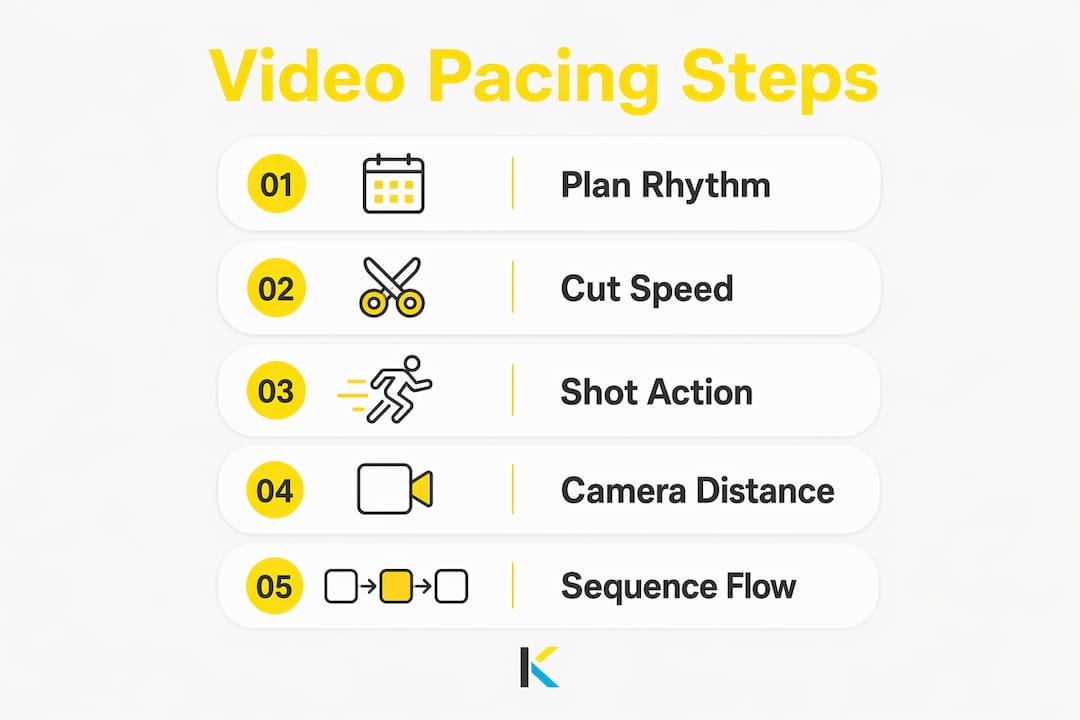
The four core elements that shape pacing are:
- Cut speed: How frequently shots change on the timeline
- Shot action: The speed of movement happening inside the frame
- Camera distance: Close-ups feel faster; wide shots read as slower
- Camera movement: Static shots feel calm; pans, tilts, and crash zooms accelerate intensity
These elements do not work in isolation. They stack. Understanding how they combine is what separates editors who get results from those who just get footage assembled.
Table of Contents
- Why pacing is the most important storytelling tool you have
- How four key factors combine to shape pacing intensity
- How slow and fast pacing create completely different emotional effects
- Practical strategies for designing and controlling your video’s pacing
- Pacing is a multi-layered craft, not just a cutting speed setting
- Key Takeaways
- Put your pacing knowledge to work with Kudoflix
Why pacing is the most important storytelling tool you have
Pacing creates the emotional variation that keeps viewers watching. Without it, even well-shot footage feels flat. The brain craves rhythm, contrast, and anticipation, and good pacing exploits that wiring by building open loops, varying tempo, and releasing tension at the right moments.
Here is why pacing failures hurt so badly:
- Flat pacing, where energy stays constant throughout, reads emotionally as no energy
- Viewers drop off fastest in the first 60 seconds when the rhythm feels wrong, even if the content is solid
- Pacing that is too fast overwhelms viewers; too slow loses them entirely
- Inconsistent pacing creates confusion about what the viewer is supposed to feel
The psychological mechanism behind this is well understood. When incoming information slightly exceeds what the brain predicts, dopaminergic systems signal reward and attention holds. When content becomes too predictable or too chaotic, attention collapses. Pacing is the editor’s primary tool for keeping that reward cycle running.
Pro Tip: Map the emotional destination of each scene before you cut a single frame. Ask yourself: should the viewer feel tense, relieved, excited, or reflective at the end of this sequence? Every pacing decision you make should serve that destination.
How four key factors combine to shape pacing intensity
Pacing is controlled through four factors that are cumulative in their effect. Changing one shifts the feel; stacking all four in the same direction creates a dramatic intensity shift.
- Speed of cuts: The number of edits per minute is the most obvious lever. Short-form editors rely on this almost exclusively, but it is only one quarter of the equation.
- Internal shot action: A wide shot of someone jogging reads slower than an extreme close-up of their feet pounding pavement at the same speed. What happens inside the frame matters as much as when you cut.
- Subject distance from camera: Close-ups compress space and heighten urgency. Wide shots give the eye room to breathe, which naturally slows perceived pace. An extreme close-up of a face during a tense conversation feels faster than a mid-shot of the same exchange.
- Camera movement: Static shots anchor the viewer and feel calm. Fast pans, whip cuts, and crash zooms inject kinetic energy. The amount of camera movement you allow into a sequence plays an enormous role in its overall tempo.
The key insight here is accumulation. Lots of cuts combined with fast camera moves on close-up shots creates far more intensity than lots of cuts alone. When you want to slow a sequence down, pull back on multiple factors simultaneously, not just one.
How slow and fast pacing create completely different emotional effects
Pacing choices are not neutral. Every tempo decision tells the viewer how to feel.
- Slow pacing creates suspense, reflection, and emotional depth. Long takes let performances breathe and give the audience time to sit with a feeling.
- Fast pacing builds excitement, urgency, and adrenaline. Action sequences use rapid cuts, close-ups, and kinetic camera work to overwhelm the senses in a controlled way.
- Pacing variation within a sequence is what creates emotional arcs. A drama scene might open slowly to establish empathy, then accelerate as conflict builds, then slow again at the resolution.
The Mad Max: Fury Road trailer is a textbook example of this in practice. It opens with fast cuts and intense music, drops to a slower pace to reveal character and theme, then surges back to high-energy editing to close. That tension-and-release cycle is not accidental. It is designed.
“Pacing is designed and manipulated to reinforce the exact emotions we want to convey to the audience at every single moment. It is one of many layers of storytelling that helps shape the viewer’s experience.” — Inside the Edit
The most common mistake editors make is holding one pace throughout an entire video. Uniform tempo, whether uniformly fast or uniformly slow, kills emotional texture. The contrast between fast and slow sections is what makes both feel powerful.
Practical strategies for designing and controlling your video’s pacing
Mastering pacing requires decisions at every level of the edit, not just when you feel a clip is “too long.”
- Define the emotional destination first. Write down how you want the viewer to feel at the end of each scene before you cut it. Every tempo choice should serve that goal.
- Sync cuts to audio beats. Cutting on or just before the beat adds energy; cutting late feels sluggish. For dialogue-heavy sections, cut to thought breaks rather than musical bar lines.
- Use pattern interrupts every 2–4 minutes in longer videos to prevent viewer habituation and restore attention. These can be a B-roll cut, a music shift, a new camera angle, or a new idea introduced.
- Vary clip lengths deliberately. Alternate fast snaps (around 0.5 seconds) with slow breathers (3–4 seconds). Uniform clip length throughout a video reads as robotic and clinical.
- Tighten the back half. Viewers who make it past the midpoint are far more likely to subscribe or share, so pace the final section tighter than the opening.
- Avoid over-cutting. Excessive or robotic cutting rhythm destroys pacing just as surely as clips that run too long. Every cut needs a reason.
Pro Tip: Think about pacing at three levels simultaneously: the macro arc of the whole video, the mid-level rhythm of each 60–90 second sequence, and the micro timing of individual cuts. Most editors only work at the micro level, which is why their videos feel technically correct but emotionally flat.
For short-form content specifically, check out short-form video editing practices that apply these pacing principles to social media formats where every second counts.
Pacing is a multi-layered craft, not just a cutting speed setting
The deepest understanding of pacing treats it as a system operating at three hierarchical levels simultaneously, and most editors only consciously manage one of them.
- Macro pacing covers the whole video arc. Where does energy build? Where does it release? A well-paced video has a shape: slower establishment early, tension and stakes in the middle, resolution near the end. Videos that feel “kind of boring” almost always have flat macro pacing.
- Mid-level pacing covers each sequence. Every 60–90 second block should have its own internal arc: a question raised, a complication, a payoff. Think of these as smaller waves inside the larger wave.
- Micro pacing covers individual cuts. How long does each clip run? A tight dialogue cut should clip silence before the next word begins. A cinematic wide shot earns 3–4 seconds. A kinetic action beat cuts faster than instinct suggests.
Audio is inseparable from all three levels. Cutting 1–2 frames early before a music beat adds a snap that adds energy; cutting late feels sluggish. Music, dialogue timing, and cut timing must synchronize for the edit to feel rhythmically alive. After any automated silence removal, manually review the pacing to preserve emotional tone and prevent viewer fatigue.
Editors must ask two questions for every shot: has it conveyed its message, and does its length serve the moment’s emotional impact? Balancing both creates the dynamic, textured flow that keeps viewers watching. For a deeper look at how content strategy and emotional pacing connect, Wall & Fifth’s journal covers the intersection of storytelling structure and editorial rhythm.
The practical takeaway from cognitive neuroscience is direct: the brain’s dopamine system responds to anticipation, not just reward. Open loops, questions posed but not yet answered, keep viewers watching because they have been neurologically primed to seek resolution. Good pacing constantly creates small open loops at the micro and mid levels, resolving some while opening new ones, creating a continuous forward pull through the video.
Key Takeaways
Effective video pacing requires managing rhythm at three simultaneous levels: the whole video arc, each sequence, and every individual cut, all synchronized with audio.
| Point | Details |
|---|---|
| Pacing is multi-elemental | Cut speed, shot action, camera distance, and movement all stack to create perceived tempo. |
| Viewer drop-off peaks early | Viewers leave fastest in the first 60 seconds when the rhythm feels wrong, regardless of content quality. |
| Three pacing levels matter | Macro arc, mid-level sequence rhythm, and micro cut timing must all be managed deliberately. |
| Pattern interrupts sustain attention | Introducing a visual, audio, or narrative shift every 2–4 minutes prevents habituation in longer videos. |
| Audio and visuals must sync | Cutting 1–2 frames early before a music beat adds energy; cutting late makes the edit feel sluggish. |
Put your pacing knowledge to work with Kudoflix
Understanding pacing is one thing. Applying it in an editor that does not fight you is another.

Kudoflix is an online video editor built for exactly this kind of deliberate, craft-driven editing. No downloads, no complicated setup. You get an intuitive timeline where you can adjust clip lengths, sync cuts to audio, and experiment with tempo variation without the friction of traditional desktop software. Whether you are cutting a social media clip or a longer narrative piece, Kudoflix gives you the tools to create professional videos without the learning curve that usually comes with them. See what is possible with Kudoflix’s full feature set and start building the pacing instincts that separate good editors from great ones.
Recommended