Yes, you can make your own movie starting today, using a smartphone and a browser-based editor. The recipe is simple: write a one-page story, shoot it on your phone, edit it in your browser, then export and share. Most beginners finish a short film in a few days to a few weeks, and a first project can realistically cost very little to no money. Open a note-taking app right now, and write three sentences about what happens in your film. That’s step one.
TL;DR:
- Shooting a short film usually requires one day for every five minutes of finished footage, meaning a few minutes can take a full day of filming.
- Simplified planning like a one-page outline and minimal locations can keep your project manageable and prevent delays.
- Capturing a variety of shot angles, especially with good audio and natural light, significantly improves the professional look of amateur footage.
- Browser-based editing tools like Kudoflix offer an accessible, no-install platform for assembling stories using templates and straightforward workflows.
- Finishing a small, simple version of your idea is the best way to learn, as mastery comes from completing a project regardless of initial quality.
Table of Contents
- How Do You Make Your Own Movie? The Quick Checklist
- Pre-Production: Plan Just Enough to Not Get Stuck
- Production: Filming Techniques That Make Amateur Footage Look Intentional
- Post-Production: From Rough Cut to Finished File
- Which Editing Tool Actually Fits a First-Time Filmmaker?
- A Personal Note on Finishing Your First Movie
- Finish Your First Movie Without Fighting the Software
- Sources
How Do You Make Your Own Movie? The Quick Checklist
Before you shoot a single frame, gather a handful of things. None of this requires renting equipment or hiring a crew.
- Camera: your smartphone works fine, or a basic entry-level camera if you already own one
- Stabilizer: a $15 tripod or phone mount, even a stack of books in a pinch
- Sound: a clip-on lavalier mic or a second phone as a backup recorder
- Power and storage: a spare battery pack and extra storage space cleared out
- Paperwork: a one-page outline, a simple shot list, and permission from anyone whose property or face appears on camera
- Music: a royalty-free track pulled from a free library so you don’t get your video muted later
Pro Tip: Budget your shoot days around this rule of thumb: one minute of finished screen time can eat up more than five hours of shooting. A short film of a few minutes typically requires a full day of shooting work, not just an afternoon. On the cost side, true zero-budget films lean entirely on gear you already own and favors from friends, while most micro-budget shorts and features stay under $25,000. Your first project should aim for the low end of that range, or nothing at all.
Pre-Production: Plan Just Enough to Not Get Stuck
Skipping planning is the single fastest way to abandon a movie halfway through. You don’t need a shooting script the length of a novel. You need a logline (one sentence describing what happens) and a one-page outline that breaks the story into scenes.
Here’s the minimum planning sequence that actually works for solo and small-crew projects:
- Write your logline, then expand it into a one-page outline with a beginning, middle, and end.
- Cut your locations down to two or three, and your cast to people you can actually reach and schedule.
- Sketch a rough storyboard using stick figures or phone photos of the actual locations, just to lock in your shots before you arrive on set.
- Build a simple call sheet: who shows up, where, at what time, wearing what.
- Block your schedule into shoot days, and stop at three in a row.
That last point isn’t arbitrary. Filmmakers who self-produce consistently advise against more than three consecutive shoot days, because fatigue creates continuity errors and bad decisions. Build in a rest day.
If sketching a storyboard from scratch feels intimidating, a structured template speeds things up. Kudoflix’s guide to video storyboard planning walks through building one from phone photos in under an hour. For anyone juggling multiple scenes and shot lists at once, an AI-assisted content planning workflow can help keep the whole outline organized before you ever pick up a camera.
Pro Tip: Cast people who show up on time over people who are technically “better actors.” A reliable friend who nails their lines on the third take beats a flaky performer who cancels the morning of your shoot.
Production: Filming Techniques That Make Amateur Footage Look Intentional
Most beginner footage looks amateurish for one reason: it’s all the same shot, from the same distance, for the whole scene. Fix that by capturing angle variety on every scene:
- A wide shot to establish where you are
- A medium shot for dialogue and body language
- A close-up for emotional beats and reactions
- An over-the-shoulder shot for conversations
- A cutaway (hands, an object, a background detail) to cover edits and hide jump cuts
Sound matters more than most first-timers expect. A clip-on lav mic or your backup phone placed close to the speaker will beat your main camera’s built-in mic every time. Record a few seconds of pure room tone (ambient silence) at every location. You’ll need it later to smooth out audio edits, and editors always regret skipping this step.
Lighting doesn’t require a kit. Shooting during golden hour, or simply near a window, gives you flattering, soft light for free. Bouncing light off a white poster board or diffusing a lamp with parchment paper takes the harsh edge off indoor shots. Available light also cuts your setup time dramatically, from 20 to 30 minutes per lighting rig down to two or three minutes between shots, which matters enormously on a one-day shoot.
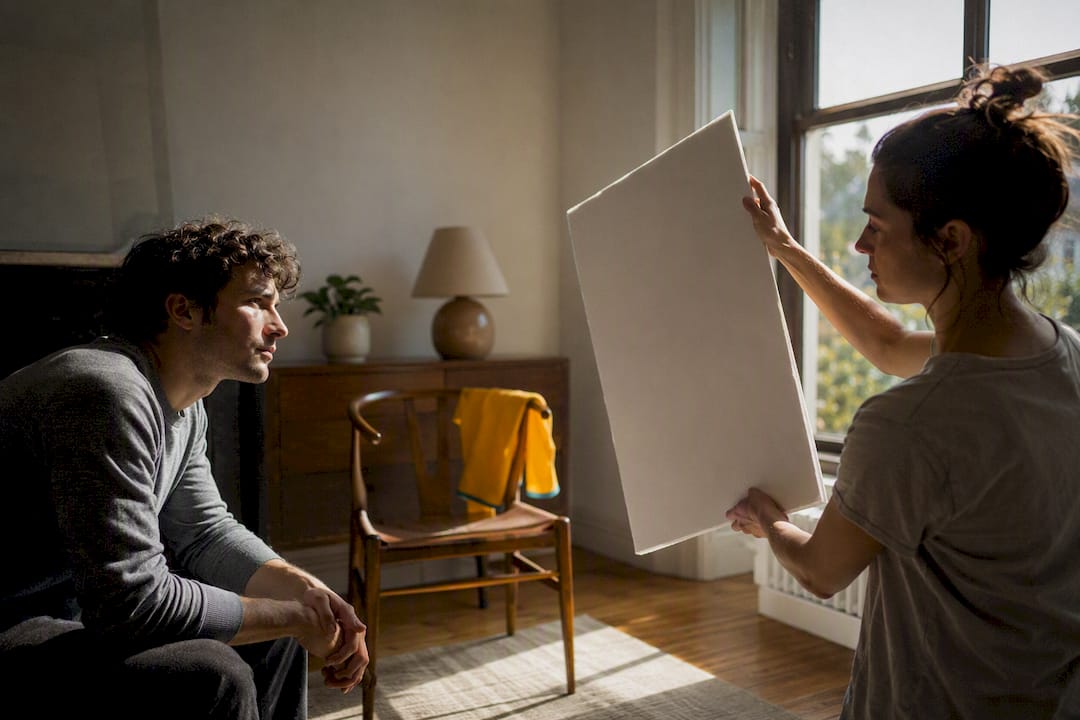
Pro Tip: Label every clip the moment you shoot it. “Scene3_TakeGood” beats scrolling through 40 unnamed clips at 11 p.m. trying to remember which take you liked.
Post-Production: From Rough Cut to Finished File
Editing is where the movie actually gets made. Import your footage, sync any external audio to the video, and organize clips by scene before you touch a timeline.
Build your rough cut first, focused purely on story and pace, not polish. Cut out dead air, false starts, and anything that doesn’t move the story forward. Once the structure holds together, go back and trim for rhythm: tighten pauses, drop in your cutaways and B-roll, and keep transitions simple. A hard cut is almost always the right choice; flashy wipes and spins read as amateur, not professional.
Sound gets fixed in this order:
- Normalize volume levels so dialogue doesn’t jump between clips
- Layer in your room tone recordings to smooth over audio cuts
- Add your royalty-free music track underneath dialogue, not over it
- Do a basic color pass so shots from different times of day match reasonably well
Multiple free tools cover this entire workflow, from editing through color grading and sound mixing, without spending a dollar. Whatever tool you choose, export with the right preset for where the video is headed. YouTube and social platforms each have their own recommended resolution and aspect ratio, and mismatching them means blurry uploads or awkward crops.
Before you call it done, run through a quick export checklist: correct file name, correct resolution, audio levels checked with headphones (not laptop speakers), and a backup copy saved somewhere other than your phone. For a full walkthrough of the editing sequence with screenshots, Kudoflix’s step-by-step video editing tutorial covers the same order of operations in more detail.
Which Editing Tool Actually Fits a First-Time Filmmaker?
Editing tools split into three rough categories, and picking the wrong one wastes hours. Desktop pro tools like the free option covered in this roundup of free video editing software give you the most control but come with a real learning curve. Mobile apps are fast for quick social clips but limit you once a project has more than a few scenes. Browser-based editors sit in the middle: no download, no install, and templates that shortcut the technical setup.
That last category is where most first-time filmmakers should start. A browser editor like Kudoflix hands you a working timeline, transitions, and titles out of the box, so you’re editing your story instead of learning software.
A finished-short workflow in a browser editor looks like this:
- Upload your raw clips straight from your phone
- Drop them into a pre-built template that already has pacing and transitions set
- Trim and reorder clips on the timeline to match your story
- Add royalty-free music and text titles
- Export directly to the format your platform needs
| What you need | Best-fit tool category |
|---|---|
| Fast learning curve, no install | Browser-based editor |
| Total creative control, willing to learn | Desktop pro software |
| Quick clips on the go | Mobile app |
Kudoflix’s template library is built specifically to shrink that upload-to-export timeline for people who’ve never edited before.
A Personal Note on Finishing Your First Movie
The gap between people who make movies and people who talk about making movies isn’t talent. It’s finishing the first bad one. Quentin Tarantino’s advice cuts through the noise: if you want to make a movie, make it. Waiting for better gear, more time, or a bigger idea just delays the only thing that actually teaches you anything: finishing.
If perfectionism has you stuck, try this: pick the smallest possible version of your idea. One location, one actor, ninety seconds. Finish that first.
— Mandrixx
Finish Your First Movie Without Fighting the Software
Most video software wastes your first weekend on downloads, plugins, and overly complicated interfaces before you’ve cut a single clip. Some browser-based editors run entirely in your browser, so there’s nothing to install and nothing to update, and libraries of templates and transitions can make rough footage look intentional within the hour, not after a week of tutorials.
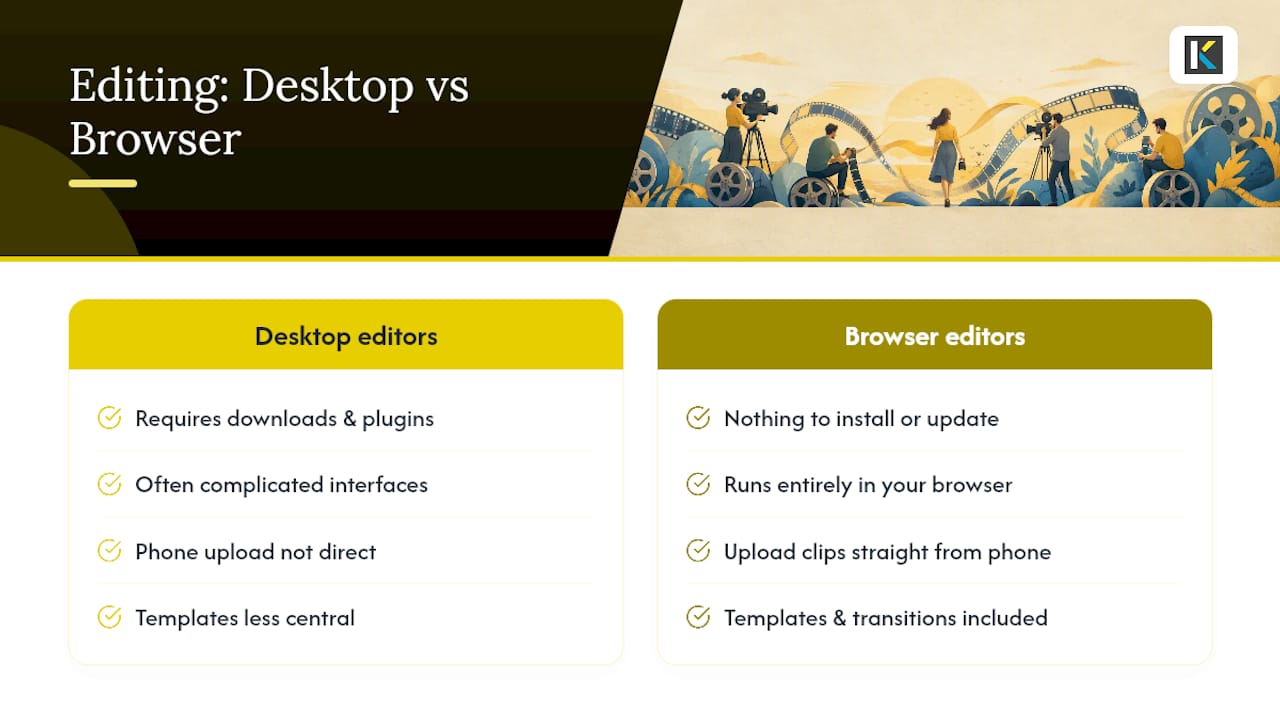
Some editing tools let you upload clips straight from your phone, drop them into a template built for short-form storytelling, swap in your own footage and music, then export. No render queue eating your evening, no format guesswork. If you’ve been putting off your first short because the editing software felt like its own project, start building your movie in Kudoflix now and see a finished cut before the day is out.
Sources
- The beginner’s guide to the filmmaking process
- Making Your Own Super Micro Budget
- Beginner’s guide to DIY filmmaking
- 5 ways to streamline your DIY feature film production
Recommended