

A video reel is a short, tightly edited showcase of your best clips, sequenced to grab attention in the first five seconds and leave a clear impression of who you are and what you do. Here’s the quick recipe:
- Hook first: Open with your single strongest clip (0–5 seconds), no slow logo intros.
- Best clips only: 3–6 varied clips total, each labeled with your role (editor, colorist, director).
- Ideal length: 60–90 seconds for professional portfolio submissions; 30 seconds for social outreach.
- Captions on: Many reviewers watch muted, so subtitles are non-negotiable.
- Royalty-free audio only: Use libraries like Epidemic Sound or Artlist to avoid copyright strikes.
- End card: Close with your name, contact info, and a link to your portfolio (Vimeo or YouTube work well for hosting).
- Export: MP4, H.264, 1080×1920 for vertical (Instagram Reels, TikTok) or 1920×1080 for landscape portfolio links.
Kudoflix lets you start from a reel template, swap in your clips, add captions, and export in the right format — no software to install.
Table of Contents
- What exactly is a video reel, and which type do you need?
- What every effective reel must include
- How to make a video reel from scratch
- What are the right export settings for Instagram, TikTok, and YouTube Shorts?
- Common mistakes that kill reels (and how to fix them)
- Which tools should you use to build a reel?
- Key Takeaways
- The part most reel advice skips
- Start building your reel with Kudoflix today
- Useful sources
What exactly is a video reel, and which type do you need?
The term “video reel” covers three distinct formats, and mixing them up is one of the fastest ways to send the wrong message to the wrong audience.

Showreel is the broadest type. It’s a curated highlight compilation used by directors, cinematographers, and motion designers to demonstrate visual range and craft. Think of it as a trailer for your career. Burt Miller’s motion design reel, for example, runs just over 30 seconds and breaks down every clip by project and role, from Fox News 3D motion design to Estée Lauder compositing.

Demo reel (also called a video editing reel) is more specific. It targets a defined skill, like editing, color grading, or sound design, and is typically sent to production companies or agencies evaluating you for a specific role. TailorCV recommends 60–90 seconds for this format when submitting professionally, with a tighter 30-second cut for cold outreach.
Social reel is the vertical, platform-native format built for Instagram Reels, TikTok, and YouTube Shorts. It prioritizes speed and visual punch over comprehensive range. Length caps at 60–90 seconds on most platforms, but the most-watched social reels tend to run 15–30 seconds.
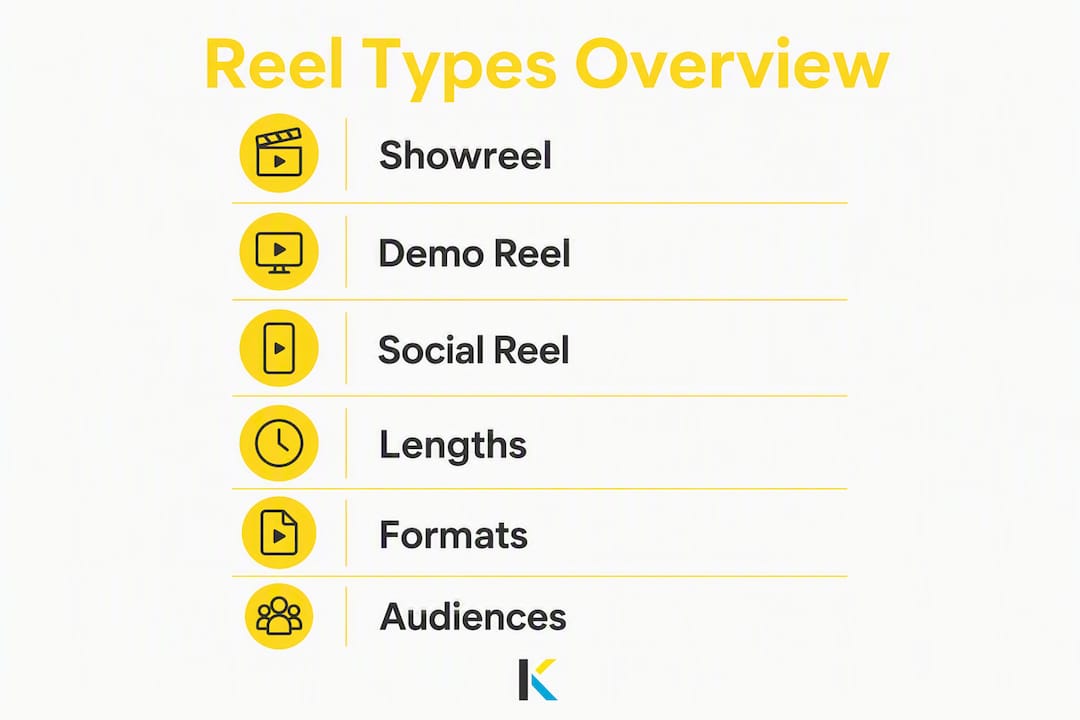
A quick comparison:
| Type | Length | Format | Primary audience |
|---|---|---|---|
| Showreel | 30–90 seconds | Landscape or vertical | Clients, collaborators |
| Demo reel | 60–90 seconds | Landscape (portfolio) | Hiring managers, agencies |
| Social reel | 15–60 seconds | Vertical 9:16 | General social audience |
What every effective reel must include
Structure matters more than production value. A technically polished reel with a weak opening loses viewers in the first five seconds. A scrappier reel with a killer hook and clear role labels will outperform it every time.
Must-have elements:
- Strongest clip first: Your best 3–5 seconds of footage opens the reel, full stop.
- 3–6 clips total: Enough to show range, few enough to stay tight. Including weak material undoes the whole reel — one forgettable clip lowers the perceived quality of everything around it.
- Role labels on every clip: Use lower-thirds or captions to state your specific contribution. If you edited a spot but didn’t shoot it, say “Editor.” If you handled color, say “Colorist.” This matters especially for collaborative work.
- Captions and subtitles: Reviewers frequently watch without sound. Captions keep your work readable in any context.
- End card: Close with your name, email, website, and a portfolio link. Entri recommends keeping contact details at the very end so the last thing a viewer sees is how to reach you.
Suggested structure:
- 0–5s (Hook): Single strongest clip, no intro animation.
- 5–50s (Variety): 3–5 additional clips showing range, each labeled.
- Last 3–5s (Closing card): Name, contact, portfolio URL.
For social reels, compress this to a 15–30 second version: hook, two or three clips, and a simple text overlay with your handle. For professional submissions, the 60–90 second version gives you room to show genuine range without overstaying your welcome.
How to make a video reel from scratch
Follow this sequence and you’ll avoid the most common production mistakes before they happen.
-
Define your goal and audience. A reel for a film production company looks different from one for a social media brand deal. Pick one audience per reel. If you need both, make two versions.
-
Gather and organize your footage. Pull your best project files into a single folder, labeled by project name and date. Back everything up to a second drive or cloud storage before you touch the timeline. If you’re working with client footage, confirm you have written permission to use it publicly — sharing unreleased or confidential client work without authorization can lead to take-down requests and reputation damage.
-
Capture new footage if needed. Shoot in the highest resolution your camera supports. For lighting, a simple three-point setup (key, fill, back) eliminates the flat, shadowless look that reads as amateur. For audio, a lavalier or shotgun mic will always beat built-in camera audio. If you’re recording a talking-head segment for a social reel, shoot near a window for natural light and use a pop filter. When you’re done, back up your raw files immediately.
Pro Tip: Shoot a short “B-roll” sequence of your workspace or process. These clips work well as transitions between main clips and add texture to a social reel without requiring additional production.
-
Sequence your clips ruthlessly. Place your single strongest cut in the first five seconds — slow logo animations or cinematic title cards will cause many reviewers to skip ahead. After the hook, arrange remaining clips to show contrast: fast-cut action next to a quieter, more detailed scene, for example. Think of the reel as a trailer: hook, variety, payoff.
-
Add captions and role labels. Use lower-thirds for each clip to state your role. Add subtitles if any clip includes spoken dialogue or voiceover.
-
Choose royalty-free music. Pick a track that matches the pacing of your cuts. Sync your edits to the beat when the music has a clear rhythm — it makes the reel feel intentional rather than assembled. Never use commercial tracks without a license; unlicensed music risks copyright strikes that can mute or block your reel on hosting platforms.
-
Color-correct and normalize audio. Run a basic color grade across all clips for visual consistency. Set audio levels so no clip spikes above a comfortable listening volume.
-
Pre-export quality check. Watch the entire reel with the sound off. If it still communicates clearly, you’re ready. Check that captions are accurate, role labels are readable, and the end card is legible on a phone screen. Export a 30-second social cut alongside the full version.
Pro Tip: Create two exports before you publish: a 60–90 second portfolio version and a 30-second outreach version. The shorter cut is what you send in cold emails or post to Instagram — it respects the viewer’s time and increases the chance they watch to the end.
For a deeper look at repurposing longer footage into social reels, the process of extracting your best moments from longer projects follows the same logic: identify the peak moment, cut everything else.
What are the right export settings for Instagram, TikTok, and YouTube Shorts?
Getting the specs wrong means your reel uploads blurry, letterboxed, or rejected. Here are the settings that work across the major platforms in 2026:
| Platform | Aspect ratio | Max length | Codec/container | Resolution |
|---|---|---|---|---|
| Instagram Reels | 9:16 vertical | 90 seconds | — | 1080×1920 |
| TikTok | 9:16 vertical | 10 minutes (60s recommended) | — | 1080×1920 |
| YouTube Shorts | 9:16 (preferred) | 60 seconds | — | 1080×1920 |
| Vimeo (portfolio) | 16:9 landscape | No hard limit | — | 1920×1080 |
| YouTube (portfolio) | 16:9 landscape | No hard limit | — | 1920×1080 |
A few practical notes on these settings:
- H.264 in an MP4 container is the safest choice across every platform. H.265 offers better compression but can cause compatibility issues on older devices and some upload processors.
- Target bitrate for 1080p vertical: 8–16 Mbps gives a clean image without producing a file so large it slows uploads.
- File size: Keep exports under 500 MB for social uploads. Most 60-second reels at 1080×1920 and 10 Mbps land well under that threshold.
- For portfolio hosting, Vimeo offers higher-quality embeds and privacy controls, while YouTube is the stronger choice for discoverability and shareability. Many creators host on both and link to Vimeo in formal submissions.
For a full breakdown of vertical-first editing specs, the vertical video editing guide for reels covers platform behavior and format decisions in detail.
Common mistakes that kill reels (and how to fix them)
Most weak reels share the same handful of problems. Knowing them in advance is faster than learning them from a rejected application.
Mistakes to cut immediately:
- Copyrighted music — Unlicensed music risks platform strikes that can mute or remove your reel. Use royalty-free libraries like Epidemic Sound, Artlist, or the built-in audio library in your editing tool.
- No role attribution. If a viewer can’t tell what you did on each project, they can’t evaluate your specific skill. Label your contribution on every clip — editor, colorist, sound designer, whatever is accurate.
- No captions. Hiring managers often watch reels muted. Captions make your work legible in any context.
Pro Tip: Before you export, watch your reel on your phone with the volume off. If the story of your skills doesn’t come through visually, add or fix your captions and role labels before publishing.
Which tools should you use to build a reel?
The right tool depends on where you are in the process and how much friction you’re willing to accept.
Mobile apps (CapCut, InShot) are fast for vertical social reels. They handle 9:16 natively, include basic caption tools, and export directly to TikTok or Instagram. The tradeoff is limited timeline control and fewer color-grading options.
Desktop NLEs (DaVinci Resolve, Adobe Premiere Pro) give you full control over color, audio, and multi-track timelines. They’re the right choice for a polished 90-second portfolio reel where every frame matters. The cost is setup time and a steeper learning curve.
Cloud and template editors sit in the middle. They’re browser-based, require no installation, and let you start from a pre-built reel template rather than a blank timeline. For creators who want a clean, shareable reel without spending hours in a desktop NLE, this category is the practical choice.
What a good reel-building tool needs:
- Vertical (9:16) templates built for social platforms
- Caption or subtitle generator
- Royalty-free music library included
- Fast export to MP4 at the right resolution
- Project save and version history so you can maintain a 30s and a 90s cut simultaneously
Kudoflix checks all of those boxes. It’s a browser-based editor with no download required, a library of reel templates, built-in royalty-free audio tracks, and direct export for Instagram, TikTok, and YouTube Shorts. The workflow is straightforward: pick a reel template, drop in your clips, add captions and lower-thirds for role labels, choose a royalty-free track, and export. The full template library covers vertical social formats as well as landscape portfolio layouts. If you’re new to editing and want a clean result without a steep learning curve, the beginner-friendly editing workflow walks through the process step by step.
For creators who already have footage and just need to assemble it quickly, Kudoflix’s template-led approach cuts the production time significantly compared to starting from scratch in a desktop NLE.
Key Takeaways
A strong video reel opens with your best clip in the first five seconds, runs 30–90 seconds depending on the platform, and always includes captions, role labels, and royalty-free audio.
| Point | Details |
|---|---|
| Best clip first | Place your strongest footage in the first 5 seconds — slow intros cause reviewers to skip. |
| Right length per context | Use 60–90 seconds for portfolio submissions and 30 seconds for social outreach. |
| Captions and role labels | Add subtitles and lower-thirds on every clip; many viewers watch muted and need context. |
| Royalty-free audio only | Unlicensed music risks strikes that mute or remove your reel from hosting platforms. |
| Kudoflix for fast assembly | Kudoflix’s browser-based templates, built-in audio library, and direct social export make reel-building fast without any software to install. |
The part most reel advice skips
The standard advice is technically correct: start strong, keep it short, label your clips, use royalty-free music. Follow all of it and you’ll have a competent reel. But competent reels don’t get callbacks.
What actually separates the reels that generate responses from the ones that don’t is a single editing decision most creators avoid: cutting the clip they’re most emotionally attached to. Every creator has a piece they’re proud of that doesn’t belong in the reel. It’s too long, too niche, or too similar to the clip before it. Keeping it because you worked hard on it is the most common reason otherwise strong reels lose momentum in the middle.
The reel is not a portfolio of everything you’ve done. It’s a 30-to-90-second argument that you’re the right person for a specific job or audience. Every clip either strengthens that argument or dilutes it. There’s no neutral.
The other thing worth saying: publish before it’s perfect. A 30-second social reel you post this week will teach you more about what works than six months of refining a 90-second cut you never share. Post it, watch the retention data, and cut the version that performs better. Iteration beats perfection every time.
Start building your reel with Kudoflix today
Kudoflix gives you a faster path from raw footage to a published reel than any desktop NLE. Pick from a library of ready-to-use reel templates, drop in your clips, add captions and a royalty-free track from the built-in audio library, and export directly to Instagram, TikTok, or YouTube Shorts in the correct format. No downloads, no complicated timelines, no compatibility issues. The whole process runs in your browser. If you’ve been putting off building your reel because the editing software felt like too much, start with a free template on Kudoflix and have a shareable cut ready today.
Useful sources
The following resources informed this guide and are worth bookmarking for ongoing reference:
- TailorCV — Video Editor and Videographer Portfolio Guide: Detailed guidance on reel length, hosting options, and what hiring managers look for in a professional submission.
- Epidemic Sound — How to Make a Showreel: Covers narrative structure (hook, variety, payoff) and music licensing for reels.
- ProSoundEffects — How to Make a Video Editing Reel to Stand Out: Focuses on role attribution and lower-thirds best practices for collaborative work.
A note on music licensing: Always verify that any track you use is cleared for the platform and use case you have in mind. “Royalty-free” does not always mean free to use commercially — read the license terms for each library. Epidemic Sound, Artlist, and Musicbed all offer clear commercial licensing tiers. When in doubt, check the platform’s own audio library, which is pre-cleared for use on that platform.
Recommended