

Jump cut editing is defined as an editing technique where consecutive shots of the same subject from the same camera angle are joined together after removing footage, creating a noticeable jump in time or position. This technique deliberately breaks standard continuity editing rules, making the cut visible to the audience rather than hiding it. Content creators use jump cuts to compress time, strip out filler, and keep viewers locked in. The technique has roots in the 1960s French New Wave cinema and has since become the defining rhythm of YouTube, TikTok, and short-form video across every major platform.
What is jump cut editing and how does it differ from other cuts?
A jump cut is defined by two conditions: the camera stays in the same position, and the subject remains the same. What changes is time. Footage is removed from the middle of a continuous take, and the two remaining clips are placed side by side. The result is a visible, abrupt shift forward in time or space.
This is what separates a jump cut from a hard cut or a match cut. A hard cut switches between two completely different scenes or subjects. A match cut transitions between two visually similar frames from different angles or locations. A jump cut, by contrast, keeps everything locked except time itself.
The key differences between jump cuts and other editing techniques:
- Hard cut: Moves between two different subjects or scenes. The camera angle and subject both change.
- Match cut: Uses visual or thematic similarity between two shots to create a smooth transition across different scenes.
- Continuity cut: Edits are designed to be invisible. The audience should not notice the cut happened.
- Jump cut: Same subject, same angle, same scene. Only time moves forward. The cut is meant to be seen.
The visible nature of the jump cut is not a flaw. It is the point. Continuity editing aims to hide the editor’s hand. Jump cuts put it on display. That distinction carries real storytelling weight, and understanding it is the foundation of using the technique well.
What purposes and storytelling effects do jump cuts serve?
Jump cuts serve three core functions in video editing: compressing time, maintaining narrative momentum, and creating stylized emotional effects like urgency or chaos. Each function is distinct, and skilled creators use all three depending on what the scene demands.
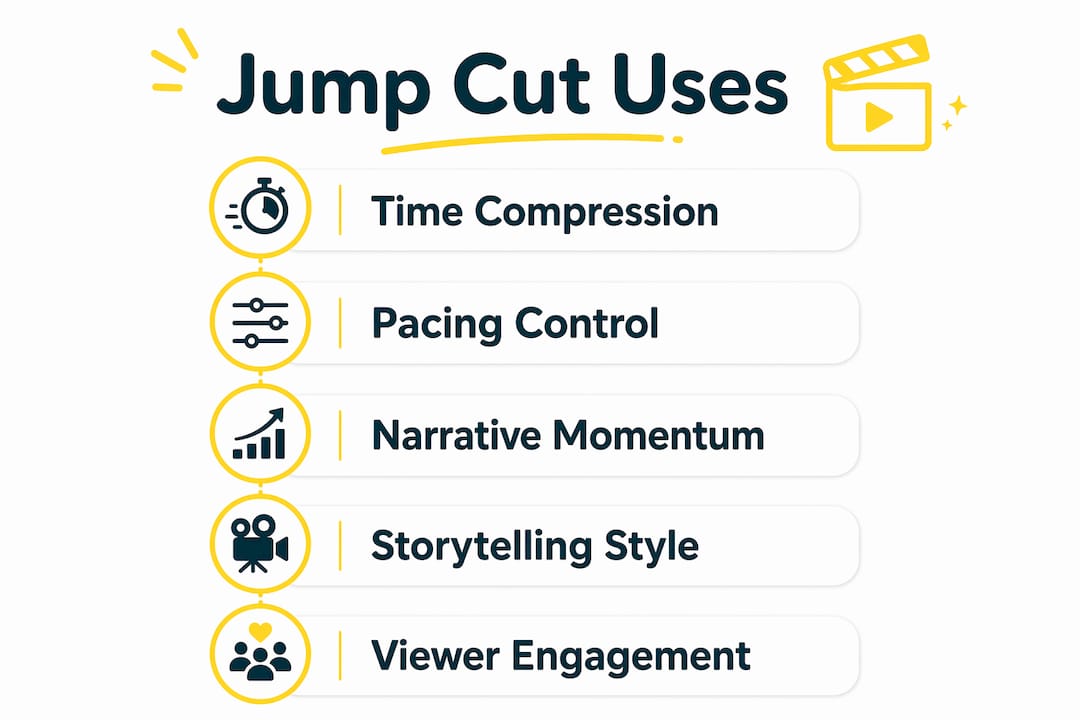
Time compression is the most practical use. A 10-minute cooking demonstration becomes a 90-second clip. A rambling interview answer gets trimmed to its sharpest point. Jump cuts let you remove the dead air without cutting away to a different shot.
Narrative momentum is the second function. Vlogs and tutorials live or die by their pacing. Jump cuts keep engagement high by removing filler and ensuring every moment on screen moves the story forward. Viewers mentally fill in the gaps without losing the thread.
The emotional effects are where jump cuts get genuinely creative:
- Urgency: Rapid jump cuts in a chase or conflict scene create a fragmented, breathless feeling.
- Chaos: Overlapping or mismatched jump cuts suggest disorder or mental instability.
- Energy: Fast cuts between moments of action build excitement without needing music or effects.
- Authenticity: A single jump cut in a talking-head video signals honesty. It says, “I edited this, and I’m not hiding it.”
Jean-Luc Godard popularized this technique in the 1960s as a form of cinematic rebellion. His film Breathless used jump cuts to reject the polished invisibility of Hollywood editing. That act of rebellion became an art form, and that art form became the grammar of internet video.
Pro Tip: Plan your jump cuts before you shoot. Decide where the time gaps will fall, and make sure the subject’s position or expression changes enough between the two clips. A jump cut where nothing visually changes reads as a mistake. A jump cut where something shifts reads as a choice.
How do you execute basic jump cut editing in your video projects?
Executing a jump cut correctly starts before you open your editing software. The setup during filming determines whether the cut feels intentional or accidental.
- Lock your camera position. Mount your camera on a tripod or use a fixed frame. Any camera movement between clips will make the jump feel like a technical error rather than a deliberate edit.
- Record a continuous take. Capture the full scene in one shot. Do not stop and restart the camera between segments. The jump cut is created in post, not during filming.
- Import and review your footage. Watch the full take and mark the sections you want to remove. These are typically pauses, repeated phrases, or moments where the energy drops.
- Use the Razor or Blade tool. Most editing software includes a Razor tool (or Blade tool in some programs). Place cuts at the start and end of the segment you want to remove. Delete the middle section. The two remaining clips snap together to create the jump.
- Adjust clip lengths to control the jump magnitude. Shorter gaps create subtler jumps. Longer gaps create more dramatic shifts. Experiment with the length of the removed segment to find the right rhythm for your content.
- Add secondary elements to sell the cut. Sound cues, a slight change in lighting, or a shift in the subject’s position all help the jump feel intentional. A bare jump cut with no supporting elements can feel rough. Secondary cues signal to the viewer that the edit was planned.
- Review the sequence in full. Watch the edited sequence from start to finish. Ask whether each jump cut serves the pacing or disrupts it. Remove any cuts that feel random or confusing.
Common pitfalls to avoid: cutting too frequently without purpose, using jump cuts where the subject’s position barely changes, and ignoring audio continuity. If the audio track jumps abruptly without any sound design support, the cut will feel broken rather than bold.
Pro Tip: If a jump cut feels jarring after multiple reviews, try adding a very brief audio crossfade across the cut point. The visual jump stays intact, but the audio smooths out just enough to keep the viewer from being pulled out of the moment.
How have jump cuts evolved into the voice of digital media?
Jump cuts began as a rejection of rules. Jean-Luc Godard used them in Breathless (1960) not because he lacked the skill to hide them, but because he wanted the audience to feel the edit. That choice acknowledged watching video as an act of construction, not a window into reality. It was a philosophical statement made through editing.
That philosophy found a new home on the internet. Writer Efosa Osaghae describes the jump cut as the internet’s voice: snappy, direct, and chaotic, perfectly suited for short content that demands fast pacing. TikTok and YouTube Shorts have made jump cuts the default editing style for an entire generation of creators.
“Jump cuts reflect the fragmented, rapid attention span culture by ensuring every frame propels the narrative forward.” — Efosa Osaghae
The reasons jump cuts dominate digital content today:
- Brevity is rewarded. Platforms algorithmically favor content that holds attention. Jump cuts remove every second that does not earn its place.
- Authenticity is valued. Audiences on short-form platforms respond to creators who feel real. A visible edit signals honesty, not sloppiness.
- Time elasticity is expected. Viewers of digital content are trained to accept time jumps. A jump cut that would have confused a 1950s cinema audience is invisible to a 2026 TikTok viewer.
- Production budgets are low. Jump cuts require no additional footage, no B-roll, and no complex transitions. They are the most efficient editing tool available to solo creators.
Filmmaker Digby Hogan advises seeing jump cuts as montage tools for compressing time and creating energetic connections, not simply as a way to fix bad takes. That reframe matters. When you plan a jump cut as a storytelling device rather than a correction, the result is always stronger.
The risk of overuse is real. Excessive jump cuts without purpose reduce viewer retention and create confusion. The technique works because it is deliberate. Random cutting is just noise.
Key takeaways
Jump cut editing is the most direct tool a creator has for controlling pacing, compressing time, and building emotional rhythm without additional footage or complex transitions.
| Point | Details |
|---|---|
| Core definition | A jump cut removes footage from a continuous shot, keeping the same subject and camera angle. |
| Intentional rule-breaking | Jump cuts make the edit visible on purpose, unlike continuity editing which hides cuts. |
| Three core functions | Use jump cuts to compress time, maintain momentum, or create emotional effects like urgency. |
| Execution starts on set | Lock the camera and record a continuous take before using the Razor tool in post-production. |
| Overuse kills impact | Plan each jump cut with a clear purpose. Random cutting reduces viewer retention and clarity. |
Why jump cuts are more than a shortcut
Most creators discover jump cuts as a fix. They record a long take, find a section they hate, and cut it out. The result is a jump cut, and it works, so they keep doing it. That is a fine starting point. But treating jump cuts only as corrections misses most of what they can do.
The best jump cuts I have seen are not corrections. They are rhythmic choices. A creator who cuts three times in rapid succession during a moment of excitement is not fixing a mistake. They are building a beat. The cuts create energy the way a drummer creates energy, through timing and repetition. That is a completely different skill from simply removing bad footage.
The other thing creators underestimate is how much jump cuts communicate about the creator’s relationship with the audience. A visible edit says, “I trust you to follow me through this.” It treats the viewer as a participant in the construction of the video, not just a passive recipient. That honesty builds connection faster than any production value can.
My advice for creators who are new to this technique: use jump cuts with a specific intention every single time. Ask what the cut is doing before you make it. Is it removing dead air? Is it building energy? Is it compressing a long process into a short one? If you cannot answer that question, the cut probably should not be there. Purposeful cutting is what separates a polished video from a choppy one.
— Nicolas
Edit your jump cuts with Kudoflix
Knowing the technique is one thing. Having the right tool makes the execution faster and cleaner.

Kudoflix is a browser-based video editing platform that requires no downloads or installations. You can trim clips, apply the Razor tool workflow, and refine your jump cut sequences directly in your browser. Kudoflix includes an extensive library of transitions and visual effects that help you add the secondary elements that make jump cuts feel intentional rather than accidental. Whether you are editing your first vlog or producing short-form content for a brand, Kudoflix gives you the tools to cut with confidence and publish faster.
FAQ
What is the jump cut definition in simple terms?
A jump cut is an edit where two clips of the same subject from the same camera angle are placed together after removing footage between them, creating a visible jump forward in time.
How is a jump cut different from a hard cut?
A hard cut switches between two different subjects or scenes. A jump cut keeps the same subject and camera angle but removes time from the middle of a continuous shot.
Are jump cuts considered a mistake or a technique?
Jump cuts are a deliberate editing technique with roots in 1960s French New Wave cinema. They are only mistakes when used without intention or when the visual difference between the two clips is too small to read as a choice.
Why are jump cuts so common in YouTube and TikTok videos?
Jump cuts dominate short-form digital content because they remove filler, hold viewer attention, and signal authenticity. Platforms that reward brevity and engagement naturally favor this editing style.
How many jump cuts are too many in one video?
There is no fixed number. Excessive jump cuts without a clear purpose reduce viewer retention and create confusion. Each cut should serve the pacing or emotional tone of the scene.
Recommended