Modern Chromium browsers, including Chrome, Edge, and Opera, support the WebCodecs API from Chrome 94 onward, giving JavaScript direct access to hardware-accelerated video and audio codecs. The catch: your app must run in a secure context (HTTPS or localhost), and you need to call isConfigSupported() before trusting any codec choice. Build an H.264 fallback path first, then layer in AV1 or HEVC as an enhancement, not a requirement.
TL;DR:
- Support for WebCodecs is limited to secure contexts like HTTPS and localhost, requiring explicit configuration support checks for each codec.
- WebCodecs handles only bitstream encoding and decoding, requiring external libraries for container creation, playback, and muxing tasks.
- Running WebCodecs processing in a web worker is recommended to prevent UI lag, especially for high-frequency frame callbacks.
- Because hardware support changes frequently, ongoing testing with
isConfigSupported()is essential, and fallback chains should prioritize broad compatibility.
Table of Contents
- What WebCodecs Actually Gives You in Chromium Browsers and WebCodecs Workflows
- Which Chromium Browsers Support WebCodecs Today?
- How Do You Detect WebCodecs Support Correctly?
- What Does a Typical Encode and Decode Workflow Look Like?
- Why Move WebCodecs Processing to a Web Worker?
- Canvas2D, WebGL, or WebGPU: Which Renders WebCodecs Frames Best?
- How Do You Debug WebCodecs Issues in Chrome?
- What Are the Real Limitations of WebCodecs?
- Practical Presets and When to Skip the Pipeline Entirely
- When Does WebCodecs Actually Earn Its Complexity?
- A Managed Alternative to Building Your Own Codec Pipeline
- Primary Specs, Docs, and Datasets
- Sources
- FAQ
What WebCodecs Actually Gives You in Chromium Browsers and WebCodecs Workflows
WebCodecs hands you five primitives: VideoFrame, EncodedVideoChunk, VideoEncoder, VideoDecoder, and their audio counterparts, AudioEncoder and AudioDecoder. Each one maps to a specific stage of the pipeline, from raw pixel data to compressed bitstream chunks.
Chrome’s developer documentation frames the API as a deliberate alternative to shipping codec logic inside WebAssembly. Bundling a software decoder in WASM works, but it burns CPU cycles and memory that the native, hardware-accelerated codecs already handle at the OS level. WebCodecs skips that overhead by exposing what the platform already has.
What it will not do is act as a player or a container parser. There’s no <video> tag magic here, no MP4 or WebM reader built in. WebCodecs operates purely at the bitstream level: encode raw frames into compressed chunks, or decode compressed chunks back into frames. Everything above that, playback, muxing, seeking, is your job.
Which Chromium Browsers Support WebCodecs Today?
Coverage in the Chromium family is broad and has been stable since Chrome 94. Edge and Opera inherited the same implementation almost immediately since both track upstream Blink releases closely, and most other Chromium forks follow within a version or two of stable Chrome.
Codec-level support tells a different story than browser-level support. The Codec Support Dataset, built from a large, comprehensive dataset of real user sessions, found H.264 commonly has the widest availability across devices and platforms, while AV1 and HEVC support varies significantly depending on hardware decoder presence.
| Codec | Chromium support pattern | Recommended fallback role |
|---|---|---|
| H.264 | Broadest, most consistent across devices | Safe default / final fallback |
| VP9 | Strong on desktop, more variable on mobile | Middle-tier fallback |
| AV1 | Growing but hardware-dependent | Opt-in enhancement |
| HEVC | Inconsistent, licensing and hardware gated | Situational, test first |
The practical takeaway: build your fallback chain AV1 → VP9 → H.264 when you can afford the complexity, based on typical hardware support patterns, following the video SEO guide to boost visibility and organic reach. Or just default to H.264 first if your audience skews toward older or lower-end hardware. Either way, never assume a codec works. Test it.
How Do You Detect WebCodecs Support Correctly?
Feature detection for WebCodecs has more moving parts than a simple if ('VideoEncoder' in window) check, though that’s a fine first gate. The full pattern needs three layers.
- Confirm
self.isSecureContextreturnstruefirst. The WebCodecs specification restricts the entire API to secure contexts, so detection silently fails on plain HTTP. - Check
'VideoEncoder' in window(and the decoder/audio equivalents) to confirm the API surface exists at all. - Call
VideoEncoder.isConfigSupported()orVideoDecoder.isConfigSupported()with a fully specified config object, then await the result before configuring anything.
That third step is where most bugs live. A vague codec string like 'avc1' won’t cut it. You need the full string, something like 'avc1.4d0034' for H.264 High Profile, because the codec selection guide on MDN makes clear that ambiguous strings get rejected outright. Wrap your configure() calls in try/catch and handle rejected promises explicitly. When a codec comes back unsupported, don’t just fail silently. Drop to the next codec in your chain, or show the user a clear message and offer a lower-fidelity export option.
What Does a Typical Encode and Decode Workflow Look Like?
Encoding follows a predictable sequence: capture a frame (from camera, canvas, or video element), wrap it as a VideoFrame, call encoder.configure() with your chosen codec settings, then feed frames into encoder.encode(). Each successful encode fires a callback that hands you an EncodedVideoChunk, which is raw compressed bitstream data, not a playable file.
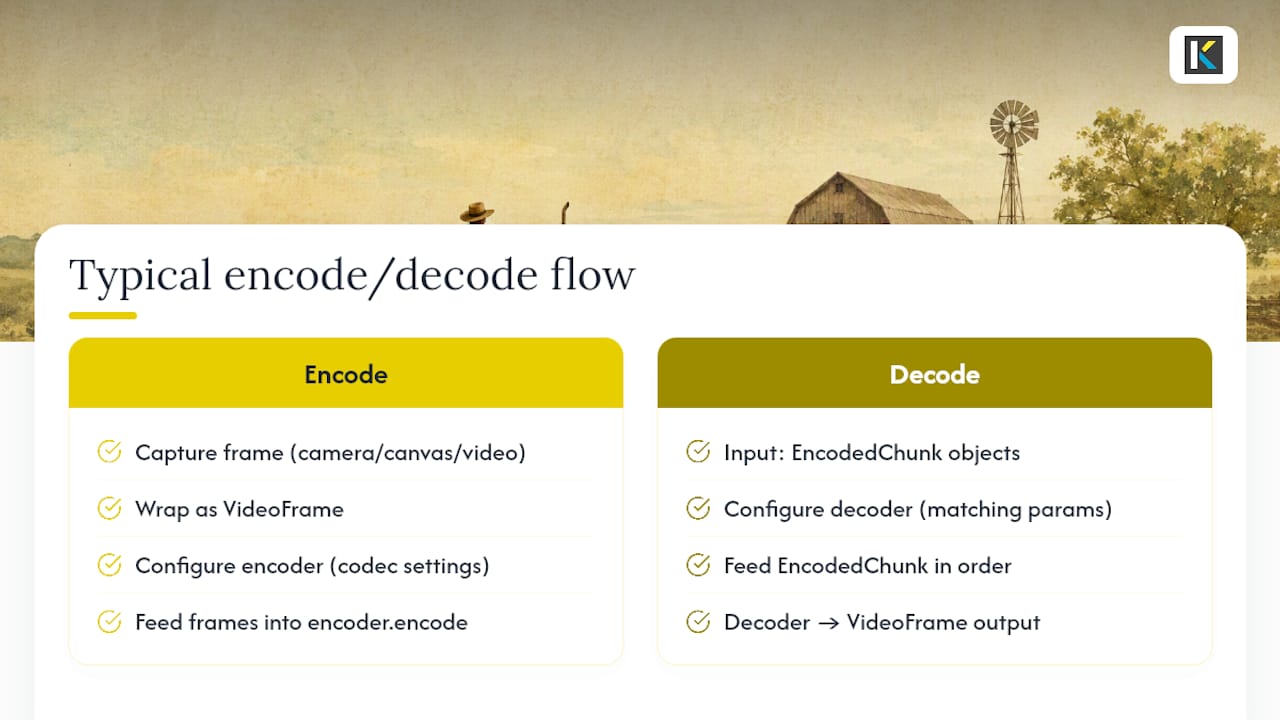
Decoding runs the same shape in reverse. You configure a VideoDecoder with matching codec parameters, then feed it EncodedVideoChunk objects in order. Get the sequence wrong, drop a chunk, or skip a keyframe, and the decoder throws rather than guessing.
Audio has its own wrinkles. MDN’s WebCodecs usage guide notes that encoder support in Chromium is effectively limited to Opus and AAC, and there’s no built-in playback mechanism for decoded audio at all. You’ll route decoded AudioData through the Web Audio API to actually hear anything.
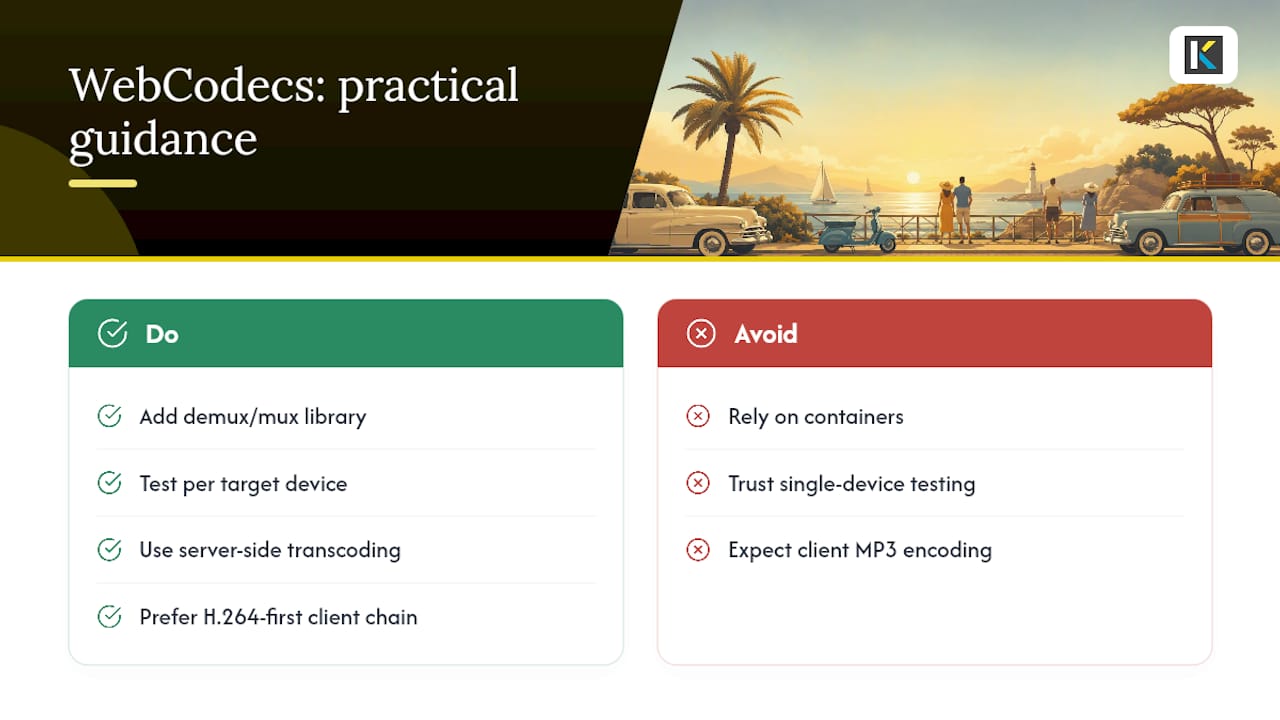
One more thing WebCodecs won’t do for you: muxing. It produces and consumes bitstream chunks, full stop. Turning those chunks into a playable MP4 or WebM file requires a separate demux/mux library, since the API deliberately excludes container handling.
Why Move WebCodecs Processing to a Web Worker?
Frame and chunk callbacks can fire dozens of times per second. Run that on the main thread alongside your UI rendering, and you’ll see dropped frames, laggy scrolling, and jank the moment the encoder gets busy.
- Use
MediaStreamTrackProcessorto convert a live media track into aReadableStreamofVideoFrameobjects, then transfer that stream into a worker. - Call
transferControlToOffscreen()on your canvas so rendering happens off the main thread too, avoiding a synchronous handoff on every frame. - Keep encode and decode calls entirely inside the worker, posting only status updates and final chunks back to the main thread.
- Watch
encodeQueueSizecontinuously. A climbing queue means your encoder can’t keep pace, and you need to drop frames or reduce resolution before memory spikes.
Chrome’s own best-practice guidance backs this pattern directly: moving frame processing to a worker keeps the callback load off the thread your UI depends on.
Pro Tip: Log the timestamp delta between when a frame enters your pipeline and when its encoded chunk comes back. If that latency creeps upward over a session, you’ve got a backpressure problem, not a codec problem.
Canvas2D, WebGL, or WebGPU: Which Renders WebCodecs Frames Best?
Canvas2D is the easiest path for drawing a VideoFrame, one drawImage() call and you’re done. It’s also the least consistent performer across devices, since every frame typically gets copied through a software path before it hits the screen.
WebGL and WebGPU both open a direct GPU route, but WebGPU has the bigger advantage for WebCodecs specifically: importExternalTexture() lets you hand a VideoFrame straight to the GPU without an intermediate copy. That zero-copy path matters most in live-preview scenarios, where every millisecond of copy overhead adds up to visible lag between an edit and what the user sees on screen.
If you’re building a quick prototype or a low-frame-rate preview, Canvas2D is fine. If you’re building anything resembling a real-time editor with effects layered on top, budget the extra complexity for WebGPU. The consistency pays for itself the first time a user complains about stuttery scrubbing.
How Do You Debug WebCodecs Issues in Chrome?
Chrome DevTools includes a Media Panel designed for debugging media and WebCodecs usage. It surfaces encoder and decoder events, configuration errors, and internal media logs that never show up in the regular console.
- Open the Media Panel (under More Tools) before reproducing the issue, not after. It only captures activity from the point it’s active.
- Log frame timing,
encodeQueueSize, and any codec-configuration errors alongside your own console output. The Media Panel view will often show a rejectedconfigure()call your try/catch already swallowed. - Capture every rejected promise message verbatim. “NotSupportedError” with no config detail is far less useful in a bug report than the full codec string that triggered it.
- When filing a Chromium bug, use the Blink>Media>WebCodecs component and attach a minimal repro. A ten-line reproduction gets triaged faster than a full app.
What Are the Real Limitations of WebCodecs?
No container support is the big one. WebCodecs gives you chunks, not files, so producing a downloadable MP4 or WebM means adopting a demux/mux library on top of the API, not instead of it.
Hardware dependency is the second constant headache. A codec that works flawlessly on your test laptop can fail silently on a budget Android phone, which is exactly why isConfigSupported() needs to run per-target-device rather than once during development. Audio compounds this: encoding is realistically limited to Opus and AAC, so if your product needs MP3 output, you’re bringing in a third-party encoder regardless of what WebCodecs offers.
The workaround most teams land on is a tiered strategy: server-side transcoding for anything that must guarantee format compatibility, an H.264-first client chain for everything else, and progressive feature gating so unsupported devices degrade instead of breaking.
Practical Presets and When to Skip the Pipeline Entirely
Kudoflix’s own engineering priorities lean toward fast, predictable processing over squeezing out every last compression gain, which shapes how we’d suggest teams configure their own fallback chains.
- Default export preset: H.264 baseline profile, broad device reach, minimal configuration risk.
- Compatible-audience opt-in: AV1 for smaller files where hardware decode is confirmed via
isConfigSupported(). - Preview rendering: WebGPU zero-copy path when latency matters, Canvas2D when it doesn’t.
- Final muxing: offload to server-side transcoding rather than building a client-side muxer from scratch.
If your team doesn’t have the bandwidth to maintain a custom encode pipeline, a managed video editor removes the codec-selection problem entirely. Read more about the tradeoffs of building versus buying in why many software programs are too complicated.
When Does WebCodecs Actually Earn Its Complexity?
WebCodecs pays off fastest in real-time editing, live visual effects, and low-latency streaming, cases where you genuinely need per-frame control and no other API gets you there. Anywhere else, the ROI gets thinner quickly.
Small teams chasing broad device coverage or a straightforward upload-and-share flow usually don’t need this level of control. The maintenance tax is real: codec strings change, hardware support shifts, and every new device class means another round of testing with isConfigSupported(). Budget for that ongoing cost before committing, not just the initial build.
— Mandrixx
A Managed Alternative to Building Your Own Codec Pipeline
If everything above sounds like a lot of engineering time for a feature your users mostly just want to work, that instinct is correct for plenty of teams. Building a WebCodecs pipeline means owning feature detection, fallback chains, worker orchestration, and a muxing library, permanently. Kudoflix skips all of that by handling encoding, templates, and export presets on a managed backend, so you get polished output without writing a single isConfigSupported() call.
The trade-off is honest: you give up per-frame control in exchange for speed to market. For teams making family videos, social clips, or business presentations rather than a real-time editing product, that trade almost always favors the managed route. Try the Kudoflix video editor and see how fast you can get from raw footage to a finished export.
Primary Specs, Docs, and Datasets
For implementation details beyond what’s covered here, go straight to the source:
- The WebCodecs W3C Recommendation for the normative spec text and secure-context requirements.
- Chrome for Developers’ WebCodecs guide for Chromium-specific patterns, worker usage, and the Media Panel.
- MDN’s WebCodecs usage guide for practical code examples and audio caveats.
- The Codec Support Dataset for empirical codec availability numbers across real devices.
Sources
- WebCodecs — W3C Recommendation
- Video processing with WebCodecs | Web Platform | Chrome for Developers
- Codec Support Dataset | WebCodecs Fundamentals
FAQ
Do All Chromium Browsers Support WebCodecs?
Chrome, Edge, and Opera support WebCodecs from the Chrome 94 lineage onward, since they all track the same underlying Blink implementation.
Why Does isConfigSupported() Return False on Some Devices?
Hardware decoder or encoder support for a given codec varies by device, so a config that works on one machine can fail isConfigSupported() on another with weaker or absent hardware acceleration.
Can WebCodecs Play Audio Directly?
No. WebCodecs decodes audio into raw AudioData, but you need the Web Audio API to actually play it back, since the API itself has no playback mechanism.
Does WebCodecs Create MP4 or WebM Files?
No. WebCodecs only produces and consumes encoded bitstream chunks; turning those into a container file requires a separate demux/mux library.
What’s the Safest Codec Fallback for Broad Compatibility?
H.264 is widely supported across Chromium-based browsers and devices, making it a standard safe default before offering AV1 or VP9 as opt-in enhancements.
Recommended