

Visual effects (VFX) are digitally created or enhanced imagery integrated with live-action footage to produce scenes that are impossible, impractical, or unsafe to film in real life. VFX differ from special effects (SFX), which are physical illusions built on set. Understanding what visual effects in video actually are gives you a real advantage as a creator. Whether you edit family memories, YouTube content, or business presentations, VFX techniques are more accessible than most creators realize. This guide breaks down how they work, what types exist, and how you can start using them today.
What are visual effects in video and how do they work?
Visual effects in video are digital elements added during post-production to enhance or replace parts of the original footage. The industry term is VFX, and it covers everything from a simple color grade to a fully computer-generated environment. The goal is always the same: make the final image look like something the camera alone could not capture.
The VFX pipeline runs through three distinct phases: pre-production, production, and post-production. Each phase feeds directly into the next, and skipping steps in one phase creates problems in the next. This structure applies whether you are working on a Hollywood blockbuster or a social media clip.
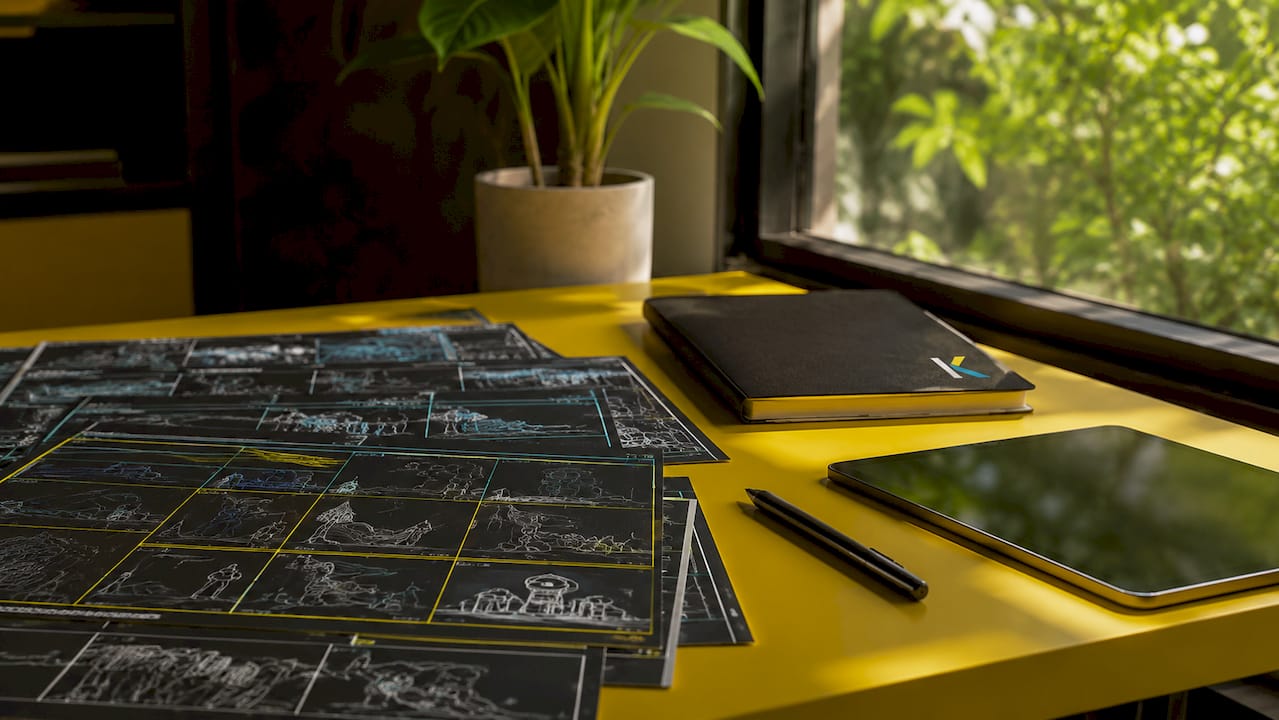
Pre-production is where VFX planning happens. Directors and VFX supervisors use storyboards and previsualization (previs) to map out every shot that will need digital work. This prevents expensive surprises later. Production is where the camera rolls, but it is also where critical data gets collected for the VFX team. Post-production is where the digital magic actually happens, combining all the elements into a finished frame.
The importance of visual effects in filmmaking and video creation comes down to one thing: they let you tell stories that reality cannot support on its own.
How are visual effects created step by step?
The creation process follows a clear sequence. Each step builds on the previous one, and quality at every stage determines the final result.
-
Pre-production planning. The VFX supervisor reviews the script and identifies every shot requiring digital work. Storyboards and previs animations show the director what the finished shot will look like before filming begins. This alignment saves time and budget.
-
On-set data capture. During filming, the crew collects data that the VFX team will use later. This includes HDR lighting probes (360-degree photos of the set’s lighting environment), LIDAR scans of the physical space, and tracking markers placed on actors or objects. Accurate on-set data is as important as the post-production work itself. Without it, digital elements look like they are floating over the footage rather than existing inside it.
-
Rotoscoping. Artists trace the outlines of subjects frame by frame to separate them from the background. This is one of the most time-consuming tasks in VFX, but it is the foundation of clean compositing.
-
Match-moving. Software reconstructs the camera’s exact movement from the live footage. Poor match-moving causes obvious visual mismatches that viewers notice immediately, even if they cannot name the problem. Good match-moving is invisible.
-
Compositing. The VFX artist layers all the elements together: live footage, CGI, backgrounds, and effects. This is where the shot becomes a single, unified image.
-
Rendering and final output. The computer calculates every pixel in the final frame, applying lighting, shadows, and motion blur to make everything look consistent. Complex shots can take hours per frame to render.
Pro Tip: Shoot your tracking markers in a grid pattern and photograph the set with an HDR probe at every major lighting change. That 20 minutes of extra work on set can save hours of correction in post.
What are the main types of visual effects used in video?
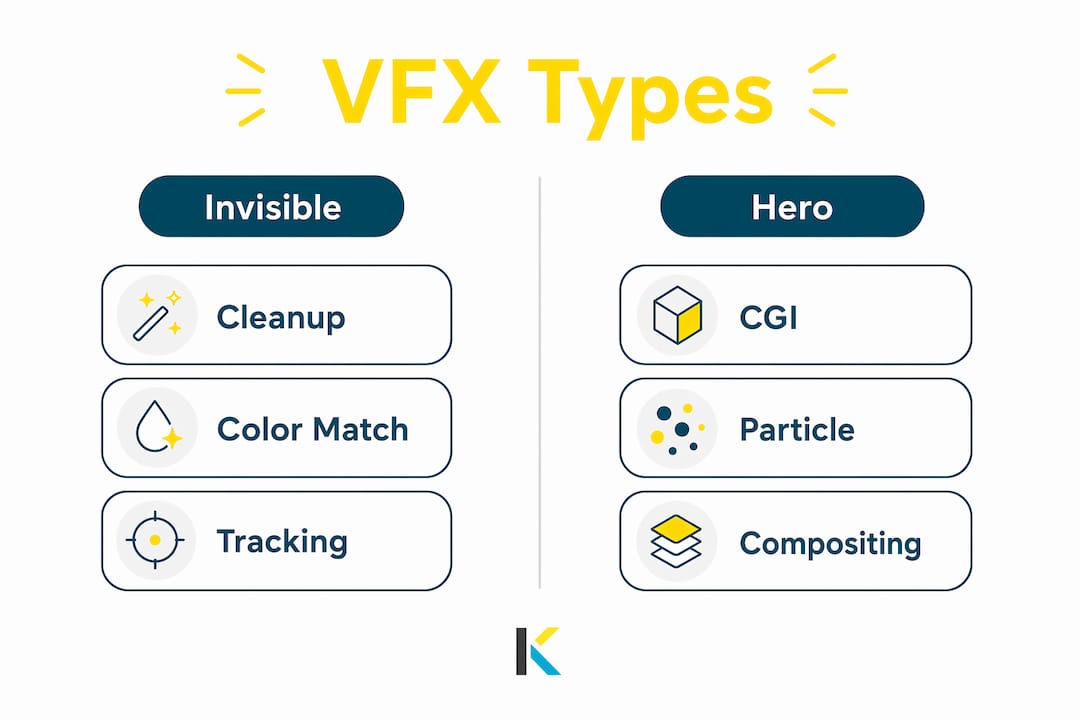
VFX types each serve a different purpose, and knowing which one fits your project is the first step to using them well. The table below maps the most common types to their purpose, complexity, and typical use cases.
| VFX Type | Purpose | Complexity | Typical use case |
|---|---|---|---|
| Compositing | Combine multiple image layers into one | Medium | Background replacement, screen inserts |
| Chroma keying | Remove a solid-color background | Low | Green screen, virtual sets |
| Motion tracking | Attach digital elements to moving objects | Medium | Text that follows a moving car, face replacements |
| Rotoscoping | Isolate subjects from background | High | Clean composites, object removal |
| Particle simulation | Generate fire, smoke, rain, or sparks | High | Atmospheric effects, explosions |
| Motion graphics | Animated text and graphic overlays | Low to medium | Titles, lower thirds, infographics |
The most important distinction in this list is between “invisible” VFX and “hero” VFX. Invisible effects fix problems or add subtle details: removing a microphone from the frame, cleaning up a blemish on a product, or replacing a gray sky with a more dramatic one. Hero effects are the ones audiences notice: a spaceship flying overhead, a character transforming, a city exploding.
Effective VFX often go unnoticed because they serve the story rather than call attention to themselves. A well-executed background replacement in a travel vlog is more valuable to most creators than a flashy particle explosion that distracts from the message.
Pro Tip: Master chroma keying and motion tracking before you attempt particle simulations or CGI. The utility effects teach you compositing fundamentals that every advanced technique builds on.
Visual effects vs. special effects: what is the difference?
Special effects (SFX) are physical illusions created on set during filming. VFX are digital illusions created after filming in post-production. Both serve the same goal: making the audience believe something that is not real. The methods are completely different.
Here is how each category breaks down in practice:
- Special effects (SFX): Pyrotechnics, practical explosions, prosthetic makeup, mechanical rigs, rain machines, breakaway glass, and animatronic creatures. All of these exist in the physical world during the shoot.
- Visual effects (VFX): CGI characters, digital environments, composited backgrounds, motion graphics, and any element added or altered after the camera stops rolling.
- Hybrid effects: Many modern productions use both. A stunt performer jumps from a real building (SFX), and the digital city skyline behind them is added in post (VFX). The combination makes each element more convincing.
Understanding this difference matters for planning. If you want rain in your shot, you can hire a rain machine (SFX) or add digital rain in post (VFX). The SFX version affects your actors’ performances and wardrobe. The VFX version costs time in post but gives you more control. Knowing which approach fits your budget, timeline, and story helps you make the right call before you ever press record.
For independent creators, SFX usually means practical props and simple in-camera tricks. VFX means post-production work in your editing software. Both are valid tools, and the best creators use them together.
How can beginners use visual effects in their own videos?
VFX is not only for blockbusters. Independent creators on YouTube, Instagram, and TikTok use visual effects every day to increase the credibility and engagement of their content. The barrier to entry is lower than it has ever been.
Here are the most practical starting points for creators at any skill level:
- Background replacement with chroma keying. Shoot in front of a green screen and replace the background in post. This works for tutorials, interviews, and product videos.
- Cleanup and object removal. Remove unwanted objects from the frame: a power line crossing a landscape shot, a logo on a shirt, or a reflection in a window. This is one of the highest-value invisible effects you can learn.
- Color correction and grading. Adjusting the color of your footage is technically a form of VFX. It changes the mood, fixes exposure problems, and makes your video look intentional rather than accidental.
- Motion tracking text and graphics. Attach a title or label to a moving object in the frame. This technique makes social media content feel polished and professional.
- Graphic overlays and lower thirds. Animated text overlays identify speakers, locations, or key data points. They are standard in news, documentaries, and branded content.
New technologies like AI-assisted rotoscoping and real-time rendering have made advanced effects accessible to smaller creators. What once required a dedicated VFX studio now runs on a laptop or directly in a browser. Platforms built for accessibility, like Kudoflix, put professional visual effects tools in the hands of creators who have never touched a VFX pipeline before.
Beginners should master utility VFX techniques like cleanup and color matching before attempting hero CGI effects. The fundamentals transfer directly to every advanced technique you will learn later. Visual storytelling built on solid invisible effects is far more effective than flashy CGI that distracts from your message. For more on how visuals support brand storytelling, visual storytelling principles apply directly to how VFX choices affect audience perception.
Key Takeaways
Visual effects in video are digital tools that serve storytelling first, and spectacle second. Mastering invisible effects before complex CGI produces better results faster for creators at every level.
| Point | Details |
|---|---|
| VFX definition | Visual effects are digital elements added in post-production to create or enhance footage. |
| Three-phase pipeline | Pre-production planning, on-set data capture, and post-production compositing all affect final quality. |
| Invisible vs. hero effects | Invisible effects like cleanup and color grading deliver more value for most creators than flashy CGI. |
| VFX vs. SFX | Special effects are physical and on-set; visual effects are digital and post-production. |
| Beginner priority | Start with chroma keying, cleanup, and motion tracking before attempting particle simulations or CGI. |
Why invisible VFX changed how I think about video production
Most creators I talk to assume visual effects means spaceships and explosions. That assumption sends beginners straight to the hardest techniques and skips the ones that actually improve their videos. The real power of VFX is in the shots nobody notices.
I have watched creators spend weeks trying to build a CGI creature for a short film while their footage had a microphone in the corner of every frame. A 10-minute cleanup job would have done more for that film than any hero effect. The invisible work is the work that makes everything else believable.
The other thing most articles get wrong is the importance of the production phase. Post-production cannot fix bad data. If you shoot a green screen scene with uneven lighting, no amount of keying skill will give you a clean composite. The VFX supervisor’s job starts before the camera rolls, not after. Independent creators who understand this shoot smarter and spend less time fixing problems in post.
Real-time rendering and AI tools are genuinely changing what one person can accomplish. But the fundamentals have not changed. Plan your shots, collect good data on set, and build your skills from utility effects up. The creators who do that consistently produce better work than those who chase the most complex techniques first.
— Mandrixx
Kudoflix makes visual effects accessible for every creator
Adding professional visual effects to your videos does not require a studio budget or years of software training. Kudoflix is an online video editor built for creators at every skill level, with no downloads or installations required.

Kudoflix includes an extensive effects and transitions library accessible in a few clicks, along with exclusive templates that apply polished VFX looks without manual compositing. The platform’s architecture processes effects quickly, so you spend time creating rather than waiting. Whether you are replacing a background, adding motion graphics, or applying a cinematic color grade, Kudoflix puts the tools where you need them. See what is possible with the Kudoflix visual effects editor and start producing videos that look intentional, professional, and worth sharing.
FAQ
What are visual effects in a video?
Visual effects (VFX) are digital images or elements added to video footage during post-production to create or enhance scenes that live-action filming cannot capture on its own.
How are visual effects created for video?
VFX are created through a three-phase pipeline: pre-production planning and previs, on-set data capture (lighting probes, tracking markers), and post-production compositing and rendering.
What is the difference between VFX and SFX?
Special effects (SFX) are physical illusions created on set during filming, while visual effects (VFX) are digital illusions added after filming in post-production.
What types of visual effects can beginners use?
Beginners can start with chroma keying (green screen), cleanup and object removal, color grading, motion tracking text, and animated graphic overlays. These utility effects build the compositing skills needed for more advanced techniques.
Do you need expensive software to add visual effects to videos?
No. Browser-based platforms like Kudoflix provide visual effects tools with no installation required, making professional-grade effects accessible to creators at any budget level.
Recommended