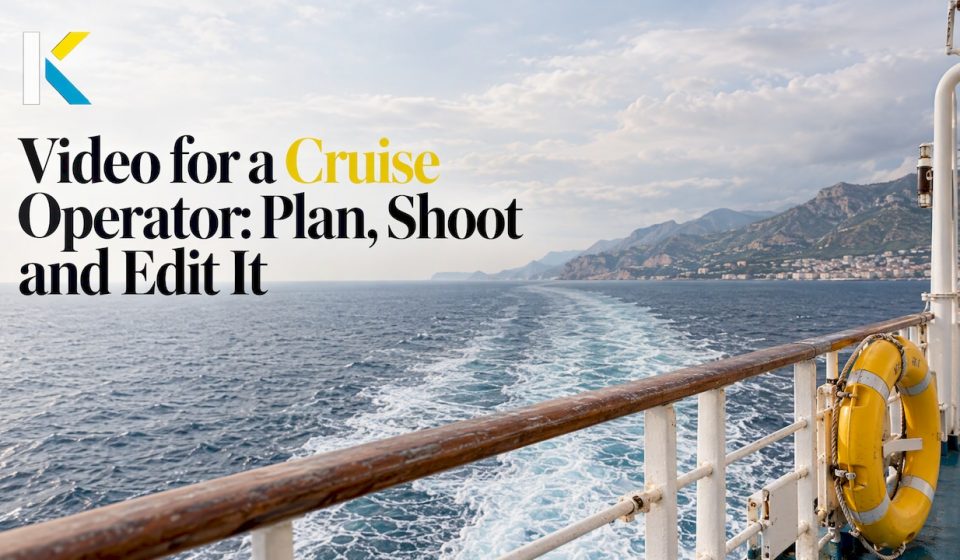

A good video for a cruise operator shows one clear thing fast, such as a cabin, a ship tour, a dining room or a day in a crew member’s life. It then adds real people, simple narration and captions, and ends by pointing to the next video or booking step. You can edit all of this in a browser. You don’t need a production team or a heavy download.
This guide is for small and mid-size operators, river and expedition cruise sellers, travel advisors, and clubs or families who want to turn a voyage into a video. It covers what to film, how to plan a series, what to check before you point a camera aboard, and how to edit efficiently.
Key Takeaways
- Pick one subject per video, show it in the first seconds, and link it to the next video in a series.
- Plan around the guest journey: inspiration, questions, comparison, booking, and the voyage itself.
- Real people and real moments beat polished brochure footage. Add captions so the video works without sound.
- Check each line’s filming rules before you shoot, especially for casinos, children, security areas and drones.
- Templates, transitions and text presets in an online editor let a non-specialist finish a cruise video in one sitting.
Table of Contents
- Which cruise videos actually get watched
- Plan the video before you film
- What to film: footage, narration and captions
- Edit a cruise video without production experience
- Cut one shoot into vertical and horizontal versions
- Tell a story with trip photos and clips
- Permissions, privacy and safety aboard
- Try it on your next voyage footage
- FAQ
- Sources
Which cruise videos actually get watched
Viewers use cruise video to answer a practical question: will I like this ship, this line, this itinerary? Cruise vlogs typically cover full ship tours, things to do onboard, destinations, dining and accommodation tips, which helps viewers decide whether cruising, and a particular line, suits them.
An operator’s library usually grows from the same building blocks:
- Ship and cabin tours. The most requested format, because cabins are hard to judge from photos.
- Destination highlight reels. Short, scenic, built around motion.
- Guest testimonials and crew stories. The human proof.
- How-to explainers. Boarding day, dining options, excursions, cruising with kids.
- Social shorts. Vertical clips cut from the longer pieces.
The how-to format has a long track record. Carnival’s 2015 YouTube series with Samantha Brown used roughly one-minute videos to educate first-time cruisers on everything from dining and activities to cruising with kids, with each video linking on to the next topic.
Short and structured content do different jobs. An April 2026 analysis of river cruise content found that short clips such as scenic motion, quick room tours and food highlights drive discovery, while structured guides that answer practical questions, such as what is included in the price or how excursions work, increase watch time and saves. You need both.
What the big lines post is also instructive. In Banc’s September 2026 review of 20 cruise lines’ Instagram content, 80% had adventure and outdoor experiences in their top three content pillars. On TikTok, drone footage appeared across 71% of the accounts studied, guest point-of-view across 36%, and talking to camera across 29%. A smaller operator can copy the mix without the budget: a few scenic shots, a few first-person moments, one friendly face.
Plan the video before you film
The most effective cruise brands treat video as part of a plan rather than a set of isolated creative pieces. The Pedowitz Group suggests starting with guest journeys, mapping personas and their questions by stage, then building an architecture of hero films, itinerary stories, ship and cabin tours, experience chapters, FAQ explainers and social shorts.
For a small operator, that scales down to a simple grid:
| Guest stage | Question in the viewer’s head | Video to make | Length |
|---|---|---|---|
| Dreaming | Is a cruise right for me? | Destination reel, guest story | 30 to 90 seconds |
| Comparing | What is the ship and cabin really like? | Cabin tour, ship walkthrough | 1 to 3 minutes |
| Deciding | What is included? How do excursions work? | FAQ explainer, itinerary day | 1 to 2 minutes |
| Before sailing | What do I do on boarding day? | Checklist, how-to short | 30 to 60 seconds |
| Sailing and after | How do I share the trip? | Passenger slideshow, recap | 1 to 3 minutes |
Series are worth the extra planning. Cruise creator Emma Le Teace says she designs videos to go together, linking a ship video to a separate cabin video at the end, because when viewers watch several videos in a row, YouTube pushes the content more. A cabin-tour series is a natural place to start: a Kiticon case study on a multi-part cabin-tour series for YouTube Shorts builds on four principles: informative, comparable, engaging and up to date.
Before you plan any single video, answer the question travel creator Gary Bembridge puts first: who are you talking to, what do they want to know, and what do you do that is different? Each video also needs a clear story, a thumbnail that stops the scroll, a title that intrigues and a hook that keeps people watching.
If the videos will travel across several channels (your site, social, email, advisor tools), it also helps to think through how to share content well on social media at the planning stage, not after the edit is done.

What to film: footage, narration and captions
Show the subject immediately
Viewers click because of the title and thumbnail, and they expect that exact subject to start at once. Emma Le Teace gives an example: if the video is about a cabin, show the cabin first, not packing or boarding footage. She also advises using simple comparisons instead of nautical jargon and focusing on the most useful or interesting parts.

Use real people and real moments
For Oceania Cruises, Rich Interactive spent a week onboard in the Mediterranean and recorded interviews with more than 30 guests and crew, alongside kitchens, service highlights, excursions and onboard life. The result was a library of over 40 videos built on emotional storytelling rather than a hard sell. You don’t need that scale. One guest, one chef or one officer on camera for two minutes gives you the same kind of material.
A useful shot list for a single ship day:
- Departure from port, wide and moving.
- Dining: a chef plating, a table being set, guests tasting.
- Cabin: a slow walk from the door to the balcony.
- Entertainment and onboard activity, with permission from those filmed.
- One short interview with a guest or crew member.
- B-roll of water, decks and details to cover cuts.
The Princess Cruises crew film follows a similar arc. It opens with the ship’s departure, then shows chefs, officers and crew with guests, before moving to personal stories from crew members. The editing and a carefully chosen soundtrack tie these elements together.
Narrate and caption
Keep the voiceover short and conversational, one idea per shot. Add on-screen text for the facts people look for: cabin size, what is included, port names. Captions matter for access as well as reach: many Instagram cruise videos allow for screen readers and have captions, which makes them more accessible. Most viewers scroll with sound off, so captions help the message land either way.
Edit a cruise video without production experience
The biggest barrier for a small operator is rarely the camera. It is the edit. Here is a workflow that a first-timer can finish in an afternoon in a browser editor like Kudoflix, where nothing needs to be downloaded or installed.
- Sort your clips by the shot list. Name them: departure, cabin, dining, guest interview.
- Start from a template. A ready-made video template gives you pacing, title placement and structure, so you replace the placeholders with your own footage rather than build from nothing.
- Cut to the hook. Trim every clip to its strongest few seconds. Open with the subject named in the title.
- Join clips with simple transitions. Keep them consistent. For ideas on moving between scenes, see these vacation video transition ideas, and the pro transitions available in the editor.
- Add text and captions. Effects, transitions and text are available in a few clicks, and dynamic text for social media helps key facts stand out.
- Add music. Choose a track that matches the tone: calm for a river voyage, upbeat for a family ship tour. The editor includes royalty-free music.
- Export for each platform. One long version for your site and YouTube, one vertical cut for shorts and reels.
The Kiticon case study names the hard part of short-form well: getting the most important information across in just a few seconds while holding interest, which calls for precise editing and a clear sequence. That is where a template and a tight shot list pay off.
If you also sell or promote cabins and stays, our page on video for tourism and accommodation covers room-tour style edits, and our guide to travel video marketing shows how travel professionals turn footage into something clients respond to.
Cut one shoot into vertical and horizontal versions
Film once, then publish several ways. A wide cabin tour suits YouTube and your website. The same footage, reframed and shortened, suits short vertical feeds. If you want a practical look at how to plan for both orientations, these vertical and horizontal video workflows are worth a read, with a focus on hooks, viewer expectations and watch time.
On YouTube, Bembridge points to watch time as the most important metric and notes that the platform screens out clickbait by measuring how many people are still watching after 30 seconds. So the hook has to match the title and deliver on it right away.
In the editor, adapting your edits for short and vertical formats is a matter of reframing, and our notes on short-form editing best practices and the video reel guide go deeper on pacing and attention.
Tell a story with trip photos and clips
Not every cruise video comes from an operator. Families, clubs and friends make recap films, and so do travelers who want a life-story slideshow from photos. The same storytelling principles apply.
Marella Cruises’ “Your Next Story” campaign presents cruise holidays as imperfect, personal moments that travelers recount after returning. It follows a couple retelling a voyage, with vintage lenses giving the footage a soft, dreamlike quality. The lesson for a home video: lead with a feeling or a funny moment, not the itinerary.
A simple structure for a passenger recap:
- Open with the best single moment, such as the sunset or the group at dinner.
- Move through the days in order, two or three shots each.
- Mix photos and clips, with slow zooms on stills.
- Use short text for ports and dates.
- Close on a person, not a place.
A club or association can use the same structure to show a group voyage to members who stayed home.
Permissions, privacy and safety aboard
Check the rules of the specific line before you film. They differ, and they change.
- Casinos and security. Royal Caribbean requires permission for audio or video devices in the casino, prohibits filming security or boarding procedures, and requires a signed parental release to film children. It also lists interviews with crew about gratuities or compensation as prohibited.
- Drones. One guide describes four separate permissions for drones on a cruise: carriage, storage, onboard operation, and shore operation, which needs line permission plus local aviation authority clearance. It notes that Royal Caribbean rules out drone operation at its private destinations CocoCay and Labadee.
If you are an operator filming your own guests, get written releases, tell people when a camera is rolling, and keep filming away from other passengers who have not agreed to appear. If you are a passenger, film your own party and stay clear of crowds, cabins and staff areas. For the specifics of your line or port, ask the line’s guest services or the local aviation authority.
What we think about cruise video
Most cruise operators already have the hard part: the ship, the people and the stories. What they lack is time and an editor they can open in a minute. That is why we built Kudoflix to run in the browser, with templates, transitions, text, color filters and royalty-free music in one place.
Our view is that a cabin tour or a crew story should not take a week to produce. A template gives the structure, your footage gives the truth, and the cloud does the heavy processing, which is designed to deliver professional-looking results even on a modest laptop.
We also believe that families, clubs and retired travelers deserve the same tools as marketers. A grandmother turning forty years of photos into a slideshow and a small operator cutting a vertical short are doing the same craft: choosing what matters and showing it clearly.
Mandrixx
Try it on your next voyage footage
You can start without paying. Kudoflix has a free version at $0 per month, and the paid plans are listed on our pricing page: Starter is $9.99 per month or $83.88 per year, and Pro is $12.99 per month or $119.88 per year. Open the online video editor, pick a template, drop in your clips and export a first cut today.
FAQ
What kind of video should a small cruise operator make first?
Start with a cabin tour. Cabins are hard to judge from photos, and viewers expect the cabin to appear in the first seconds. Once you have one, add a ship walkthrough and a short FAQ video about what is included, then link them together as a series.
How long should a cruise video be?
It depends on the job. Social shorts and destination reels can be under a minute, while cabin tours and explainers often run one to three minutes. The deciding factor is whether each moment answers the viewer’s question, so cut anything that does not.
Can I edit a cruise video without installing software?
Yes. Kudoflix runs in your browser, so there is nothing to download or install. You upload your clips and photos, start from a template, add text, transitions and music, then export. The free version lets you try the workflow first.
Do I need permission to film on a cruise ship?
Often yes, depending on the line and the area. Some lines require permission in casinos, forbid filming security or boarding procedures, and require a signed release to film children. Ask the cruise line’s guest services before you film, and get consent from any guests who appear on camera.
How do I make a cruise video work on social media?
Lead with the subject, add captions, and export a vertical version for short-form feeds. Keep the hook consistent with the title so viewers keep watching. Our guides on short and vertical formats explain how to reframe the same footage.
Sources
- Discover the Up-and-Coming Cruise Vloggers Making a Splash in the Industry
- New Video Series Hosted By Noted Travel Expert Samantha Brown
- River Cruises as High-Performing Content
- Social Media Post Ideas for Cruise Lines: What Our Data Says
- How do cruise lines produce video content to inspire bookings
- Case-Study: YouTube Shorts & Social für Kreuzfahrtberater
- What I learnt About How To Succeed On YouTube
- 5 Things I Learned About YouTube From 10 Years Creating Cruise Content
- Rich Interactive: Oceania Cruises
- A Day in the Life of a Crew Member
- Marella Cruises Unveils Your Next Story Brand Campaign
- Royal Caribbean Is Cracking Down On Filming In Casino
- Can You Bring a Drone on a Cruise? Rules by Line
- Shoot Once: 3 Workflows for Vertical vs Horizontal Video
- Press Release on Social Media: How to Share It Well
Recommended