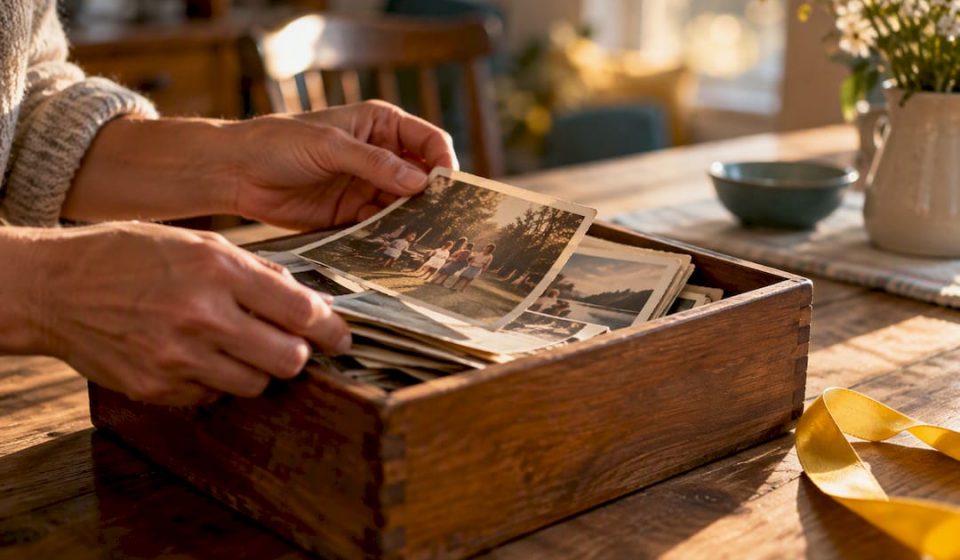

A family or legacy film is a short, edited piece, usually digitized home movies or a narrated documentary, that preserves someone’s voice, story, or history in a watchable form. If you have VHS, MiniDV, or Super 8 tapes sitting in a closet, digitize them now, since magnetic tape and old playback decks degrade fast. If the people in your family history are still living, schedule an interview soon. From there, you either send media out for digitization and edit later, or capture new footage yourself and assemble it with an online editor.
TL;DR:
- Digitizing magnetic tapes and film reels should be prioritized due to faster degradation and the rarity of playback equipment; photos and slides degrade more slowly.
- Always photograph labels on tapes and film canisters before digitization, and verify the quality and completeness of files before disposing of original media.
- For family interviews, prepare by reviewing photos and building a loose outline, and approach conversations as relaxed dialogues rather than interrogations to elicit meaningful stories.
- Use online video editors with templates to assemble 2 to 5 minute films easily, focusing on strong clips and captions, especially if budgeting for DIY editing.
- Store original media in cool, dry, stable conditions, keep tapes upright, and resist rewinding or fast-forwarding to prevent damage prior to digitization.
Table of Contents
- What Counts as a Family or Legacy Film?
- How Do You Digitize and Preserve Old Family Media?
- How Do You Plan and Conduct a Family Legacy Interview?
- How Do You Edit and Share the Finished Film?
- What Does Digitization and Editing Actually Cost?
- What Legal and Privacy Issues Come Up With Family Films?
- What Should You Expect From a Professional Legacy Film Service?
- How Should You Store Physical Media Before Digitizing?
- Why Family Films Are Worth the Effort
- Bring Your Family’s Footage to Life With Kudoflix
- Where to Learn More About Preservation and Oral History
- Sources
- FAQ
What Counts as a Family or Legacy Film?
A legacy film usually falls into one of three shapes: a 2 to 5 minute narrated short focused on one person or milestone, a longer cinematic documentary built from interviews and archival footage, or a simple highlight reel stitched from digitized clips with no narration at all. The right format depends on your goal. A memorial service needs something tight and emotional. A family reunion might just want a fun scroll through decades of birthday parties.
Before you plan anything, take inventory of what you actually have. Most families discover a mix of formats scattered across boxes and drawers:
- VHS and Betamax tapes (often labeled with dates or event names, if you’re lucky)
- MiniDV cassettes from early 2000s camcorders
- Super 8 and 16mm film reels, sometimes decades older than anything else in the house
- Slides and printed photographs
- Cassette audio tapes, which often hold voices no video ever captured
Magnetic tape and film are the highest priority here. Tape degrades chemically over time, a process archivists call “sticky shed syndrome,” and the machines that play these formats are getting harder to find and repair every year. Photos and slides degrade too, but far more slowly. If you only have time or budget to tackle one category first, it’s the tapes and reels.
How Do You Digitize and Preserve Old Family Media?
Once you know what you have, the workflow is straightforward, even if it takes some patience.
- Photograph every label on your tapes and film canisters before doing anything else. Handwritten dates and event names are often the only metadata you’ll ever get, and they’re easy to lose track of once media gets shuffled between boxes.
- Count your formats and decide on a method. Mail-in digitization services tend to be the most cost-effective option for large collections. A local restoration lab costs more but handles damaged or moldy film better. DIY capture gives you full control and can be cheaper long-term if you already own or can borrow a capture device, but it takes real time.
- Request MP4 output for everyday viewing, since it’s the most universally compatible format across phones, computers, and streaming platforms. Digitization guides also recommend requesting a higher-quality master file if you want an archival copy, since some services default to a single long file per tape that isn’t practical to watch as-is.
- Never dispose of originals immediately. Wait until you’ve verified every returned file plays correctly, checked for corrupted or blank sections, and confirmed the footage matches what you expected. Give yourself a real window, weeks rather than days, before you consider recapturing anything.
- Split, label, and back up. Break long transfers into shorter clips, add dates to filenames, and follow a 3-2-1 backup approach: three copies, two different storage types, one off-site or cloud copy.
Pro Tip: Request the highest-resolution file your service offers, even if it feels like overkill. You can always compress a large file down for sharing, but you can’t recover detail from a version that was compressed too much the first time.
The Library of Congress recommends storing original tapes and film in cool, dry, climate-controlled conditions even after digitizing, since playback equipment for these formats keeps becoming rarer and originals still hold value as a backup of last resort. Once your files are digitized, a shared cloud album gives the whole family easy access without anyone needing technical skills.
How Do You Plan and Conduct a Family Legacy Interview?
The footage that makes a legacy film actually moving usually comes from a good interview, not stock B-roll or old home movies alone. Preparation matters more than people expect.

Before you sit down with a camera, do the groundwork. Review old photographs together, build a loose chronological outline of the person’s life or the story you’re documenting, and consider a short pre-interview conversation without recording anything. Oral history practitioners at UCLA note that reviewing photos or even playing a casual game together before recording can loosen people up and surface memories that a cold interview never would.
When you’re ready to record:
- Treat it as a conversation, not an interrogation. Ask open questions and let silences sit.
- Use sensory prompts (“what did the kitchen smell like on Sundays?”) rather than only dates and facts.
- Record one-on-one in a quiet room with soft furniture and curtains to cut down on echo.
- Capture B-roll of hands, old photos, letters, and objects; if you have a second camera or a phone on a tripod, get a wider angle to cut to during editing.
Consent and sensitivity matter as much as technique. Ask before recording, especially with topics that might be painful, and let your subject know they can pause or skip anything. Before you finalize an edit, show a rough cut to close family. Someone always remembers a detail, or notices a moment that needs to be handled with more care.
How Do You Edit and Share the Finished Film?
Editing turns raw footage into something people actually watch more than once. A typical legacy film edit includes a short written script or narration outline, trimmed footage, background music, a few captions with names and dates, and light color correction to even out old, faded tape.
For DIY editors, the workflow usually looks like this:
- Split long digitized transfers into clips of roughly 90 seconds to 3 minutes each; long, unbroken footage rarely gets rewatched.
- Pick your strongest 10 to 15 clips rather than trying to use everything.
- Use pre-built templates to assemble a 2 to 5 minute film with transitions and title cards already handled.
- Export in MP4 for easy sharing across devices.
Hiring a professional makes sense when the project involves heavy film restoration, a complex multi-generation narrative, or a tight deadline like a memorial service. For most family reels, anniversary tributes, or holiday highlight videos, a DIY family video editor with ready-made templates gets you most of the way there without the wait or the added cost.
Once finished, share through a cloud album for easy family access, or post to an unlisted YouTube link if you want something shareable but not fully public. Always keep one master copy on local storage, separate from whatever you share, as your permanent backup.
What Does Digitization and Editing Actually Cost?
Costs vary a lot depending on how much media you have and how much of the work you’re doing yourself.
Mail-in digitization services typically price per tape or per foot of film, and the per-unit cost drops as your order size grows. Bulk orders, think a shoebox of twenty VHS tapes, tend to bring the average cost per tape down noticeably compared to sending in just one or two. Local restoration labs charge more, often two to three times a mail-in service’s rate, because a technician handles cleaning, repair, and manual quality checks by hand rather than running tapes through automated equipment.
DIY digitization has a different cost structure entirely. You pay once for a capture device, USB video converter, or a combo VCR/DVD unit, and after that your only cost is time. If you already have working playback equipment for your formats, this is often the cheapest route for a small collection, but it’s the most expensive option in hours if you have dozens of tapes.
Professional editing services for a finished legacy film generally price based on runtime and complexity, a simple 3 minute highlight reel costs far less than a 20 minute documentary style piece with multiple interviews and narration. If budget is tight, a reasonable middle path is paying for digitization only, then handling the edit yourself with an online video editor built around templates, which cuts out the biggest cost driver: paid editing hours.
What Legal and Privacy Issues Come Up With Family Films?
Family footage usually involves relatives who never expected to appear in a shared video, and that raises a few real questions worth thinking through before you hit publish anywhere.
Consent is the biggest one. Anyone appearing on camera, especially in an interview, should know how the footage will be used and where it might be shared. This matters even more with older relatives discussing sensitive family history, health issues, or events others in the family might not know about. Get verbal or written agreement before recording, and check in again before any public sharing.
Music licensing trips up more DIY editors than people expect. A song you love from your own collection likely isn’t cleared for use in a video you post publicly, even on a personal YouTube channel. Royalty-free music libraries, the kind bundled into most online video editors, sidestep this problem entirely.
Privacy settings matter once the film exists. An unlisted YouTube link is far more private than a public upload, but it’s still technically accessible to anyone with the link. A cloud shared album with invited members only is the tighter option if the film includes sensitive family history not meant for wide circulation. And if a subject passes away before a film is finished, check with immediate family about how they want that person’s image and voice handled. That is not a technical decision. It is a family one.
What Should You Expect From a Professional Legacy Film Service?
Professional services vary, but most follow a recognizable structure once you understand what to ask for.
The process usually starts with an intake conversation covering your goals, timeline, and the media you’re working with, followed by digitization or filming, a rough cut for review, and a final polished delivery. Ask any service to walk you through how their process works before committing, since a clear step-by-step answer is a good sign they’ve done this many times before.

Deliverables typically include a finished film in the 2 to 5 minute range for a standard legacy piece, longer for documentary-style projects, plus the raw digitized or filmed footage so you own the source material, not just the edit. Some services also provide a written transcript of any interviews, which turns out to be just as valuable to family historians as the video itself.
Before booking, ask to see samples of finished work. A service confident in its output will have examples ready to show, and watching a few completed projects tells you more about pacing, music choice, and narration style than any description on a website ever will. If client testimonials or reviews are available, they’re worth reading specifically for comments about communication and turnaround time, since those are the two areas where family media projects most often run into friction.
How Should You Store Physical Media Before Digitizing?
What you do in the weeks or months before digitization matters almost as much as the digitization itself, since damaged originals produce damaged transfers.
Keep tapes and film reels in a cool, dry space away from direct sunlight, basements prone to humidity, and attics that swing between temperature extremes. The Library of Congress’s preservation guidance points to stable, moderate conditions as the single biggest factor in slowing down the natural decay of both magnetic tape and film stock. Big temperature and humidity swings do more damage over time than a single bad storage spot ever could.
Store tapes and reels vertically, the way books sit on a shelf, rather than stacked flat, which can warp the tape or reel over years of pressure. Keep them in their original cases with lids closed to cut down on dust. If you find mold on old film, don’t try to clean it yourself. Hand that reel to a professional lab that has the right ventilation and chemical handling for it.
Label everything clearly before it goes into storage, and resist the urge to rewind or fast forward a tape “just to check it.” Every pass through old playback equipment adds wear, and a deck that hasn’t been serviced in years can damage tape that would otherwise have survived just fine sitting untouched.
Why Family Films Are Worth the Effort
Photos freeze a moment, but they can’t capture how your grandmother actually laughed or the cadence of your father’s voice telling the same story for the fortieth time. That detail disappears first, and no amount of restoration brings it back once it’s gone.
Prioritize the tapes that are decaying and the people who are still here to talk. Everything else can wait. Treat this less like a chore and more like something future relatives will thank you for.
— Mandrixx
Bring Your Family’s Footage to Life With Kudoflix
You’ve digitized the tapes, recorded the interview, sorted the clips. The last step, actually assembling something watchable, is where most family projects stall out. There are online video editors that require no download, letting you drop digitized footage straight into a project and start cutting immediately instead of waiting on installation or fighting a steep learning curve.
Template libraries often cover real use cases families run into: memorial tribute reels, anniversary highlight videos, and holiday family compilations, designed so you can swap in your own clips and photos without starting from a blank timeline. Whether you’re piecing together a grandparent’s life story or a season of holiday chaos, the family-focused editor handles the structure so you focus on the footage.
Start with the free plan to build your first legacy film, or browse finished examples to see what’s possible before you commit to a paid tier.
Where to Learn More About Preservation and Oral History
For deeper guidance, the Library of Congress covers archival file formats and long-term storage, while UCLA’s oral history program offers practical interview technique advice worth reading in full.
Sources
- Audio/Visual Materials – FAQ – About (Preservation, Library of Congress)
- Preserving Family Histories | UCLA
- How to Digitize Your Video Tapes with a Step-by-Step Conversion Process | Capture Media Digitization Services
- Family History Video: How a Documented Life Becomes a Film — AncestorIQ
FAQ
What Is the Ideal Length for a Family Legacy Film?
Most effective legacy films run 2 to 5 minutes, focused on one person, milestone, or turning point rather than an entire life story. Longer documentary-style projects can run further, but shorter, focused films get rewatched far more often than sprawling ones.
What Format Should I Request When Digitizing Old Tapes?
MP4 is the most practical everyday format, since it plays across nearly every device and platform without conversion. If you want an archival-quality master copy as well, ask your digitization service whether they offer a higher-bitrate option alongside the standard MP4 delivery.
How Long Should I Keep the Original Tapes After Digitizing?
Wait until you’ve fully verified every digitized file, checked playback start to finish, and confirmed nothing is missing or corrupted, which can take several weeks depending on how much media you’re reviewing. Only after that verification should you consider disposing of originals, and many families choose to keep them indefinitely in cool, dry storage regardless.
Can I Edit a Family Film Myself Without Professional Software?
Yes. An online video editor with pre-built templates lets you trim clips, add music and captions, and assemble a polished short film without installing anything or learning complex editing software. This works well for straightforward highlight reels and tribute videos; more complex restoration or narrative projects may still benefit from a professional.
What Should I Ask a Family Interview Subject to Start?
Start with something concrete and low-pressure, a specific house, a specific year, or a specific object like a photograph, rather than a broad question like “tell me about your life.” Oral history guidance from UCLA recommends reviewing photos together beforehand, since that alone often surfaces the stories worth recording.
Recommended