Yes, video belongs in every association’s membership strategy, but not the polished corporate kind. Start with short member testimonial clips shot in a single production day, since peer-driven testimonials rank among the most effective tools for first-year member recruitment, and video marketing measurably lifts recruitment, engagement, and non-dues revenue when done consistently. Kudoflix’s template editor makes that first cut fast. Film one story this month and test it.
TL;DR:
- Consistent publication of short member testimonial videos significantly boosts recruitment, engagement, and non-dues revenue through improved search rankings and visibility.
- Video runtime should stay under two minutes, with social clips ideally between 30 and 90 seconds, as longer videos see engagement drop sharply.
- Building a video library from one production day reduces costs and increases content volume, focusing on interviews, B-roll, and short soundbites aligned with specific outputs.
- Upload videos to YouTube first to leverage search rankings, then share native content on social platforms for maximum algorithm favorability and reach.
- Captioning and transcripts are essential for accessibility, search engine optimization, and ensuring members can engage with videos without sound.
Table of Contents
- Why video matters for association engagement
- Which video formats work best for associations?
- Building a video content library instead of one-off clips
- Where to publish association videos for the best reach
- How to measure video’s impact on membership
- Your first 90 days: a step-by-step video launch plan
- Making association videos accessible to every member
- How to script association videos that actually connect
- Choosing video equipment and editing software on any budget
- Getting consent right before you point a camera
- Getting more mileage out of member-submitted video
- Author perspective: practical lessons from association video projects
- How Kudoflix Helps Associations Scale Video Without a Production Budget
- Sources
Why video matters for association engagement
Skeptical boards ask a fair question: does video actually move the needle, or is it just another line item? The evidence says it moves several needles at once. Video marketing improves searchability and drives measurable gains in recruitment, engagement, and non-dues revenue for associations that publish consistently rather than sporadically. That searchability piece matters more than most communications directors realize. Google and YouTube treat video as a distinct ranking signal, and an association’s event recap or explainer often outranks a competing blog post for the same search term.
The business case breaks down into four areas:
- Recruitment — prospective members watch before they join, especially younger professionals comparing associations side by side.
- Retention — video reminders of member value reduce the “what do I actually get for my dues” drop-off.
- Event promotion — recap footage sells next year’s conference better than a brochure ever could.
- Sponsorship revenue — sponsors pay more for placement inside content people actually finish watching.
The runtime rule: engagement for association videos drops sharply as length increases, so most content should run under two minutes, with social cuts closer to 30 to 90 seconds.
Which video formats work best for associations?
Not every format deserves equal investment. Here’s how to rank them by payoff versus effort, mapped to where a member sits in their relationship with your organization.
- Member testimonials. The highest-return format for recruitment. The strongest testimonials follow a three-part arc: life before joining, the moment of connection, and the transformation after. Run time: 60 to 180 seconds. Best on your join page, in recruitment emails, and as paid social ads.
- Welcome and onboarding videos. New members who watch a short welcome video renew at higher rates than those who don’t, largely because it answers “what now” before confusion sets in. Keep it under 90 seconds and embed it directly in the welcome email.
- Event recaps. Sell next year’s ticket with this year’s energy. 60 to 120 seconds, published within a week of the event while memory is fresh.
- Educational explainers. Short answers to your five most common member questions. Under 90 seconds each, hosted on your resource hub and YouTube.
- Advocacy videos. Member voices on policy or industry issues, aimed at legislators, press, or prospective sponsors. Longer format (2 to 4 minutes) is acceptable here since the audience is self-selected.
- Sponsor-educational segments. A 15 to 30 second sponsor mention inside genuinely useful content, not a standalone ad.
Live-action wins for anything involving a real member’s face and voice. Animation earns its keep only for abstract concepts like policy explainers or data walkthroughs where no camera-friendly visual exists.
Building a video content library instead of one-off clips
The biggest budget mistake associations make is treating every video as a separate project with its own planning cycle, its own crew, its own cost. A smarter model treats one production day as a library-building exercise: capture interviews, B-roll, and short soundbites in a single session, reducing total production cost by spreading the fixed costs of setup and crew across dozens of usable assets instead of one.
A one-day capture checklist that actually works:
- Pre-write a one-page brief mapping every interview question to a specific output (a 30-second social cut, a 60-second testimonial, two or three standalone soundbites).
- Book three to five members in advance, staggered in 20-minute slots.
- Bring a signed release form for every person on camera before you press record.
- Log footage with simple tags (name, topic, usable timestamp) the same day, while memory of the shoot is fresh.
Staff it with one internal person running logistics and either a freelance videographer or a decent mirrorless camera, depending on budget. Editing is where a no-download tool like Kudoflix’s editor built for clubs and associations earns its place, since templates cut the turnaround from days to hours.
Pro Tip: Plan your shot list by output channel before you shoot, not after. Knowing you need a vertical cut for Instagram and a horizontal one for the website changes how you frame the interview, and it saves you from re-shooting later.
Where to publish association videos for the best reach
Upload to YouTube first, always. YouTube-hosted videos dominate Google’s video search results, and a huge share of the video thumbnails you see in a Google search come directly from YouTube’s index. Skipping it means skipping free search traffic your association is otherwise entitled to.
That said, YouTube isn’t the only stop. Native uploads to Instagram, LinkedIn, and Facebook outperform shared YouTube links on those platforms, since the algorithms favor content that stays on their own turf. Post natively to social, then embed the same YouTube video on your site and in email.
A basic video SEO checklist before you hit publish:
- Write a keyword-rich title a human would actually click, not a vague label.
- Add a description with a timestamp breakdown for longer videos.
- Upload captions or a transcript (more on this below).
- Add chapters for anything over two minutes.
- Include one clear call to action, spoken and on-screen.
- Tag the video with your association name, event name, and topic keywords.
This video SEO checklist covers the metadata details in more depth if your team is new to video-specific optimization. Reuse each asset every quarter rather than letting it die after one send.
How to measure video’s impact on membership
Watch time and completion rate tell you whether the content is any good. Conversion events tell you whether it’s worth the budget. Track both.
- Watch time and completion rate — a video people abandon at 15 seconds has a hook problem, not a distribution problem.
- CTA clicks — how many people who watched actually clicked join, renew, or register.
- Conversion events — new memberships, renewals, event registrations, and sponsor inquiries tied to a specific video’s publish window.
Run a simple 90-day test: pick one video, change one variable (thumbnail, placement, or length), and compare against your baseline before the change. Shorter, focused cuts consistently outperform longer recordings, which makes runtime one of the easiest variables to test first.
For sponsors, package the numbers directly: views, watch time, and CTA clicks alongside a 15 to 30 second sponsor placement inside an educational video. That analytics report is often the difference between a one-time sponsor and a repeat one.
Your first 90 days: a step-by-step video launch plan
Small teams overthink the starting point. Here’s the sequence that actually gets a program off the ground without stalling in planning meetings.
- Pick one use case. Member testimonials for recruitment is the safest first bet given how well they convert.
- Recruit three members willing to be filmed, ideally people with a genuine before-and-after story.
- Write a one-page brief with interview questions mapped to specific output cuts.
- Schedule one capture day, 20-minute slots, signed releases in hand.
- Designate one publisher on your team responsible for uploads, captions, and scheduling.
- Set three KPIs before you launch: watch time, CTA clicks, and one conversion metric.
- Edit with templates in a no-download tool so the first cut ships within a week, not a month.
- Repurpose immediately into a vertical social cut, a horizontal site version, and a short email teaser.
- Book two more capture days over the next six months and build a monthly content calendar around them.
Making association videos accessible to every member
Captions aren’t optional polish anymore. They’re how a meaningful share of your audience actually consumes video, since most people watch social video with the sound off, whether they’re at their desk or scrolling during a commute. Every video you publish needs burned-in or platform-native captions, full stop.
Transcripts matter for a different reason: search engines can’t watch your video, but they can read a transcript, and a well-formatted one often helps that video’s page rank for the same terms a member might type into Google. Post the transcript directly on the page where the video is embedded, not buried in a separate download.
For associations serving the public, especially those with any government-adjacent function or federal funding, the Americans with Disabilities Act creates a real compliance obligation around digital accessibility, and video without captions is one of the most common violations flagged in accessibility complaints. Even associations with no legal exposure should treat captioning as a baseline courtesy, not an afterthought.
A few practical habits fix most of this:
- Caption every video before publishing, using auto-generated captions as a first pass and a human edit as the final check.
- Provide a text transcript on the same page as the embed.
- Choose high-contrast text and a readable font size for any on-screen graphics.
- Avoid relying on color alone to convey meaning (red versus green graphs, for instance).
None of this slows production down much once it’s built into your workflow. It just has to be built in, not bolted on after complaints start.
How to script association videos that actually connect
The instinct to write a script that sounds “professional” is exactly what kills most association videos. Members don’t want corporate polish. They want to hear another member sound like themselves.
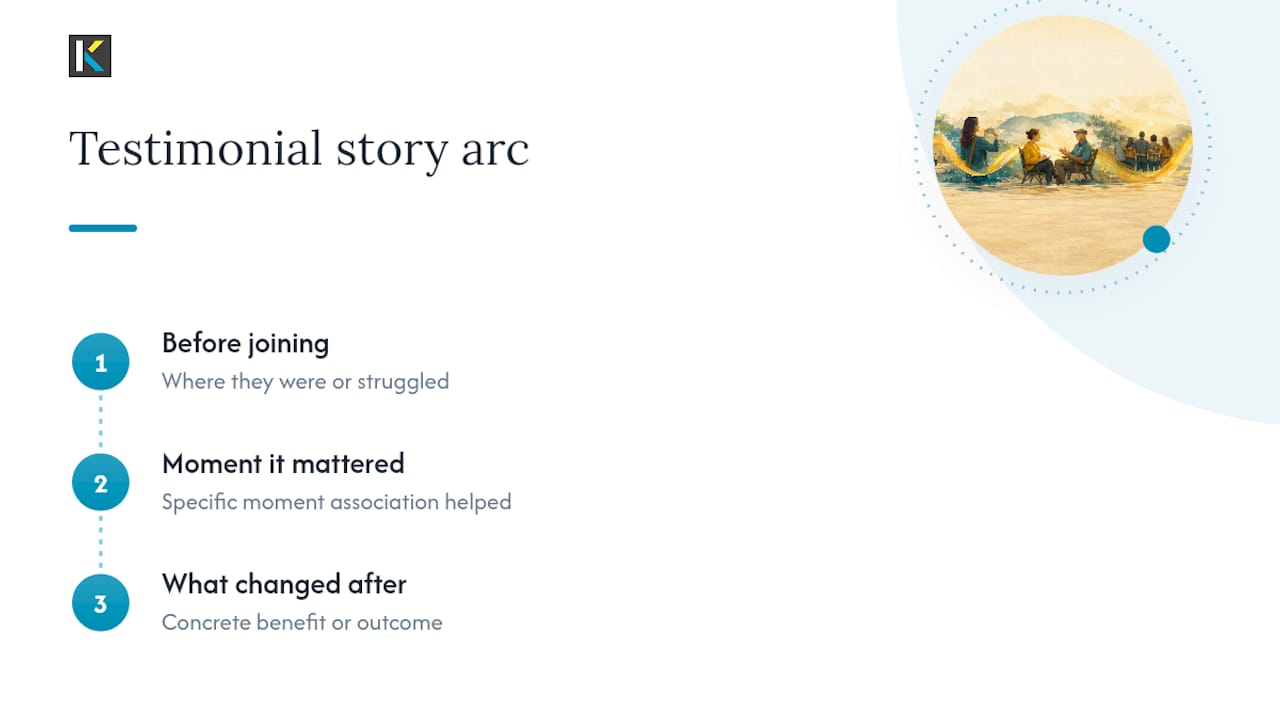
Start with a real story, not a message. The strongest testimonial structure follows a simple arc: where the person was before joining, the specific moment the association mattered, and what changed afterward. That arc does more persuasive work than any list of benefits your marketing team could write, because it’s concrete and it’s theirs.
Keep the script loose, not word-for-word. Give the person on camera three or four prompts, not a script to memorize. Something like: “Tell me about a time this association helped you solve a real problem.” Real hesitation and natural phrasing read as more credible on camera than a polished delivery, and audiences can tell the difference within seconds.
Cut the setup. Most amateur videos spend the first 20 seconds on context nobody needs. Open on the most interesting sentence in the interview, then fill in context afterward if it’s needed at all.
For educational or explainer content, structure it as: one problem, one answer, one next step. Resist the urge to cover everything a member might want to know. A focused 60-second video that answers one question well outperforms a rambling three-minute video that answers five questions poorly.
Choosing video equipment and editing software on any budget
You don’t need a production company to make video that performs.
For associations with a small annual budget, the setup looks like this: a smartphone, a lavalier mic, a basic tripod, and natural window light. That combination handles interviews, welcome videos, and short explainers without issue.

Associations with a modest equipment budget can step up to a mirrorless camera in the $500 to $900 range, an external shotgun mic, and a basic two-point lighting kit. That upgrade mostly improves footage in low-light venues like conference halls and evening events, where phone cameras struggle.
On the software side, the real budget conversation isn’t cameras, it’s editing. Traditional desktop editing software comes with steep learning curves and long install times that small communications teams simply don’t have hours to spend on. A no-download platform like Kudoflix removes that barrier entirely, letting a small team cut, caption, and format a testimonial video from a browser without installing anything or waiting on renders. That matters most for associations without a dedicated video staffer, where the person editing today might be a different person editing next quarter.
Getting consent right before you point a camera
Every member on camera needs a signed release form before that footage goes anywhere public, no exceptions. Verbal consent isn’t enough, and “they knew we were filming” isn’t a defense if a member later objects to how footage was used.

Keep the release simple: name, date, what the footage may be used for (social, website, print, paid ads), and how long you retain the right to use it. A one-page form covers this. Complicated legal language just slows down your shoot day and confuses people who are already nervous about being filmed.
At events, post visible signage announcing that filming is in progress and that entering the area implies consent to appear in background footage. This covers your association for wide shots and crowd footage where getting individual releases isn’t practical, but it does not cover close-up or featured footage of any individual, that still needs a direct release.
For minors, get a parent or guardian signature every time, and be extra cautious about publishing anything that identifies a child by name alongside their image. When collecting member-submitted footage, send a short script and a simple framing guide along with the upload link, so members know exactly what they’re consenting to before they hit record.
Store signed releases somewhere your team can retrieve them years later, not just in an email inbox that might get cleaned out.
Getting more mileage out of member-submitted video
Members who film their own testimonials or event clips are handing you free content, but only if you make it easy for them and then actually promote what they send.
Lower the barrier first. Give members a simple upload link, a short script with two or three prompts, and a phone-friendly framing guide so submissions arrive usable rather than unwatchable. Most people won’t submit anything if the instructions feel like homework.
Once you have submissions, promote them the way you’d promote any high-performing content:
- Feature member-submitted clips in your monthly newsletter with a short intro explaining who the member is.
- Run a rotating “member spotlight” slot on your homepage rather than burying clips in an archive.
- Repost strong submissions to your association’s social channels, tagging the member with permission.
- Compile several short clips into a single highlight reel for your annual conference or gala.
Credit the member by name every time, and ask before assuming they’re comfortable being tagged publicly on every platform. A member who submitted a clip for your newsletter didn’t necessarily sign up to be tagged on LinkedIn too.
The associations that get the most submissions treat this as an ongoing invitation, not a one-time contest. Ask again at renewal time, after a member’s first event, and whenever someone posts something positive about the organization organically. Momentum here compounds.
Author perspective: practical lessons from association video projects
The biggest mistake associations make isn’t underinvesting in video, it’s overproducing the wrong pieces. Boards want a polished brand video; members respond to a colleague talking honestly about what the organization did for their career. Build the asset library first, chase polish second.
insert author professional credentials or background in video editing],. Kudoflix, an [online editing platform built for both amateurs and professionals, fits naturally into this asset-first approach because it removes the production bottleneck that kills most internal video programs before they start.
— Mandrixx
How Kudoflix Helps Associations Scale Video Without a Production Budget
Hiring an agency for every testimonial and event recap gets expensive fast, and waiting on outside vendors kills the momentum a monthly content calendar needs. Kudoflix gives your team a no-download editor that turns a single production day into a month of ready-to-post clips, without the render times or install headaches of traditional desktop software.
Start with one member testimonial: import your raw interview footage, drop it into a template built for social and web formats, trim it to the 60 to 180 second arc that testimonials perform best at, add captions, and export versions sized for your website, email, and Instagram in one sitting. The full editor feature set covers everything from color correction to royalty-free music, so your first cut looks finished, not homemade.
Try it with the next member story your team captures. Start editing your first testimonial clip and see how fast one interview turns into a week’s worth of content.
Sources
- Easy Ways to Use Video to Engage Association Members
- Video marketing for associations
- Association membership recruitment and retention videos: why emotional storytelling converts
Recommended