
A video montage is defined as a film editing technique that sequences short clips to compress time, convey meaning, and trigger an emotional response in the viewer. The term comes from the French word montage, meaning “assembly,” and it has been a core tool in cinema since the early 20th century. Every wedding highlight reel, training sequence in a sports film, and brand ad you have ever felt something watching relies on this principle. Understanding how montage works gives you direct control over how your audience feels.
Montage enables filmmakers) to compress space, time, and information by sequencing short shots that build meaning through juxtaposition. That juxtaposition is the engine. Two clips placed side by side create a third idea that neither clip contains alone. This is why a montage lands harder than a single long take. Kudoflix is built around this principle, giving creators the tools to sequence clips, add transitions, and shape emotional arcs without needing a film school degree.
What is a video montage and what types exist?
A video montage is not one single style. Professional storytellers use at least five distinct types, each with a different effect on the viewer.
- Rhythmic montage cuts clips to match the beat of music or a recurring sound. The editing rhythm itself becomes expressive. Think of a sports highlight reel where every cut lands on a drum hit.
- Intellectual montage places two unrelated images together to spark a concept. Sergei Eisenstein pioneered this technique. His Odessa Steps sequence in Battleship Potemkin remains the most studied example of tension built through pure editing logic.
- Tonal montage uses the emotional quality of each shot, not just its content, to build a mood. The shower scene in Psycho is a tonal montage that creates dread through fragmented angles and rapid cuts.
- Metric montage cuts at fixed intervals regardless of the action on screen. The rigid timing creates urgency or unease.
- Thematic montage groups clips by subject or idea to make a broader argument. Documentaries use this constantly to build a case through accumulated evidence.
Each type serves a different storytelling goal. Rhythmic works for celebration and energy. Intellectual works for persuasion. Tonal works for atmosphere. Knowing which type fits your project is the first decision a skilled editor makes.
Pro Tip: Before you cut a single clip, name the emotion you want your viewer to feel at the end. That single word, whether it is “pride,” “nostalgia,” or “urgency,” should guide every editing choice you make.
How do video editing techniques shape a montage’s impact?
Clip selection and sequencing are the two most powerful tools in montage creation. The wrong clip in the right position still breaks the sequence. The right clip in the wrong position does the same. Editors who treat montage as a simple highlight reel miss this entirely.
Audio components like music, sound effects, and voiceover account for more than half the emotional impact of a montage. This surprises most beginners, who focus almost entirely on the visuals. A clip of someone crying set to an upbeat track reads as ironic. The same clip set to a slow piano piece reads as grief. The audio does not just accompany the image. It reframes it.
The most frequent misconception about montage is that it is purely visual. Sound choice drives emotional engagement throughout the sequence. Editors who ignore this produce montages that feel flat even when the footage is strong.
Pacing and transitions also carry meaning. A hard cut between two contrasting images creates shock or irony. A dissolve suggests the passage of time or a dream state. A match cut, where a shape or movement in one clip mirrors the next, creates visual continuity and elegance. These are not decorative choices. They are grammatical ones.
- Juxtaposition creates meaning between clips, not within them.
- Pacing controls tension. Faster cuts raise energy. Slower cuts build weight.
- Transitions signal time, mood, or relationship between scenes.
- Music tempo should match or deliberately contrast the visual rhythm.
- Voiceover adds context that images alone cannot provide.
Pro Tip: Cut your montage once with no music, then watch it back. If the sequence still tells a clear story without sound, your editing structure is solid. If it only makes sense with the music, you are relying on audio to cover weak clip selection.
How to create a video montage step by step
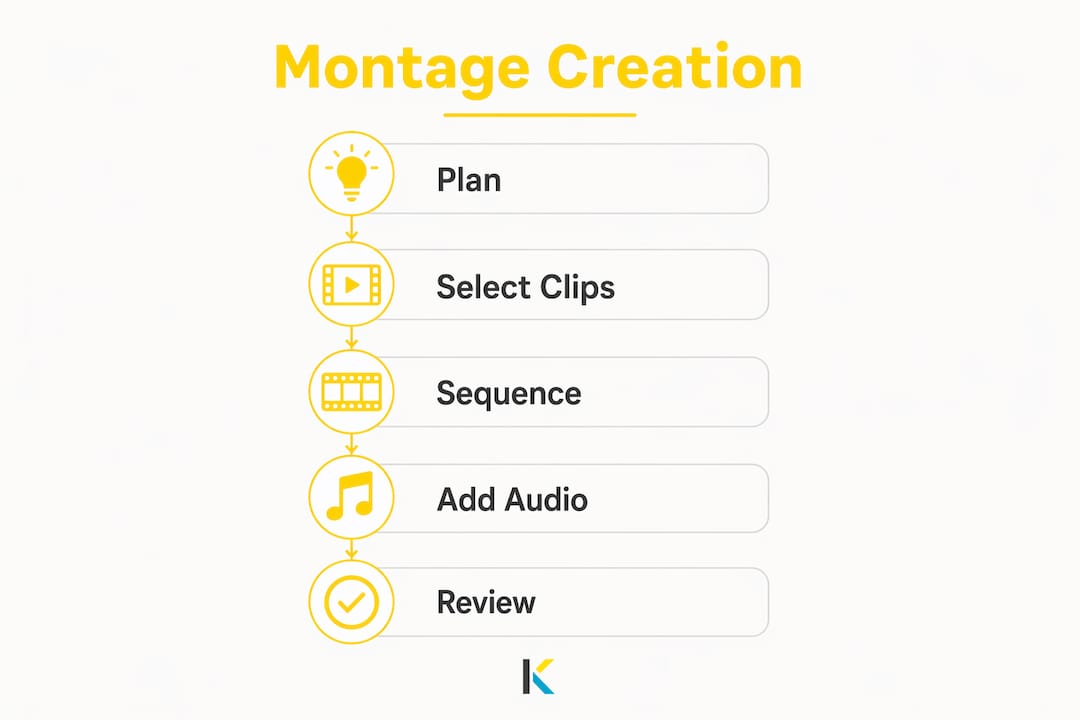
Effective montage creation follows a clear process: plan your story, select your clips, sequence for emotion, edit for pace, and integrate sound thoughtfully. Skipping the planning step is the most common reason montages feel random rather than intentional.
Here is the process broken down:
- Define your story arc. Decide on a beginning, middle, and end before you open any editing software. A wedding montage might move from anticipation to ceremony to celebration. A brand montage might move from problem to solution to result.
- Gather and review all footage. Watch every clip before selecting any. Note which clips have strong visual energy, clear emotion, or useful movement. Discard anything technically weak or emotionally flat.
- Select clips with purpose. Choose clips that serve the arc, not just clips that look good. Every clip should earn its place by advancing the story or deepening the emotion.
- Sequence for emotional momentum. Place your strongest clip near the end, not at the start. Build toward it. The social meaning of movie moments often comes from where a clip sits in the sequence, not just what it shows.
- Edit for pace. Trim clips aggressively. Most beginners leave clips running three to five seconds too long. A tight montage holds attention. A loose one loses it.
- Add audio. Choose music that matches the emotional arc, not just the genre. Layer in ambient sound or voiceover where it adds context.
- Add transitions and effects sparingly. One or two well-placed transitions carry more weight than a dozen decorative ones. Overuse signals inexperience.
- Review and refine. Watch the full montage three times: once for story, once for pacing, once for audio sync. Fix what feels slow or disconnected.
“A perfectly executed montage balances narrative economy and emotional momentum, often underscored by music that matches tone. Montages fracture space and time to create a layered storytelling experience.”
User-friendly tools with templates and simple interfaces help creators at all skill levels execute this process without getting stuck on technical barriers. The best editing software puts creative decisions first and technical complexity second.
What are the best video montage examples across media?
Montage appears across every major media format, and its purpose shifts depending on the context. Recognizing these uses helps you borrow the right approach for your own project.
Music videos and modern media rely heavily on montage to build narrative and emotional depth. Michael Jackson’s Thriller and Avicii’s Wake Me Up both use montage sequencing to tell complete stories within a few minutes. The technique turns a song into a film.
In advertising, montages engage audiences by highlighting stories and building emotional connections fast. A 30-second brand spot has no room for exposition. Montage solves that by compressing a customer’s entire experience into a sequence of five or six charged images. The viewer fills in the gaps.
For visual storytelling in content marketing, montage creates brand identity through accumulated imagery rather than a single statement. This is why brand reels and product launch videos feel more memorable than talking-head testimonials.
| Montage context | Primary purpose | Emotional effect |
|---|---|---|
| Film (narrative) | Compress time or build tension | Suspense, nostalgia, triumph |
| Music video | Illustrate a song’s story | Joy, longing, energy |
| Advertising | Communicate brand value fast | Trust, desire, inspiration |
| Personal project | Preserve and share memories | Warmth, celebration, love |
| Documentary | Build an argument through evidence | Conviction, empathy, urgency |
Personal projects like family highlight videos and travel recaps are where most creators first encounter montage. The emotional stakes are high and the footage is personal, which makes the editing choices matter even more.
Key Takeaways
A video montage creates meaning through juxtaposition, pacing, and sound, and the most effective ones are built from a clear emotional arc before a single clip is cut.
| Point | Details |
|---|---|
| Montage is defined by juxtaposition | Placing two clips together creates meaning that neither clip holds alone. |
| Audio drives more than half the impact | Music and sound reframe visuals and control the viewer’s emotional response. |
| Five core types exist | Rhythmic, intellectual, tonal, metric, and thematic montages each serve different storytelling goals. |
| Planning precedes editing | Define your emotional arc before selecting or sequencing any footage. |
| Pacing and transitions carry meaning | Hard cuts create shock; dissolves suggest time passing; match cuts build visual elegance. |
Why most montages fail before the first cut
Most montages fail at the planning stage, not the editing stage. Creators open their software, drag in their best-looking clips, add a popular song, and call it done. The result feels like a slideshow, not a story. I have watched this happen with experienced photographers, marketers, and even trained filmmakers who underestimate how much intention montage requires.
The single biggest mistake is treating montage as a collection rather than a composition. A collection shows what happened. A composition makes the viewer feel something about what happened. That gap is everything. The Odessa Steps sequence does not just show chaos. It builds an argument about power and helplessness through the specific order and rhythm of its cuts.
Beginners should start with a single emotion and three clips. Three clips, one emotion, no music. If those three clips tell a clear micro-story, add more. If they do not, the problem is in the selection or sequence, not the software. Fix the structure before adding any production layer on top of it.
The good news is that montage is a learnable skill. The principles are consistent across every format, from a 15-second Instagram reel to a three-minute film sequence. Once you understand juxtaposition and pacing, you start seeing montage opportunities everywhere.
— Mandrixx
How Kudoflix makes building your first montage straightforward
Creating a polished montage no longer requires professional editing software or hours of technical setup. Kudoflix is an online video editor that runs in your browser with no downloads required, so you spend your time on creative decisions rather than installation problems.
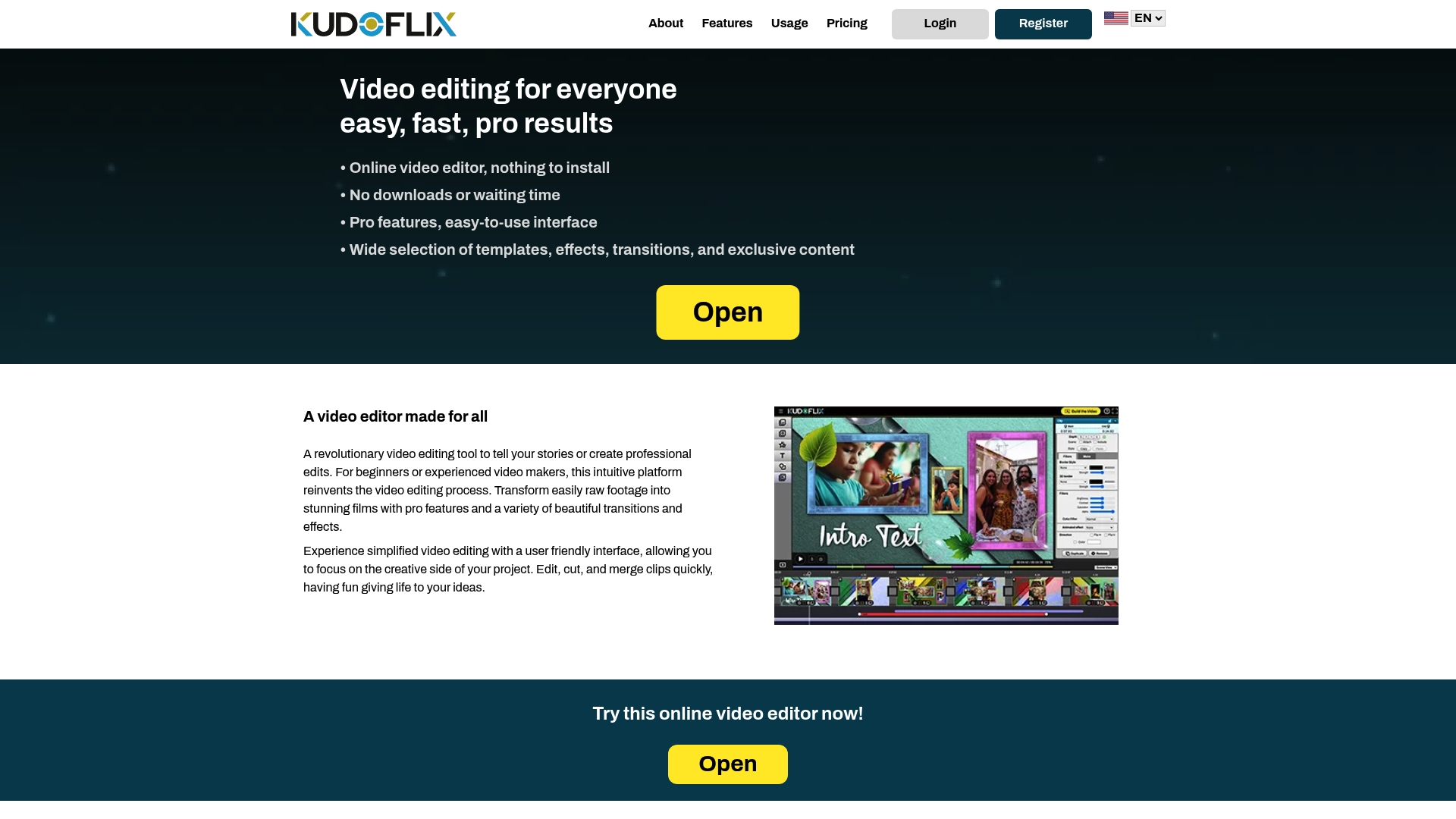
Kudoflix offers an extensive library of ready-to-use video templates designed for montage projects, from wedding highlights to brand reels. Its effects, transitions, and text tools are accessible in a few clicks, so you can apply the editing techniques covered in this article without needing to learn a complex interface. For creators who want to see what is possible before starting, the Kudoflix video examples page shows finished montages built on the platform. If you have been held back by overly complex software, Kudoflix is built to remove that barrier entirely.
FAQ
What is a video montage in simple terms?
A video montage is a sequence of short clips edited together to tell a story, convey a message, or create an emotional response. It works by using juxtaposition and pacing to build meaning across the full sequence.
How is a montage different from a video compilation?
A montage uses deliberate sequencing, pacing, and audio to create a unified emotional arc. A compilation simply collects clips without shaping them into a narrative structure.
What makes a good montage?
A good montage starts with a clear emotional goal, uses clip selection and sequencing to build toward it, and integrates audio that reinforces the visual tone. Narrative economy and emotional momentum are the two defining qualities of an effective montage.
What are the best video editing techniques for montage?
The most effective techniques are juxtaposition, rhythmic cutting to music, match cuts for visual continuity, and deliberate use of transitions to signal time or mood shifts. Audio sync is equally critical.
How long should a video montage be?
Most effective montages run between 60 seconds and 3 minutes. Shorter formats work for social media and advertising. Longer formats suit documentary or personal milestone projects where the audience has a strong emotional investment.
Recommended