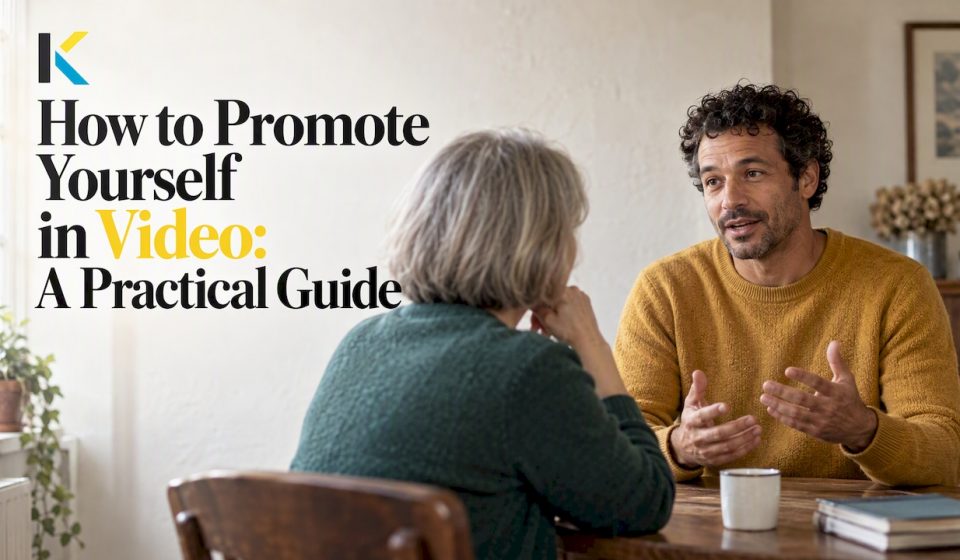

To promote yourself in video, make one short clip (30 to 60 seconds) that says who you are, what you do, who you help and what you want viewers to do next. Film it near a window with clear sound, edit out the dead air, add captions and a readable thumbnail, then share it natively on each platform and check the numbers a day later. You don’t need a studio, a crew or editing experience. You need a plan and a few hours.
This guide walks through each step, whether you’re a freelancer, a small business owner, a club organizer, an educator or someone building a personal brand.
Key Takeaways
- Pick one angle and one call to action. A clip that tries to say everything convinces no one.
- Plan for a strong first 15 seconds, because that is when viewers decide to stay or leave.
- Clear audio and natural light matter more than an expensive camera.
- Captions, an accurate title and a simple thumbnail do most of the work of getting found.
- Disclose sponsorships, avoid spam tactics, and review your analytics within 24 hours of publishing.
Table of Contents
- Decide What You Are Promoting Before You Hit Record
- Write a Short Script You Can Actually Say
- Record Clear Video Without Special Equipment
- Edit for Clarity, Not Decoration
- Package the Video So People Find and Click It
- Share It Without Looking Spammy
- Our Perspective: Simple Beats Polished
- Try It in Your Browser
- Measure What Happened
- A Weekend Plan
- FAQ
- Sources
Decide What You Are Promoting Before You Hit Record
Most self-promotional videos fail before the camera turns on. The creator has not decided what the video is for. “Promote myself” is not a goal. “Get two new clients for my bookkeeping service” or “Recruit volunteers for our hiking club” is.
Write one sentence that finishes this line: After watching, I want people to ___. Book a call, visit a portfolio, sign up for a meeting, follow a channel. That sentence becomes your call to action, and every other choice in the video serves it.
The four things a self-promo clip should say

Guidance on introduction videos is consistent on the basics. An introduction guide suggests covering your name and what you do, who you help or what you’re good at, one specific detail or small story, and what you’d like viewers to do next, all within 30 to 60 seconds and around a single angle. Upwork’s freelancer guidance lands on the same 30 to 60 second length and adds practical advice: use action verbs, sound natural, let some personality show, pause, and practice.
In practice that gives you a simple skeleton:
- Hook (first 5 to 10 seconds): a question, a surprising fact or a bold statement about a problem your viewer has.
- Who you are (5 seconds): your name, your role, your offer.
- Proof or story (15 to 25 seconds): one concrete detail, such as a result, a before and after, or a short anecdote.
- Next step (5 to 10 seconds): one clear action.
A ghostwriting agency recommends opening with a compelling question, surprising fact or bold statement, then explaining why viewers should care through value or a short story, in simple conversational language instead of jargon. That last point is easy to forget. If you would not say a sentence to a neighbor, cut it.
Choose one takeaway
A 2026 guide to speaking on camera argues that one clearly delivered takeaway beats a crowded list. It also suggests choosing a topic by demand, audience fit and your own genuine interest. For self-promotion, that translates to: pick the one thing people most often ask you about, and build the video around it.
Examples of angles that work
- Freelancer: “I help small restaurants fix their online menus so customers can order in two taps.”
- Local business owner: a 45-second tour showing the person behind the counter and one signature product.
- Club or association: a montage of last season’s events with a closing line about when the next meeting is.
- Educator: a short teaser of a lesson, ending with how to enroll.
- Family or life-story project: a photo slideshow with narration, shared with relatives rather than sold to anyone, where the “promotion” is simply making your story memorable.
If you want fresh opening lines to test, our post on 18 YouTube intro ideas with 10 mini scripts gives you ready-made starting points.
Write a Short Script You Can Actually Say
A script does not need to be read word for word. It needs to keep you from rambling. A detailed outline or script is the first step in filming guidance from the University of Reading, and that advice holds whether you’re making a research clip or a business intro.
Here is a worked example for a photographer, about 110 words, which is roughly 45 seconds at a relaxed pace:
“Ever hired a photographer and waited six weeks for your photos? I’m Dana, a family photographer in Columbus. I deliver a full gallery in seven days. Last spring, a mom told me my photos arrived before her daughter’s cast came off, and she cried at the first one. I shoot at parks and at your home, no studio fees. If you want pictures you’ll actually print, send me a message through the link below, and I’ll reply within a day.”
It has a hook, a name and role, a specific detail, a story and one action. Swap in your own details and read it aloud twice. Mark the places where you naturally breathe.
Read your script out loud
Written language and spoken language differ. Anything you stumble on in a read-through will stumble on camera. Shorten those sentences. Replace jargon with the word you would use with a friend.
Record Clear Video Without Special Equipment
Your phone is enough. The same University of Reading guidance says high-quality video does not require expensive equipment: focus on clear audio, good natural lighting and a non-distracting background.
A recording checklist
- Light: face a window so daylight lands on your face. Avoid having the window behind you.
- Sound: pick a quiet room. Soft furnishings such as curtains and rugs reduce echo.
- Interruptions: switch on Do Not Disturb or Airplane Mode so a call or notification doesn’t ruin a good take.
- Background: tidy, uncluttered, and with something that says who you are, such as a workbench, a bookshelf or your shop.
- Framing: hold the phone at eye level, either on a stack of books or a cheap tripod.
- Takes: record three versions. Pick the best, or combine them in editing.
Make the first 15 seconds count
YouTube’s own guidance, as summarized in a video planning guide, says viewers decide whether to stay or leave in the first 15 seconds. So skip the long greeting and the logo animation. Start with the hook, then say your name.
If you’re an older traveler documenting a trip, or a family member collecting photos for a life-story slideshow, the same rule applies in a gentler form: open with your most striking image or sentence, not with a title card that lasts ten seconds.
Vertical or horizontal?
If the video is mainly for phone feeds such as Reels, TikTok or Shorts, shoot vertical. If it will live on a website or on YouTube’s standard player, shoot horizontal. If you need both, film horizontally with plenty of space around you, then reframe in the editor.
For more on getting good footage from your pocket, see our guide to quickly editing smartphone videos.
Edit for Clarity, Not Decoration
Editing is where a shaky first take becomes a credible piece of promotion. Keep the work focused on four jobs.
1. Cut
Trim the start and the end. Remove false starts, long pauses and filler words. Tight pacing signals confidence. If you recorded three takes, use the best opening from one and the best closing from another.
2. Add captions
Many people watch with the sound off, especially on social feeds. Distribution guidance from a video platform recommends adding captions for sound-off viewing. Captions also help viewers who are deaf or hard of hearing and make accents and fast speech easier to follow. Keep them short, high contrast, and away from the bottom edge where apps overlay their own buttons.
3. Add B-roll and text sparingly
While you speak, cut away to a few seconds of your work: a finished project, a product, a smiling customer who agreed to appear. Add a lower-third with your name and role in the first few seconds. Add one text line for your call to action at the end. Resist the urge to use every effect available.
4. Brand it lightly
Use the same font and one or two colors across your videos so viewers recognize you. Add a quiet music bed, low enough that your voice stays easy to hear, and use only royalty-free tracks.
Do it in the browser
If installing heavy software has put you off, an online editor removes that step. Kudoflix runs in your browser with no download. You can trim, merge, add text, transitions, color filters and royalty-free music on a timeline, and start from video templates instead of a blank screen. For beginners, our best practices for beginner video editing and our page on creating a professional video without experience cover the basics.
Different audiences have different needs. Small shops can look at the editor for local businesses, and freelancers and creatives building a showcase can look at the portfolio video maker.
Package the Video So People Find and Click It
A good video that nobody clicks does nothing for you. Titles, thumbnails and descriptions are the packaging.
Write an accurate, front-loaded title
YouTube’s help page on titles and thumbnails advises accurate, concise titles with the most important words at the beginning. For self-promotion, put the thing a viewer would search for first, then your name or business.
| Weak title | Stronger title |
|---|---|
| Hi, I’m Dana! | Family Photographer in Columbus: 7-Day Galleries |
| Our Club’s Video | Join the Riverside Hiking Club: Weekend Trips for Beginners |
| My Channel Intro | Bookkeeping for Freelancers in 60 Seconds |
Avoid clickbait that the video doesn’t deliver. YouTube’s spam policy prohibits maliciously misleading clickbait, and misleading titles also hurt trust, which is the whole point of promoting yourself.
Design a thumbnail that reads at a glance
The same YouTube help page suggests custom thumbnails with dynamic color and composition, the rule of thirds, easy readability across devices, and no overly complex layout. A reliable formula: your face, close up and expressive, on one side, and three to five words of large text on the other. Check it at small size on your phone. If you can’t read it there, simplify.
We cover the mechanics in how to change your YouTube thumbnail.
Fill in the description
Put the reason to watch and your call to action in the first two lines, because that is what shows before the “more” cut-off. Then add a short paragraph about who you are, a link to your website or booking page, and chapters if the video is longer than a couple of minutes. If you want a deeper walk through discovery basics, this overview on how to optimize videos for SEO covers the same ground in more detail.
Share It Without Looking Spammy
The search results for this topic are full of posts about not seeming pushy, and with good reason. The difference between promotion and spam is usually relevance and restraint.
Post native versions on each platform
Distribution advice from Mindstamp recommends uploading a native version to each social platform, adapting aspect ratio and length to the feed, and putting the reason to watch in the first line of the post. A link to YouTube pasted into a Facebook post tends to perform worse than a video uploaded directly, and a horizontal clip squeezed into a vertical feed looks lazy.
Use hashtags and calls to action with care
A short-form video guide suggests 3 to 5 highly relevant hashtags and calls to action such as asking viewers to comment or to share the video with someone who needs it. Ask for one thing, not four.
Know where the line is
Asking viewers to like, comment or subscribe is allowed on YouTube. YouTube’s spam policy prohibits artificial engagement, high-volume repetitive polls, comment spam and automated repetitive content. In plain terms: don’t buy views, don’t paste your link under hundreds of other people’s videos, and don’t post the same clip over and over.
Disclose paid relationships
If you’re promoting yourself and also featuring a brand that pays you, sends you free products or has a business relationship with you, the rules change. The Federal Trade Commission says such a connection must be disclosed clearly and conspicuously in the video itself, using simple terms like “ad,” “sponsored” or “I’m partnering with [Brand].” Putting it only in the description, where it can be missed, is not enough. If you take sponsorships, ask a lawyer or the FTC’s guidance about your specific situation before you publish.
Share where your people already are
The best places are rarely the biggest ones. Send the clip to your email list, put it on your website’s home or about page, add it to your email signature, and share it in groups you already belong to when the group’s rules allow it. A club can show its video at a meeting and on a community board. A small business can embed it on its contact page.
Our Perspective: Simple Beats Polished
We build Kudoflix because most people who need video are not video editors. A shop owner, a teacher, a grandmother putting together a life-story slideshow and a volunteer who runs a club’s newsletter all share one problem: traditional software is slow to install and hard to learn, and it asks them to become technicians before they can say what they came to say.

Our view is that self-promotion in video works best when the effort goes into the message, and the tools stay out of the way. A clear 45-second clip made on a phone, trimmed, captioned and finished with a clean template will usually do more for you than a three-minute production that took a month and never got published.
That is why the editor runs in your browser, why we offer templates, transitions, text and color filters in a few clicks, and why cloud processing means a modest laptop is enough. Finish something this week, look at what viewers do, and make the next one better. Consistency beats perfection.
— Mandrixx
Try It in Your Browser
You can start a self-promo video on Kudoflix’s free plan at $0 per month. If you publish regularly and want more assets and features, the Starter plan costs $9.99 per month or $83.88 per year, and the Pro plan costs $12.99 per month or $119.88 per year. Compare them on the pricing page, or look at examples made with Kudoflix before you begin. If you run a shop or service, the editor for SMEs and local businesses is a good place to start.
Measure What Happened
Publishing is not the end. A promotional video is an experiment, and the results tell you what to change.
Check the first 24 hours
YouTube’s help page says to use YouTube Analytics to look at click-through rates in Home and Suggested within 24 hours of publication, and, for a general audience, to look at videos with above-average impressions. If impressions are healthy but few people click, your title or thumbnail needs work. If people click and leave quickly, your opening needs work. For a more structured way to follow how your video appears across platforms, YouTube tracking for visibility is one place to look.
A simple review routine
| What you see | What it likely means | What to change |
|---|---|---|
| Low impressions | Few people were shown the video | Improve title wording, share it in more relevant places |
| Good impressions, low clicks | Packaging is not compelling | Redo the thumbnail and put key words first in the title |
| Good clicks, early drop-off | The hook does not match the promise | Rewrite and re-cut the first 15 seconds |
| Good watch time, no action | The call to action is weak | Make the next step one clear sentence and one link |
Change one thing at a time so you know what worked. Keep a note of each version.
Measure the thing you wanted
Views are not the goal. If your aim was calls, count calls. If it was new members, count sign-ups at the next meeting. Ask new customers how they found you. A video with 300 views that brings two clients is a success.
A Weekend Plan
If you want to get this done quickly, here is a realistic schedule.
- Saturday morning (30 minutes): write your one-sentence goal and a 100-word script.
- Saturday afternoon (45 minutes): record three takes by a window with Do Not Disturb on.
- Sunday morning (60 minutes): edit, add captions, a name title and your call to action.
- Sunday afternoon (30 minutes): make a thumbnail, write the title and description, upload.
- Monday: share natively on your main platforms and check analytics.
That is under four hours from blank page to published video.
FAQ
How long should a video that promotes yourself be?
Aim for 30 to 60 seconds. Guidance for freelancer introductions and self-introduction videos points to that range. Longer content can work on YouTube if it teaches something, but your core introduction should be short.
Do I need expensive equipment to promote myself in video?
No. A recent phone, a spot near a window and a quiet room are enough. Audio and lighting matter more than the camera itself.
How often should I post promotional videos?
Post as often as you can keep up without the quality dropping. One solid video a month beats five rushed ones followed by silence. Reuse the same script in different lengths and formats to stretch your effort.
Do I have to disclose that a video is an ad?
Yes, if there is a material connection such as payment, free products or a business relationship with a brand you feature. The FTC says the disclosure must be clear and conspicuous in the video itself. If your case is unclear, check the FTC’s guidance or ask a lawyer.
Can I make a promotional video for free?
Yes. You can film on your phone and start editing on a free plan. Paid plans become worth it when you want more templates, assets and features for regular publishing.
Sources
- How to Introduce Yourself in a Video: A Simple Guide
- How To Add a Profile Introduction Video + Script Samples (Upwork)
- How to Write a Script for an Introduction Video (Vox Ghostwriting)
- Guide to Speaking on Camera (Modern Creator)
- Filming on Your Phone (University of Reading)
- YouTube video planning and outlining guide
- YouTube Help: thumbnail and title tips
- YouTube Help: Spam Policy
- How to Share a Video (Mindstamp)
- The Complete Guide to Short-Form Video
- Disclosures 101 for Social Media Influencers (FTC)
Recommended