

Short-form video editing best practices are techniques that control pacing, hook placement, and workflow to maximize viewer retention across platforms like TikTok, Instagram Reels, and YouTube Shorts. Creators and marketers who apply these techniques consistently produce content that holds attention longer and converts more viewers into followers. The gap between a video that gets skipped and one that gets shared often comes down to edit structure, not production budget. This guide covers the data-backed standards, workflow strategies, and tool choices that define high-performing short-form content in 2026.
1. What is the optimal pacing for short-form video?
Pacing is the single most measurable factor in short-form video performance. Industry standard pacing requires a visual change every 1.5–2 seconds, with 5–7 changes per 10 seconds to sustain viewer attention. Fewer than 4 changes per 10 seconds reads as slow and loses viewers. More than 8 reads as chaotic and fatigues them.
A visual change is not just a cut. It includes zooms, camera moves, text overlays appearing or disappearing, and B-roll swaps. Each of these counts as a measurable beat that resets viewer attention. Tracking these beats during editing is the fastest way to diagnose why a video underperforms.

The rule has one important exception. Visual payoff moments deserve a 3–4 second hold, even when that breaks the pacing rhythm. A satisfying reveal, a reaction shot, or a loop point earns that extra time because it gives viewers the reward they stayed for. Breaking the pacing rule intentionally at the right moment is a sign of editorial control, not a mistake.
Pro Tip: Build a simple spreadsheet and log the timestamp of every visual change in your last five videos. If your average gap exceeds 2.5 seconds, that is your retention problem.
The visual changes to track include:
- Hard cuts between clips
- Zoom-ins or zoom-outs on a static shot
- Camera pans or tilts
- Text overlays entering or exiting the frame
- B-roll inserts over voiceover
2. How to craft hooks and reveals that keep viewers watching
The hook is the first contract you make with a viewer. Hooks should deliver the core claim within 3–5 seconds depending on the platform. For a 30-second TikTok, that means the hook lands in the first 3 seconds. For a 60-second Reel, you have up to 5 seconds before the algorithm registers a drop-off signal.
The reveal is the payoff that justifies the hook. Reveals must occur before the 60% mark to prevent structural abandonment. On a 30-second video, that means delivering the reveal before the 18-second mark. Creators who bury the reveal in the final seconds lose most of their audience before it lands.
Strong hook types that consistently perform include:
- Contradiction hooks: “You’ve been doing this wrong.”
- Curiosity gaps: “Here’s what nobody tells you about X.”
- Result-first hooks: Show the finished outcome in the first frame, then explain how.
- Bold claims: State a specific, testable fact that surprises the viewer.
Pro Tip: Before you export, watch your video with the sound off. If the hook is not visually obvious in the first 3 seconds, add a text overlay that states the claim directly.
A pre-publish checklist is the most underused tool in short-form content editing. Before posting, verify that the hook lands within the platform window, the reveal appears before the 60% mark, captions are timed to cuts, and the video loops cleanly if the platform rewards re-watches.
3. What workflow strategies improve editing efficiency?
B-roll management is the largest time sink in short-form video production. B-roll hunting consumes 60–70% of editing time, but maintaining a tagged library of 150–300 clips can reclaim up to 70% of that time. The tags that matter most are subject, motion type, lighting condition, and previous usage. Consistent tag vocabulary across the library is what makes search fast.
Building that library is a one-time investment that pays off on every future video. Spend one session tagging existing footage before you edit your next project. The time cost is real, but the return compounds across every video you produce afterward.
Batch editing reduces mental context switching and maintains consistent style across multiple videos. The most effective batch workflow separates production into four distinct blocks:
- Script all videos first. Write every script in one sitting before recording anything.
- Record all footage in one session. Consistent lighting and framing across the batch keeps the visual style uniform.
- Edit all videos back to back. Your eye is calibrated to the style after the first edit, making subsequent edits faster and more consistent.
- Schedule all posts at once. Batch scheduling removes the daily decision of when to post.
Batch scripting and recording in blocks using consistent style templates prevents quality drift across a week of content. Creators who batch produce five videos in one session consistently outperform those who produce one video per day, because the mental overhead of setup and teardown disappears.
Caption timing is another workflow step that separates professional edits from amateur ones. Auto-generated captions often lag or overlap cuts, causing a jarring disconnect between what viewers read and what they see. Manually re-timing caption in and out points so that each caption appears one frame after a cut and disappears one frame before the next reads as intentional and polished.
Pro Tip: After auto-generating captions, export the caption file and do a single pass where you adjust only the in and out points relative to your cuts. This takes 10–15 minutes and visibly improves perceived production quality.
4. Which editing tools work best for short-form creators?
The right tool is the one that matches your content type and publishing speed. Creators posting five solid videos weekly outperform those posting one polished video per week. That means tool selection should prioritize editing speed and publishing frequency over feature depth.
For most creators, CapCut covers 80–90% of short-form editing needs at no cost. It integrates natively with TikTok, supports auto-captions, transitions, and effects, and runs on mobile without a desktop setup. It is the default starting point for video editing techniques on social media.
Descript’s text-based editing makes it the fastest option for screen recordings and talking-head content. You edit the transcript, and the video edits itself. AI tools within Descript remove filler words and support voice cloning for corrections, which cuts revision time significantly for tutorial-style creators.
Canva Video suits marketers who need branded templates and consistent visual identity across multiple content formats. Adobe Premiere Rush fits creators who already work in the Adobe ecosystem and need multi-track editing on mobile. InShot is the strongest option for mobile-first creators who want precise trimming and audio control without a desktop.
The feature categories that matter most for short-form content editing are:
- Auto-captioning accuracy: Does the tool generate captions that sync to speech, not just transcribe it?
- Mobile usability: Can you complete a full edit on a phone without losing features?
- Template library depth: Does the tool offer templates that match your content category?
- Export speed: How long does a 60-second video take to render and export?
- Multi-track audio: Can you layer music, voiceover, and sound effects independently?
Kudoflix addresses the template depth and export speed categories directly. Its browser-based architecture means no installation wait, and its exclusive template library covers social media clips, business presentations, and branded content formats. For creators who want to edit short videos without switching between desktop and mobile apps, Kudoflix runs entirely in the browser.
Key Takeaways
Consistent pacing, early hooks, and batch workflows are the three factors that separate high-retention short-form videos from content that gets skipped.
| Point | Details |
|---|---|
| Pacing standard | Aim for 5–7 visual changes per 10 seconds to hold viewer attention. |
| Hook timing | Deliver your core claim within 3–5 seconds depending on platform length. |
| Reveal placement | Show the payoff before the 60% mark to prevent structural abandonment. |
| Batch workflow | Script, record, edit, and schedule in separate blocks to maintain consistent quality. |
| Tool selection | Choose the tool that matches your publishing speed, not the one with the most features. |
What I’ve learned after years of editing short-form content
The pacing rule is real, but most creators apply it mechanically and miss the point. Hitting 5–7 visual changes per 10 seconds does not automatically create a good video. The changes have to mean something. A zoom that adds no information is just noise. A cut that resets attention on a new idea is a tool. The difference between the two is editorial judgment, and no tool automates that.
The mistake I see most often is creators spending 80% of their editing time on the first 10 seconds and rushing the rest. The hook matters, but the reveal is what earns the share. I have watched videos with weak hooks outperform videos with strong hooks because the reveal was genuinely satisfying and arrived at the right moment.
Batch editing changed my output more than any tool upgrade ever did. The first time I scripted and recorded a full week of content in one day, the editing sessions that followed were faster and the videos were more consistent. The mental cost of switching between “creator mode” and “editor mode” is real, and batching eliminates it.
My honest recommendation is to pick one tool and stay with it for 90 days before evaluating alternatives. The learning curve on any editor costs time. Switching tools every month resets that curve and slows your publishing pace. Experimentation within a familiar tool is almost always more productive than switching to a new one.
— Mandrixx
Kudoflix makes short-form editing faster for every creator
Short-form video editing requires speed, consistency, and a reliable template library. Kudoflix delivers all three from a browser, with no downloads or installations required.
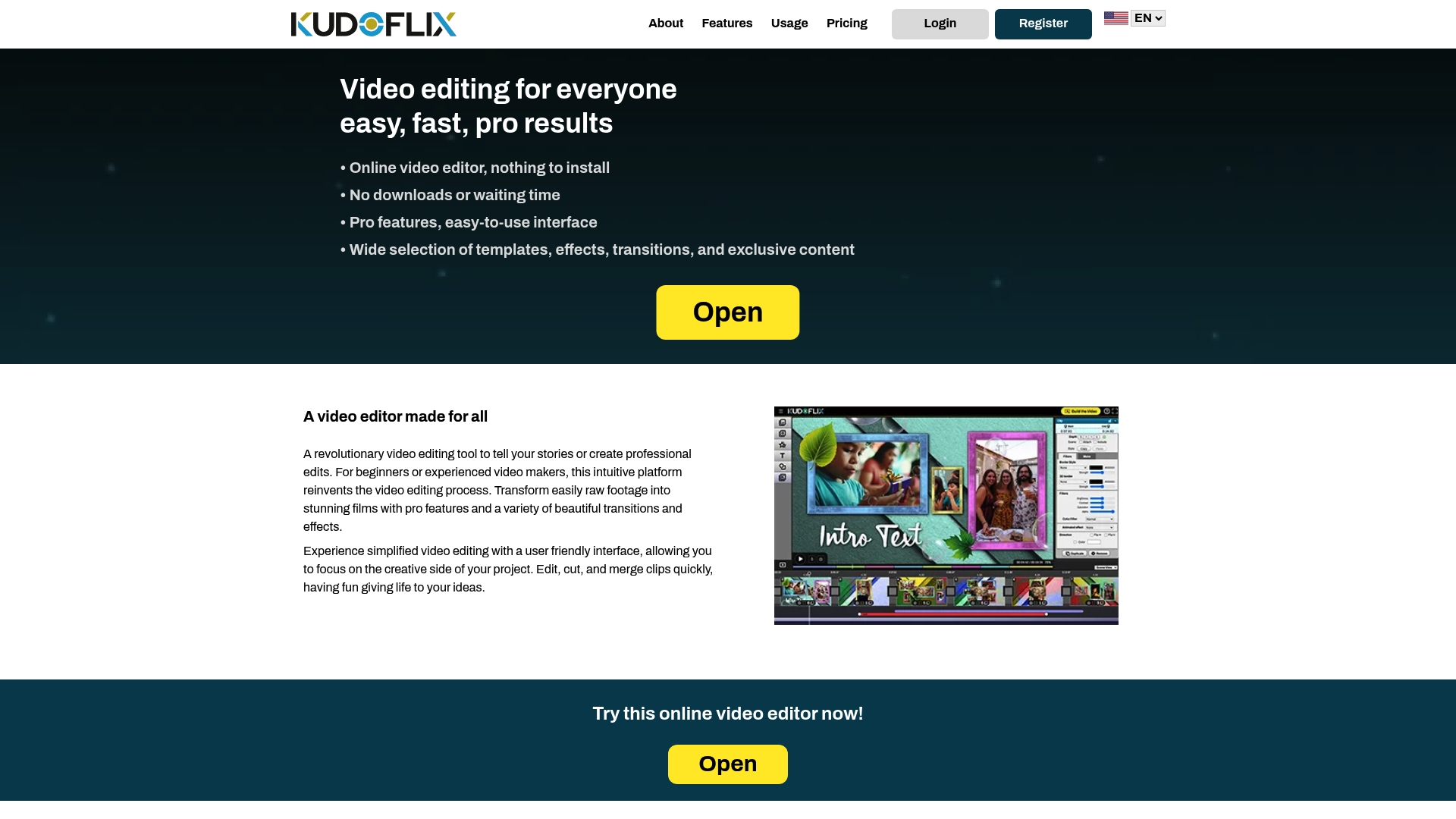
Kudoflix’s exclusive template library covers social media clips, branded content, and business presentations. Its fast processing means a 60-second video renders without the wait times that desktop software typically adds. Whether you are a marketer producing weekly brand content or a creator building a daily posting schedule, Kudoflix gives you the tools to publish consistently without the technical friction.
FAQ
What is the visual change rule for short-form video?
The industry standard requires 5–7 visual changes per 10 seconds, with each change occurring every 1.5–2 seconds. Changes include cuts, zooms, camera moves, and text overlays.
When should the hook appear in a short-form video?
The hook should deliver the core claim within 3–5 seconds. For a 30-second TikTok, the hook lands in the first 3 seconds.
What is batch editing and why does it matter?
Batch editing means scripting, recording, editing, and scheduling multiple videos in separate focused blocks. It reduces context switching and keeps style consistent across a week of content.
How do I fix caption timing in short-form videos?
After auto-generating captions, manually adjust each caption’s in and out points so they appear one frame after a cut and disappear one frame before the next cut.
What should I look for in a short-form video editing tool?
Prioritize auto-captioning accuracy, mobile usability, template depth, export speed, and multi-track audio support. Choose the tool that matches your publishing frequency, not the one with the longest feature list.
Recommended